
Your Browsing History
- In Stock
- Sold by Newegg
- Make an Offer
- New

Any questions? Our AI beta will help you find out quickly.
Try me now
Quick View
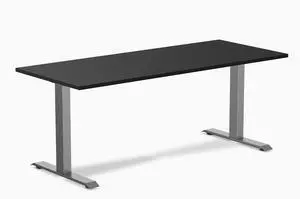
Desky Zero Laminate Office Desk - Black / 70.9 x 29.5 in / Space Gray
- Type: Desk
- Features: The maximum weight that can be supported is 308.6lbs, Created to perfectly match Desky's unbeatable desktops, It is compatible with a variety of Desky accessories, including adjustable monitor arms, mounts, drawers, and even strip LED lighting, Desky frames are constructed to provide ultimate stability and unmatched durability, ensuring that your
- Color: Black / Space Gray
- Finish/Surface: High Gloss
- Model #: zero-1800-black-space-grey-USA

Quick View
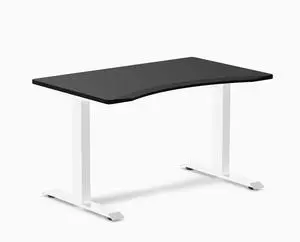
Desky Zero Ergo Edge Office Desk - Black / 48 x 30 in / White
- Type: Desk
- Features: The maximum weight that can be supported is 308.6lbs, Created to perfectly match Desky's unbeatable desktops, It is compatible with a variety of Desky accessories, including adjustable monitor arms, mounts, drawers, and even strip LED lighting, Desky frames are constructed to provide ultimate stability and unmatched durability, ensuring that your
- Color: Black/White
- Finish/Surface: High Gloss
- Model #: zero-ergo-black-1200-white-USA
Quick View
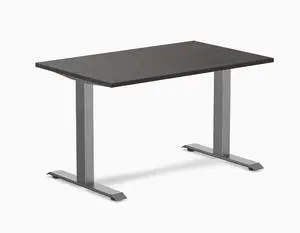
Desky Zero Laminate Office Desk - Burnished Wood / 47.2 x 29.5 in / Space Gray
- Type: Desk
- Features: The maximum weight that can be supported is 308.6lbs, Created to perfectly match Desky's unbeatable desktops, It is compatible with a variety of Desky accessories, including adjustable monitor arms, mounts, drawers, and even strip LED lighting, Desky frames are constructed to provide ultimate stability and unmatched durability, ensuring that your
- Finish/Surface: High Gloss
- Sizes/Dimensions: 47.2 x 29.5 in
- Model #: zero-1200-burnished-space-grey-USA
Quick View
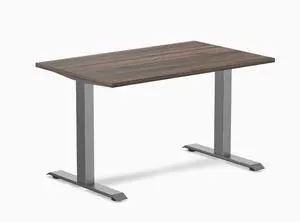
Desky Zero Laminate Office Desk - Jarrah Legno / 47.2 x 29.5 in / Space Gray
- Type: Desk
- Features: The maximum weight that can be supported is 308.6lbs, Created to perfectly match Desky's unbeatable desktops, It is compatible with a variety of Desky accessories, including adjustable monitor arms, mounts, drawers, and even strip LED lighting, Desky frames are constructed to provide ultimate stability and unmatched durability, ensuring that your
- Finish/Surface: High Gloss
- Sizes/Dimensions: 47.2 x 29.5 in
- Model #: zero-1200-jarrah-space-grey-USA
Quick View
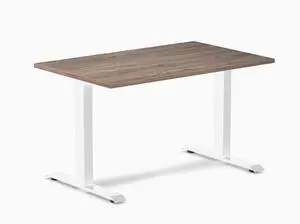
Desky Zero Laminate Office Desk - Natural Walnut / 47.2 x 29.5 in / White
- Type: Desk
- Features: The maximum weight that can be supported is 308.6lbs, Created to perfectly match Desky's unbeatable desktops, It is compatible with a variety of Desky accessories, including adjustable monitor arms, mounts, drawers, and even strip LED lighting, Desky frames are constructed to provide ultimate stability and unmatched durability, ensuring that your
- Color: Walnut / White
- Finish/Surface: High Gloss
- Model #: zero-natural-walnut-1200-white-USA
Quick View
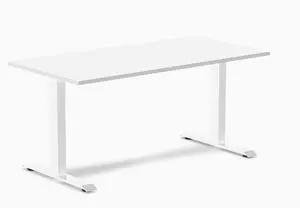
Desky Zero Laminate Office Desk - White / 59 x 29.5 in / White
- Type: Desk
- Features: The maximum weight that can be supported is 308.6lbs, Created to perfectly match Desky's unbeatable desktops, It is compatible with a variety of Desky accessories, including adjustable monitor arms, mounts, drawers, and even strip LED lighting, Desky frames are constructed to provide ultimate stability and unmatched durability, ensuring that your
- Color: White / White
- Finish/Surface: High Gloss
- Model #: zero-white-1500-white-USA
Quick View
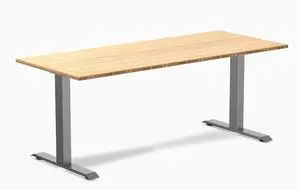
Desky Zero Bamboo Office Desk - Bamboo / 72 x 30 in / Space Gray
- Type: Desk
- Features: The maximum weight that can be supported is 308.6lbs, Created to perfectly match Desky's unbeatable desktops, It is compatible with a variety of Desky accessories, including adjustable monitor arms, mounts, drawers, and even strip LED lighting, Desky frames are constructed to provide ultimate stability and unmatched durability, ensuring that your
- Color: Bamboo / Space Gray
- Finish/Surface: High Gloss
- Model #: zero-bamboo-1800-space-grey-USA
Quick View
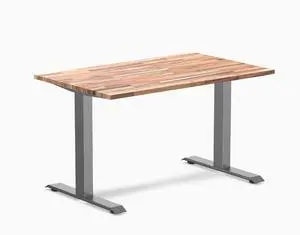
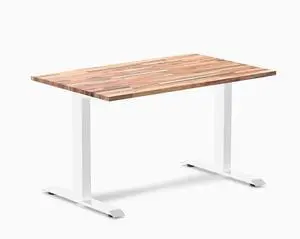
Desky Zero Softwood Office Desk - Acacia / 48 x 30 in / Space Gray
- Type: Desk
- Features: The maximum weight that can be supported is 308.6lbs, Created to perfectly match Desky's unbeatable desktops, It is compatible with a variety of Desky accessories, including adjustable monitor arms, mounts, drawers, and even strip LED lighting, Desky frames are constructed to provide ultimate stability and unmatched durability, ensuring that your
- Color: Acacia / Space Gray
- Finish/Surface: High Gloss
- Model #: zero-soft-1200-acacia-soft-grey-USA
Quick View
Desky Zero Softwood Office Desk - Acacia / 48 x 30 in / White
- Type: Desk
- Features: The maximum weight that can be supported is 308.6lbs, Created to perfectly match Desky's unbeatable desktops, It is compatible with a variety of Desky accessories, including adjustable monitor arms, mounts, drawers, and even strip LED lighting, Desky frames are constructed to provide ultimate stability and unmatched durability, ensuring that your
- Color: Acacia / White
- Finish/Surface: High Gloss
- Model #: zero-soft-acacia-1200-white-USA
Quick View
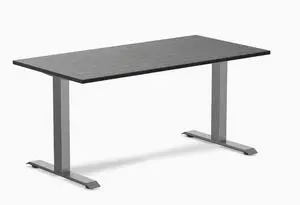
Desky Zero Bamboo Office Desk - Dark Bamboo / 60 x 30 in / Space Gray
- Type: Desk
- Features: The maximum weight that can be supported is 308.6lbs, Created to perfectly match Desky's unbeatable desktops, It is compatible with a variety of Desky accessories, including adjustable monitor arms, mounts, drawers, and even strip LED lighting, Desky frames are constructed to provide ultimate stability and unmatched durability, ensuring that your
- Color: Dark Bamboo / Space Gray
- Finish/Surface: High Gloss
- Model #: zero-dark-bamboo-1500-space-grey-USA
Quick View
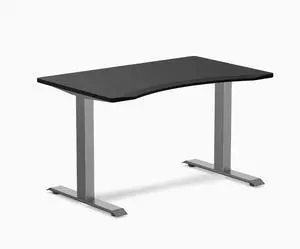
Desky Zero Ergo Edge Office Desk - Black / 48 x 30 in / Space Gray
- Type: Desk
- Features: The maximum weight that can be supported is 308.6lbs, Created to perfectly match Desky's unbeatable desktops, It is compatible with a variety of Desky accessories, including adjustable monitor arms, mounts, drawers, and even strip LED lighting, Desky frames are constructed to provide ultimate stability and unmatched durability, ensuring that your
- Color: Black / Space Gray
- Finish/Surface: High Gloss
- Model #: zero-ergo-1200-black-space-grey-USA
Quick View
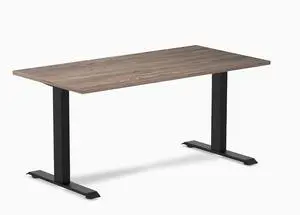
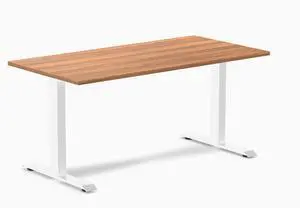
Desky Zero Laminate Office Desk - Natural Walnut / 59 x 29.5 in / Matte Black
- Type: Desk
- Features: The maximum weight that can be supported is 308.6lbs, Created to perfectly match Desky's unbeatable desktops, It is compatible with a variety of Desky accessories, including adjustable monitor arms, mounts, drawers, and even strip LED lighting, Desky frames are constructed to provide ultimate stability and unmatched durability, ensuring that your
- Color: Walnut / Matte Black
- Finish/Surface: High Gloss
- Model #: zero-natural-walnut-1500-black-USA
Quick View
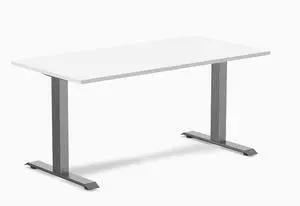
Desky Zero Laminate Office Desk - Prime Oak / 59 x 29.5 in / White
- Type: Desk
- Features: The maximum weight that can be supported is 308.6lbs, Created to perfectly match Desky's unbeatable desktops, It is compatible with a variety of Desky accessories, including adjustable monitor arms, mounts, drawers, and even strip LED lighting, Desky frames are constructed to provide ultimate stability and unmatched durability, ensuring that your
- Color: Prime Oak / White
- Finish/Surface: High Gloss
- Model #: zero-prime-1500-white-USA
Quick View
Desky Zero Laminate Office Desk - White / 59 x 29.5 in / Space Gray
- Type: Desk
- Features: The maximum weight that can be supported is 308.6lbs, Created to perfectly match Desky's unbeatable desktops, It is compatible with a variety of Desky accessories, including adjustable monitor arms, mounts, drawers, and even strip LED lighting, Desky frames are constructed to provide ultimate stability and unmatched durability, ensuring that your
- Color: White/Silver
- Finish/Surface: High Gloss
- Model #: zero-1500-white-space-grey-USA

Quick View
Daybed with Trundle Frame Set, Twin Size, Gray
- Material: Pine
- Finish: Gray
- Assembly Required: Yes
- Model #: N709-WF191421AAE
Quick View
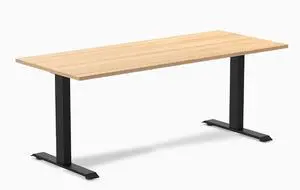
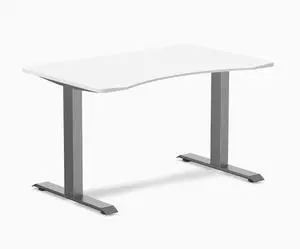
Desky Zero Laminate Office Desk - Sublime Teak / 70.9 x 29.5 in / Matte Black
- Type: Desk
- Features: The maximum weight that can be supported is 308.6lbs, Created to perfectly match Desky's unbeatable desktops, It is compatible with a variety of Desky accessories, including adjustable monitor arms, mounts, drawers, and even strip LED lighting, Desky frames are constructed to provide ultimate stability and unmatched durability, ensuring that your
- Color: Teak / Matte Black
- Finish/Surface: High Gloss
- Model #: zero-sublime-1800-black-USA
Quick View
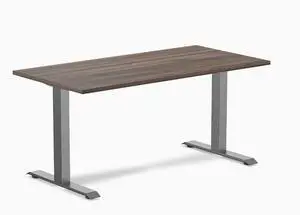
Desky Zero Ergo Edge Office Desk - White / 48 x 30 in / Space Gray
- Type: Desk
- Features: The maximum weight that can be supported is 308.6lbs, Created to perfectly match Desky's unbeatable desktops, It is compatible with a variety of Desky accessories, including adjustable monitor arms, mounts, drawers, and even strip LED lighting, Desky frames are constructed to provide ultimate stability and unmatched durability, ensuring that your
- Color: White / Space Gray
- Finish/Surface: High Gloss
- Model #: zero-ergo-1200-white-space-grey-USA
Quick View
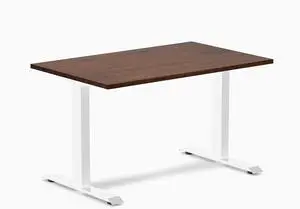
Desky Zero Laminate Office Desk - Jarrah Legno / 59 x 29.5 in / Space Gray
- Type: Desk
- Features: The maximum weight that can be supported is 308.6lbs, Created to perfectly match Desky's unbeatable desktops, It is compatible with a variety of Desky accessories, including adjustable monitor arms, mounts, drawers, and even strip LED lighting, Desky frames are constructed to provide ultimate stability and unmatched durability, ensuring that your
- Finish/Surface: High Gloss
- Selling Unit: 1
- Model #: zero-1500-jarrah-space-grey-USA
Quick View
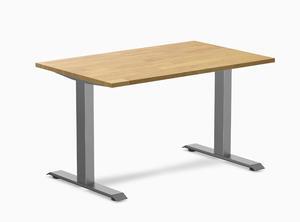
Desky Zero Rubberwood Office Desk - Red Walnut / 48 x 30 in / White
- Type: Desk
- Features: The maximum weight that can be supported is 308.6lbs, Created to perfectly match Desky's unbeatable desktops, It is compatible with a variety of Desky accessories, including adjustable monitor arms, mounts, drawers, and even strip LED lighting, Desky frames are constructed to provide ultimate stability and unmatched durability, ensuring that your
- Color: Walnut / White
- Finish/Surface: High Gloss
- Model #: zero-rubber-walnut-1200-white-USA
Quick View
Desky Zero Rubberwood Office Desk - Light Oak / 48 x 30 in / Space Gray
- Type: Desk
- Features: The maximum weight that can be supported is 308.6lbs, Created to perfectly match Desky's unbeatable desktops, It is compatible with a variety of Desky accessories, including adjustable monitor arms, mounts, drawers, and even strip LED lighting, Desky frames are constructed to provide ultimate stability and unmatched durability, ensuring that your
- Color: Light Oak / Space Gray
- Finish/Surface: High Gloss
- Model #: zero-rub-1200-light-oak-space-grey-USA
Quick View
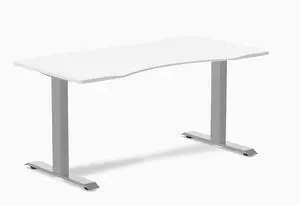
Desky Zero Ergo Edge Office Desk - White / 60 x 30 in / Grey
- Type: Desk
- Features: The maximum weight that can be supported is 308.6lbs, Created to perfectly match Desky's unbeatable desktops, It is compatible with a variety of Desky accessories, including adjustable monitor arms, mounts, drawers, and even strip LED lighting, Desky frames are constructed to provide ultimate stability and unmatched durability, ensuring that your
- Color: White / Grey
- Finish/Surface: High Gloss
- Model #: zero-ergo-white-1500-grey-USA
Quick View
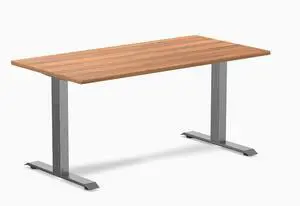
Desky Zero Laminate Office Desk - Prime Oak / 59 x 29.5 in / Space Gray
- Type: Desk
- Features: The maximum weight that can be supported is 308.6lbs, Created to perfectly match Desky's unbeatable desktops, It is compatible with a variety of Desky accessories, including adjustable monitor arms, mounts, drawers, and even strip LED lighting, Desky frames are constructed to provide ultimate stability and unmatched durability, ensuring that your
- Finish/Surface: High Gloss
- Selling Unit: 1
- Model #: zero-1500-prime-space-grey-USA
Quick View
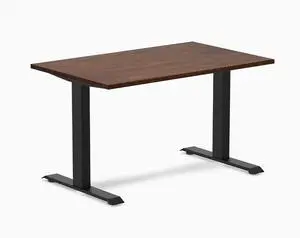
Desky Zero Rubberwood Office Desk - Red Walnut / 48 x 30 in / Matte Black
- Type: Desk
- Features: The maximum weight that can be supported is 308.6lbs, Created to perfectly match Desky's unbeatable desktops, It is compatible with a variety of Desky accessories, including adjustable monitor arms, mounts, drawers, and even strip LED lighting, Desky frames are constructed to provide ultimate stability and unmatched durability, ensuring that your
- Color: Walnut / Matte Black
- Finish/Surface: High Gloss
- Model #: zero-rubber-walnut-1200-black-USA
Quick View
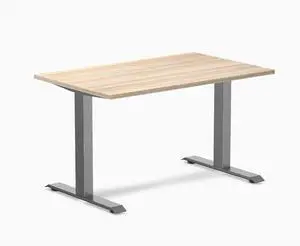
Desky Zero Laminate Office Desk - Classic Oak / 47.2 x 29.5 in / Space Gray
- Type: Desk
- Features: The maximum weight that can be supported is 308.6lbs, Created to perfectly match Desky's unbeatable desktops, It is compatible with a variety of Desky accessories, including adjustable monitor arms, mounts, drawers, and even strip LED lighting, Desky frames are constructed to provide ultimate stability and unmatched durability, ensuring that your
- Finish/Surface: High Gloss
- Sizes/Dimensions: 47.2 x 29.5 in
- Model #: zero-1200-classic-oak-space-grey-USA
Quick View
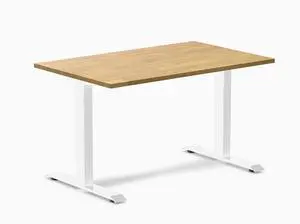
Desky Zero Rubberwood Office Desk - Light Oak / 48 x 30 in / White
- Type: Desk
- Features: The maximum weight that can be supported is 308.6lbs, Created to perfectly match Desky's unbeatable desktops, It is compatible with a variety of Desky accessories, including adjustable monitor arms, mounts, drawers, and even strip LED lighting, Desky frames are constructed to provide ultimate stability and unmatched durability, ensuring that your
- Color: Light Oak / White
- Finish/Surface: High Gloss
- Model #: zero-rubber-oak-1200-white-USA
Quick View
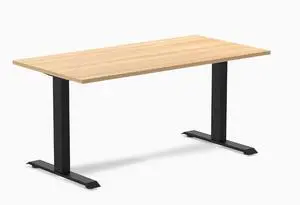
Desky Zero Laminate Office Desk - Sublime Teak / 59 x 29.5 in / Matte Black
- Type: Desk
- Features: The maximum weight that can be supported is 308.6lbs, Created to perfectly match Desky's unbeatable desktops, It is compatible with a variety of Desky accessories, including adjustable monitor arms, mounts, drawers, and even strip LED lighting, Desky frames are constructed to provide ultimate stability and unmatched durability, ensuring that your
- Color: Teak / Matte Black
- Finish/Surface: High Gloss
- Model #: zero-sublime-1500-black-USA
Quick View
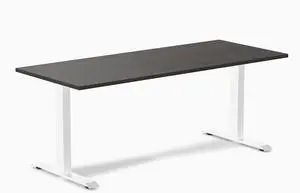
Desky Zero Laminate Office Desk - Burnished Wood / 70.9 x 29.5 in / White
- Type: Desk
- Features: The maximum weight that can be supported is 308.6lbs, Created to perfectly match Desky's unbeatable desktops, It is compatible with a variety of Desky accessories, including adjustable monitor arms, mounts, drawers, and even strip LED lighting, Desky frames are constructed to provide ultimate stability and unmatched durability, ensuring that your
- Color: Burnished Wood / White
- Finish/Surface: High Gloss
- Model #: zero-burnished-1800-white-USA
Quick View
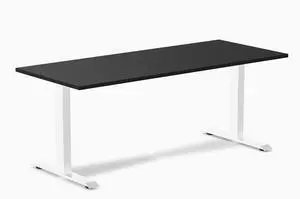
Desky Zero Laminate Office Desk - Black / 70.9 x 29.5 in / White
- Type: Desk
- Features: The maximum weight that can be supported is 308.6lbs, Created to perfectly match Desky's unbeatable desktops, It is compatible with a variety of Desky accessories, including adjustable monitor arms, mounts, drawers, and even strip LED lighting, Desky frames are constructed to provide ultimate stability and unmatched durability, ensuring that your
- Color: Black/White
- Finish/Surface: High Gloss
- Model #: zero-black-1800-white-USA
Quick View
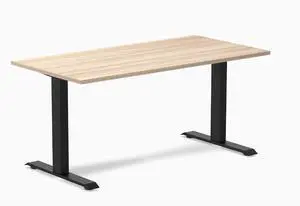
Desky Zero Laminate Office Desk - Classic Oak / 59 x 29.5 in / Matte Black
- Type: Desk
- Features: The maximum weight that can be supported is 308.6lbs, Created to perfectly match Desky's unbeatable desktops, It is compatible with a variety of Desky accessories, including adjustable monitor arms, mounts, drawers, and even strip LED lighting, Desky frames are constructed to provide ultimate stability and unmatched durability, ensuring that your
- Color: Classic Oak / Matte Black
- Finish/Surface: High Gloss
- Model #: zero-classic-oak-1500-black-USA
Quick View
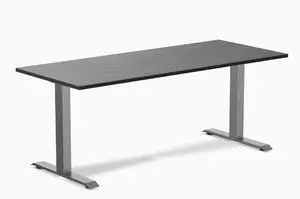
Desky Zero Bamboo Office Desk - Dark Bamboo / 72 x 30 in / Space Gray
- Type: Desk
- Features: The maximum weight that can be supported is 308.6lbs, Created to perfectly match Desky's unbeatable desktops, It is compatible with a variety of Desky accessories, including adjustable monitor arms, mounts, drawers, and even strip LED lighting, Desky frames are constructed to provide ultimate stability and unmatched durability, ensuring that your
- Color: Dark Bamboo / Space Gray
- Finish/Surface: High Gloss
- Model #: zero-dark-bamboo-1800-space-grey-USA
Quick View
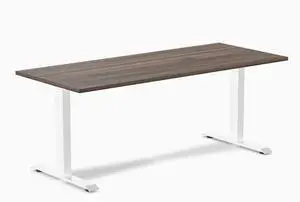
Desky Zero Laminate Office Desk - Jarrah Legno / 70.9 x 29.5 in / White
- Type: Desk
- Features: The maximum weight that can be supported is 308.6lbs, Created to perfectly match Desky's unbeatable desktops, It is compatible with a variety of Desky accessories, including adjustable monitor arms, mounts, drawers, and even strip LED lighting, Desky frames are constructed to provide ultimate stability and unmatched durability, ensuring that your
- Color: Jarrah Legno / White
- Finish/Surface: High Gloss
- Model #: zero-jarrah-1800-white-USA
Quick View
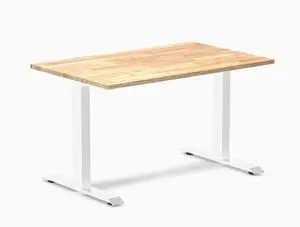
Desky Zero Rubberwood Office Desk - Natural Timber / 48 x 30 in / White
- Type: Desk
- Features: The maximum weight that can be supported is 308.6lbs, Created to perfectly match Desky's unbeatable desktops, It is compatible with a variety of Desky accessories, including adjustable monitor arms, mounts, drawers, and even strip LED lighting, Desky frames are constructed to provide ultimate stability and unmatched durability, ensuring that your
- Color: Natural Timber / White
- Finish/Surface: High Gloss
- Model #: zero-rubber-natural-1200-white-USA
Quick View
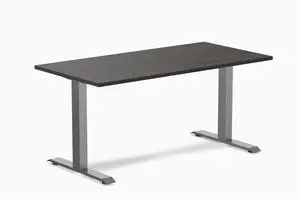
Desky Zero Laminate Office Desk - Burnished Wood / 59 x 29.5 in / Space Gray
- Type: Desk
- Features: The maximum weight that can be supported is 308.6lbs, Created to perfectly match Desky's unbeatable desktops, It is compatible with a variety of Desky accessories, including adjustable monitor arms, mounts, drawers, and even strip LED lighting, Desky frames are constructed to provide ultimate stability and unmatched durability, ensuring that your
- Finish/Surface: High Gloss
- Selling Unit: 1
- Model #: zero-1500-burnished-space-grey-USA
Quick View
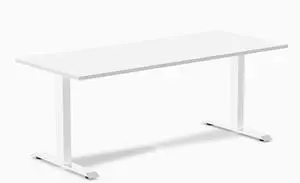
Desky Zero Laminate Office Desk - White / 70.9 x 29.5 in / White
- Type: Desk
- Features: The maximum weight that can be supported is 308.6lbs, Created to perfectly match Desky's unbeatable desktops, It is compatible with a variety of Desky accessories, including adjustable monitor arms, mounts, drawers, and even strip LED lighting, Desky frames are constructed to provide ultimate stability and unmatched durability, ensuring that your
- Color: White / White
- Finish/Surface: High Gloss
- Model #: zero-white-1800-white-USA
Quick View
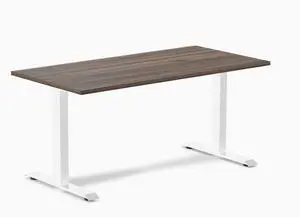
Desky Zero Laminate Office Desk - Jarrah Legno / 59 x 29.5 in / White
- Type: Desk
- Features: The maximum weight that can be supported is 308.6lbs, Created to perfectly match Desky's unbeatable desktops, It is compatible with a variety of Desky accessories, including adjustable monitor arms, mounts, drawers, and even strip LED lighting, Desky frames are constructed to provide ultimate stability and unmatched durability, ensuring that your
- Color: Jarrah Legno / White
- Finish/Surface: High Gloss
- Model #: zero-jarrah-1500-white-USA