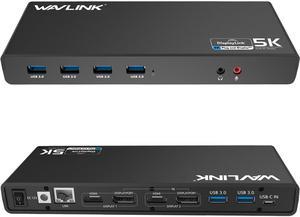
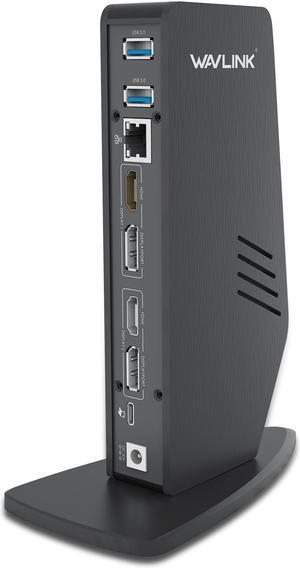
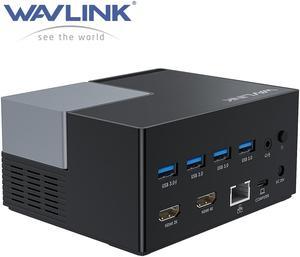
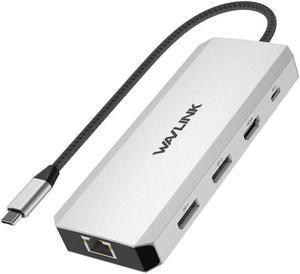
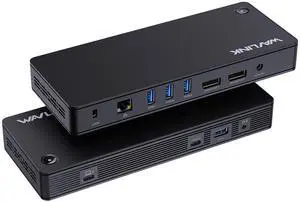
Part Number: - 6 x SuperSpeed USB 3.0 ports
- 2 x 4K DisplayPorts
- 1 x Audio out
- 1 x USB-C in
- 2 x 4K HDMI
- 1 x Mic in
- 1 x Gigabit Ethernet
- 1 x 5k (DisplayPort + DisplayPort)
Compatibility: This laptop docking stations compatibility with Apple M1/M2 and Intel Macs (with macOS 10.14 or later) .Support Windows 11, 10, 8.x, and 7 with driver installation.Surface RT, Linux/Unix are not supported. (see Display Link website for more details).Docking station is suggested for use with web and productivity software; not recommended...
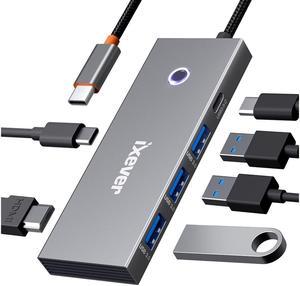
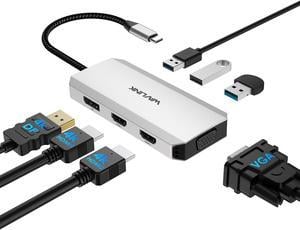
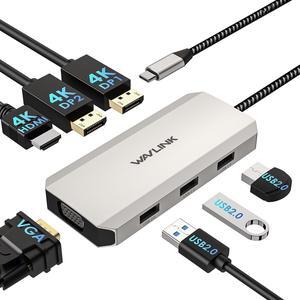
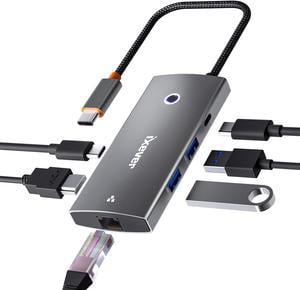
Part Number: 1x HDMI1 (4K@30Hz), 1x HDMI2 (4K@60Hz), 1x DisplayPort(4K@60Hz), 1x VGA(1080P@60Hz), 3 x USB2.0-A(480Mbps)
Compatibility: Plug and play on Windows 11/10/8.1/8/7, Mac OS 10.8 or later, Chrome OS, Linux, iPad OS, Harmony OS, Android.
Works with your USB-C Desktop PCs, Laptops, Tablets/Mobile Phones(OTG function required).
Weight: 85g/3.0oz
Features: 1x USB-C to Host with fixed 25cm cable
Video Interface: 2*HDMI+1*DP+1*VGA
Triple Display: up to 1x 4K@60Hz + 2x 4K@30Hz + 1080p@60Hz
Single Display: (HDMI1 or DP)3840x2160@60Hz
or (DP2)3840x2160@30Hz, or (VGA) 1080P@60Hz
Support max 85W Power Delivery to Host
3x USB-A 2.0, for connection of USB-A devices like Keyboard, Mouse, etc.
1x USB-C PD IN 100W
No driver
Compatibility: Windows 10, 8.1, 8, 7, XP systems, Mac OS 10.6 Donwards,-Mac OS 10.13.4 - 10.13.6 has single extended display support with AirPlay. No support on Linux/Unix or ARM based Windows operating systems (such as Surface RT)(MacOS Big Sur please download driver: https://www.synaptics.com/products/ displaylink-graphics/downloads/macos), Note: Need manual driver installation on Mac, then enable Screen Recording
Ports Spec: THIS DOCK DOESN'T support Power Delivery function! !
1 x Type-C (Connect to laptop)
2 x HDMI
2 x USB-C
2 x DisplayPort
3 x USB-A 3.0
1 x 4-Pole Phone Jack
1 x RJ45 Gigabit Ethernet
1 x DC Power Jack Port
Part Number: 2x DisplayPort(4K@60Hz), 1x HDMI (4K@60Hz), 1x VGA(1080P@60Hz), 3 x USB2.0-A(480Mbps)
Compatibility: Widely compatible with Windows 11/10/8.1/8/7, Mac OS, Chrome OS, Linux, iPad OS, Harmony OS, Android with OTG function. Suitable for your Thunderbolt 3/4 laptops or devices with USB-C port that supports video output(Check the details page or contact our customer service to see more compatible devices). No driver is required;
Ports Spec: dual DP ports (4K@60Hz), one HDMI port (4K@60Hz), one VGA port (1080P@60Hz), and 3x 480Mbps USB2.0-A ports
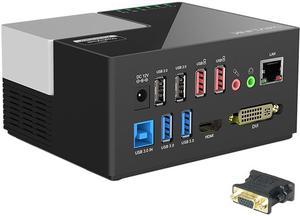
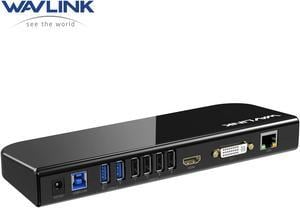
Part Number: 2 x USB2.0 Ports2 x USB3.0 Ports2 x 2.4A Fast Charging Ports1 x Gigabit Etherent Port1 x DC Power Input Port1 x Mic In Port1 x Audio Out Port1 x 2K HDMI Port1 x 2K DVI Port1 x USB-B Port
Compatibility: System Support: Windows 10, 8, 7, & legacy XP systems, Chrome OS R55, macOS 10.15.1 later. Surface RT, Mac OS/Linux/Unix are not supported. Docking station is suggested for use with web and productivity software; not recommended for gaming (see Display Link website for more details)
Ports Spec: Dock provides Super Speed USB 3.0 (5 Gbps) link from PC to Video, Ethernet, Micro Phone In/Earphone, USB 3.0 ports 2 unit , USB 2.0 ports 2 uni and in addition of two USB charging red color ports
HDMI and DVI output supports display resolutions up to 2048x1152 Wired Ethernet port
Ports Spec: 3 x USB-A Port: 5Gbps 1 x USB-A 5Gpbs (USB BC1.2 Fast Charge) 2 x HDMI (1x2K, 1x4K) 1 x 4-pole phone Jack 1 x USB-C I/P: Upstream Charging 100W Max 1 x DC Power Jack Port 1 x RJ45 Gigabit Ethernet
Part Number: 4 x USB-A 2.02 x USB-A 3.01 x USB-B1 x DC Power Input Port1 x Microphone Input Port1 x Audio Output Port1 x HDMI1 x DVI or VGA (through converter)1 x RJ45 Gigabit Ethernet
Compatibility: Compatible with Windows11, 10, 8, 8.1, 7, MacOS 10.14-13.X and latest, Ubuntu 20.04, 22.04, ChromeOS, Android 5 (Lollipop) onwards with USB OTG mode. Plug and play driver installation via Windows Update. This universal docking station offers broad compatibility with various laptops and devices, making it an ideal choice for remote
Ports Spec: Built-in HDMI and DVI outputs each resolution up to 1920x1200 @ 60Hz, HDMI port supports resolutions up to 2560x1440@ 50Hz with a single HDMI display only. Includes DVI to VGA and DVI to HDMI adapters are supplied for added flexibility, allowing you to extend your desktop or mirror your screen...
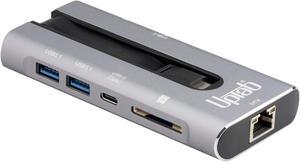
Part Number: 1x USB-C(PD IN,100W), 1x HDMI (4K@60Hz), 2x DisplayPort(4K@60Hz), 1x Gigabit RJ45, 2xUSB3.0-A(5Gbps), 2 x USB2.0-A(480Mbps), 1x SD Card Slot, 1x TF Card Slot, 1 x Audio/Mic Port
Compatibility: Systems/ Devices Compatibility Plug and play on Windows 11/10/8.1/8/7, Mac OS, Chrome OS, Linux, iPad OS, Harmony OS, Android. Works with your USB-C Desktop PCs, Laptops, Tablets/Mobile Phones(OTG function required).
Weight: 0.27Lbs
Parts: How to Confirm if the Type-C Port of Your Laptop Supports Video Output and Charging? Step 1: Please check the model of your laptop, it should be on the back of the label; Step 2: Search “brand + the model number of the device + manual” in Google, for example:
Compatibility: Installation Before using this dock, please make sure that the latest PC/laptop drivers are installed (including USB, graphics card etc) because the network port needs specific drivers. For Windows 10, the system detects and automatically installs them after the dock is connected to the network. If drivers cannot be automatically installed, the network port can’t perform properly. Please install them manually. For MAC OS system, you need to install the network port driver manually, please visit www.wavlink.com > Support > Driver > PC peripherals > USB Docking. 1. The dock is driver free, therefore you don’t need to install any driver before using it. 2. Plug the power adapter of the dock in a power outlet. 3. Connect the USB-C connector of the dock to your host laptop/PC, the LED light on the dock will turn blue. 4. Connect your monitor(s) to video ports of ...
Features: Multi-Stream Transport (MST) Hub:An MST Hub enables three different display modes on up to four monitors connected to a single Mini DisplayPort output.

 Holiday Shipping Details & Extended Holiday Returns