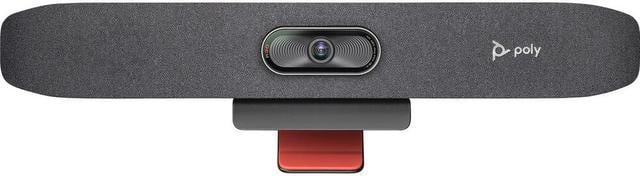
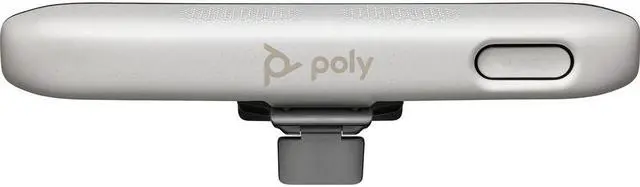
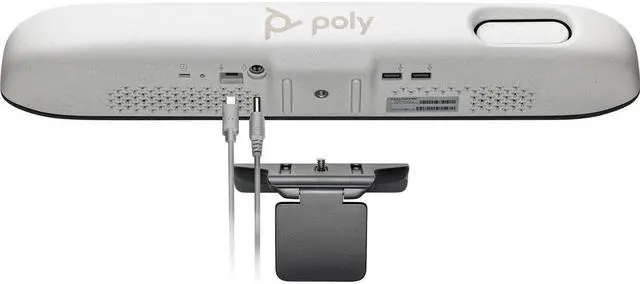
The HP Poly Studio R30 is a USB video bar for small conference spaces, combining 4K video, a 120° diagonal field of view, and Poly DirectorAI framing to help teams stay clearly in view during meetings.
Recommended For
- Teams outfitting a small 3–5-person huddle room for USB meetings: the R30 combines the camera, microphones, and speaker, and HP positions it for PC-based or bring-your-own-device use.
- Hybrid teams that want the camera to frame a group or follow a speaker or presenter during meetings; a hands-on TechRadar review found the tracking and framing worked well in its tests.
- Small-room users who need one camera to cover people spread across the table; TechRadar found the R30’s wide field of view provided more horizontal coverage than the webcam it compared it with.
- Organizations standardizing Zoom or Microsoft Teams meetings in PC-connected rooms; HP lists the R30 as certified for both, while its USB audio and video connection also suits compatible BYOD setups.
Real-World Use Scenarios
- In a small hybrid meeting, a team connects a laptop to the R30 so remote colleagues can see the people around the table; the wide group framing helps include multiple participants in the same view.
- During a small-room discussion with several people taking turns, the camera can reframe around the active speaker and widen back to the group, helping remote attendees follow who is talking.
- For a presenter moving around a small meeting room, such as while explaining a slide or whiteboard, presenter tracking can keep them in frame without someone manually adjusting the camera.
- In a shared office or meeting room with nearby keyboard noise, the R30’s noise-reduction features can reduce some distracting background sounds so voices are easier for remote participants to hear.
- For an ad hoc meeting in a small conference room, a user can connect the R30 to a laptop and use it as the room’s camera, microphone, and speaker with a video-calling app, avoiding a separate webcam and speakerphone setup.




 here!

 Hot Seller
 Top Rated