

Your Browsing History


Charles B.
Joined on 10/05/09
0
0
product reviews
- 4
awesome performance for the price
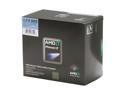
AMD Phenom II X4 965 Black Edition - Phenom II X4 Quad-Core 3.4 GHz Socket AM3 140W Processor - HDZ965FBGIBOX
Pros: This cpu was a huge upgrade for me. Coming off a laptop with a 1.86 core 2 duo running windows vista 32bit I was very pleasantly surprised at the speed increase running windows 7 64bit. This is my first system build and I'm very pleased with the performance of this processor. I'm not much of a gamer and I haven't overclocked this cpu but I regularly have at least 2 monitors full of open windows, usually including at least some kind of movie or music and often intensive cad programs as well as a large portion of the office suite. I've never seen a stutter from this chip. Despite some reviews, my cpu runs very cool even with the stock heatsink and fan. Speedfan reports a max core temperature of 56c under prime95 load, and generally around 29c at idle. My case isn't very well cooled and I'm still getting pretty good numbers.
Cons: As just about everyone has reported, the stock heatsink and fan leave something to be desired. I'm not willing to dock and egg for it because it works just fine but my fan spins anywhere from 3500 to 6000 rpm depending on the load and it gets very loud. It does the job it's designed to do but it could be much quieter.
Overall Review: AMD Phenom II X4 965 Black Edition Asus M4A79XTD EVO G.Skill DDR3 2x2GHz MSI NVidia Geforce 250 GTS Western Digital Caviar Black 750Gb Antec Sonata III case Antec Earthwatts 500W power supply I built my system on a budget of ~$800 and met it with room to spare. For the price, I don't think I could be any happier with my system, except for maybe a new heatsink. I got this cpu over the 955 because I could get it in a combo with my motherboard and it actually came out cheaper than buying the 955 with the same board separately.
1/11/2010See more detail
not bad, but not so great either.
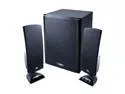
Cyber Acoustics CA-3402 20 Watts 2.1 3 Piece Flat Panel Design Subwoofer & Satellite Speaker System
Pros: I got these speakers for free so I can't really complain, but I'm going to anyway. Honestly, I think that the sound from these speakers is quite good. The bass is adequate for a small room (I used these in a very small dorm room and it was plenty of power) and the bass control on the satellite actually controls the bass, not just on/off. The satellites were pretty good as well...maybe not too many mids but I don't listen to music with many mids anyway so this wasn't an issue. These speakers are also quite loud with all volumes turned up pretty high, louder than I would ever need them to be.
Cons: After about 6 months the speakers became very finnicky and the jack had to be placed in an exact way so that both speakers would work. this has only gotten worse over time. This could be a fluke but I have a friend who bought these exact same speakers and had the exact same problem in an even shorter time period. Durability is also an issue. Because of the satellite design, if you happen to drop one as I did the top has a tendency to break completely off of the base. I realize that is is my fault and I'm not docking stars for this, but buyer beware. The LEDs on the satellites are very, very bright on mine. This may not be an issue to some, and if you turn the speakers off it's not an issue but in my dorm room I can't stand it. Last, my speakers pick up a radio signal. Not fuzzy background waves, and actual radio station signal. this is a very big issue during quiet parts of movies, music, whatever. I've never had other speakers do this.
Overall Review: I'm a musician and I have a pretty keen ear for sound. these speakers sound very good for the price (note: for the price) when they work. the problem is that they're slowly going to pieces and I use my speakers all the time. if you're on a budget these may work well enough for you but they are by no means a permanent solution.
1/2/2010See more detail
amazing case
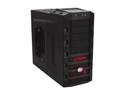
Cooler Master HAF 922 - High Air Flow Mid Tower Computer Case with USB 3.0 and All-Black Interior
Pros: -tons of space and subsequently very easy to build in -huge fans for massive cooling capabilities -very easy cable routing -lots of space for hard drives and cd drives/fan controllers -ability to turn off the leds -fits even the largest video cards in a mid tower -very quiet -customizable air flow abilities -both side panels are removable
Cons: -case it huge. not a problem if you aren't limited on space. -looks a little gaudy. personally, I favor a cleaner, smoother looking machine but that's just opinion, not a fault of the case.
Overall Review: I built a machine for a friend using this case. I couldn't imagine the build going together any easier than this did, and I would never hesitate to use this case in a new build. I'm very seriously considering getting one for myself at this point. The motherboard tray has tons of space behind it for cable routing and the case is long enough to fit any of the new video cards that are coming out today. The entire case, aside from mobo and ps installation, is tool-less install for a very easy setup. the 2 - 200mm fans create huge loads of airflow that keeps the whole machine very cool. if you're looking for a case that's quiet, has great airflow, and is easy to build in, there's no reason not to buy this one. I can't imaging anything working this well.
4/30/2010See more detail
2 years and still working flawlessly.
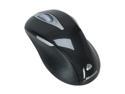
Microsoft Wireless Laser Mouse 5000
Pros: I've had this mouse for 2 years now and it's been the most reliable piece of computer equipment I've owned in that time. Literally a plug-and-play device for me. I don't know if this mouse has an automatic sleep mode or not but batteries seem to last forever in it, and I normally just use whatever AAs I have laying around at the time. for being a wireless mouse I've noticed very, very little lag, although I'm not a gamer so this isn't much of an issue to me. on most surfaces I don't even need a mouse pad for this mouse.
Cons: The right side button isn't very easy to hit but being and ambidextrious device this is almost expected.
Overall Review: I originally bought this mouse because I was tired of using my laptop's mouse touch pad and wanted a real mouse. I have fairly large hands and this was just about the biggest mouse in the store at the time so I bought it and have not been disappointed. My laptop has 32 bit vista on it. I just recently built a desktop and put 64 bit windows on it. both machines instantly recognized the mouse and all it took was hitting connect on the receiver and connect on the mouse to be able to use this mouse.
1/1/2010See more detail