

Your Browsing History


sean a.
Joined on 03/29/05
1
0
product reviews
- 16
Nice monitor nice price

SAMSUNG F2380 Black 23" Widescreen CPVA panel LCD Monitor 300 cd/m2 DC 150000:1(3000:1) w/height & swivel adjustment
Pros: Elegant design. Beautiful colors. Responsive display. Great price for the features. Ubuntu 9.04 picked it right up.
Cons: The blinky stand-by light is weird, but this is in my office so it doesn't bother anyone at night. Not the best for fast-twitch games like Quake 3, but far from un-usable.
Overall Review: Not a con for the product, rather the screen size. Having lived with my first widescreen monitor for several weeks, I wish I had gone for a 1920*1200 display to get a bit more vertical resolution.
9/25/2009See more detail
Lasted nearly a year
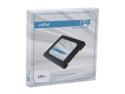
Crucial V4 2.5" 128GB SATA II MLC Internal Solid State Drive (SSD) SSD Only CT128V4SSD2
Pros: Lighter, quieter
Cons: Fast boot, slow updates
Overall Review: Used exclusively for Ubuntu 12.04 LTS. Fast boots and fairly quick application loading. However, every time update had to deal with large number of files (updating linux headers) the light would stay on steady and the machine would sit there for hours. Finally, yesterday, the SMART system said that failure was imminent despite all the SMART tests reporting good. It was right! Read errors and the thing went casters up. Good thing I back up nightly. Don't get this. Too good to be true.
8/14/2013See more detail
Nice for a while.
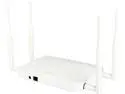
EnGenius ECB1200 2x2 802.11ac Desktop Dual Band AC1200 High-powered Long-range Wireless Indoor Access Point/Client Bridge
Pros: Powerful Radio Lots of good features
Cons: Absurdly defaults to 192.168.1.1 When I patched it to 3.0.0.4 (only firmware available on the site) in order to get the WPA2 fix, the Wireless section of the Web UI quit working. Error message with a nil value error. Well, I really wanted WPA2 fix so...probably will retire this or make it into a honeypot with an old laptop and router.
12/9/2017See more detail
Brought new life to my 6 year old system.
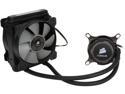
CORSAIR Hydro Series H75 CW-9060015-WW 120mm Water / Liquid CPU Cooler
Pros: Inexpensive Quiet
Cons: Instructions could be more specific about power connections. They say just plug the pump and fan connectors into any header on the board! Well that's just silly. I chose to plug the fans into the 4-pin CPU header so my m4a785TDV-EVO motherboard would use the temperature of the CPU to determine how fast the fans on the radiator should spin. My board had 3 pin Chassis and Power headers. The Chassis header fan speed is determined by motherboard temperatore, while it appears that Power header fan speed is full speed all the time. i plugged the pump into the Power header as I had read that the pump might perform best at full 12 volts. The board reports the pump is spinning at 1450RPM if that can be trusted. I have a Molex-to-3pin adapter coming that I may use just to be sure the pump gets 12v. Nothing on the Corsair site or docs give any details so this may all be a waste of time but I believe plugging the radiator fans into the CPU header was definitely the right way to go.
Overall Review: For $75 I do have some concerns about longevity and leaks but there is a 5 year warranty. I thought it was worth the gamble. Took my Phenom II x4 955 from a jet engine at full speed to nice and civilzed inside my 10+ years old Lian Li case. I was often choosing to run it throttled down to keep the cooler fan quiet. I considered a giant passive heat sink but something bout that thing dangling off of a vertical board made my itch. Newer CPUs can best the performance and use less electicity but I like keeping old things going.
12/22/2015See more detail
One of the two still lives
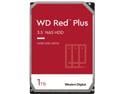
WD Red Plus 1TB NAS Hard Disk Drive - 5400 RPM Class SATA 6Gb/s, CMR, 64MB Cache, 3.5 Inch - WD10EFRX
Pros: Good price, good warranty.
Cons: Need to use the warranty after 6 months.
Overall Review: A pair of drives in a CentOS 6.5 system running software raid. After 6 months one drive simply died...invisible to the system. Hope the warranty process isn't too painful.
12/21/2014See more detail
Good for the price while it works.
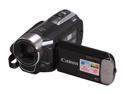
Canon VIXIA HF R10 Black 1/5.5" CMOS 2.7" 112K LCD 20X Optical Zoom 8GB HD Dual Flash Memory Camcorder
Pros: Low price Nice features Compact
Cons: Poor quality in low light. Battery dies before the internal memory is even half-full.
Overall Review: Had it for two years, lost the charger. Bought a new charger a few months later. Found out the auto-focus was stuck/broken. Now it is a paperweight.
10/14/2013See more detail