

Your Browsing History


Kurtis P.
Joined on 10/01/04
0
0
product reviews
- 12
Great little KB/mouse for HTPC
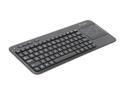
Logitech K400 2.4GHz Wireless Touch Keyboard
Pros: -range (if usb key is exposed and within 10-20 feet) -trackpad is accurate -additional left mouse button on top left for easy use
Cons: was not free and cannot use to go to the moon
2/5/2013See more detail
BAD LAPTOP DRIVE, DO NOT BUY!!!
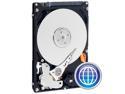
Western Digital Scorpio Blue WD2500BEVE 250GB 5400 RPM 8MB Cache PATA 2.5" Internal Notebook Hard Drive Bare Drive
Pros: Great EXTERNAL or SECONDARY (only) drive
Cons: As and IT Sys Engineer for the past decade I have never seen a laptop drive this bad. After a month or so after POST the screen goes black and I get the magic blinking cursor. Cannot repair MFT or MBR, must format the drive to fix the boot sector. Works great as a non-booting drive or external. After going through the process twice within 2.5 months I decided to buy a Samsung since the Seagate reviews have not been to promising lately either. I have 2 WD 3.5 inch drives running in my home Desktop for over 5 years now with absolutely no problems. They do make great drives, especially their Green Power line, but their laptop drives just plain suck. If this was just me I would understand, but once you read all the reviews here you will begin to notice the trend.
Overall Review: The problem may stem from heat as I noticed the drive was very warm both times this happened. Even after cooling down, defrag, checkdisk, virus scan, NTLDR, MFT and MBR fixes, will not fix the problem.
2/18/2009See more detail
Decent
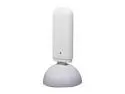
EDIMAX EW-7722UnD N600 Wireless Dual-Band USB 2.0 Adapter IEEE 802.11a/b/g/n
Pros: Received a signal and connects to wi-fi.
Cons: The built-in 2.5ghz NIC built into my laptop gets the SAME throughput as this dual channel one. Built-in also gets 5 signal bars on 2.5 while this one gets 3 bars on 2.5g and 2 bars on 5g in same location. I am also using an Edimax 600n router, which is also decent but does have a stable signal, although not strong enough for my needs. It is also bulky compared to most USB wi-fi adapters. If you are not going to be sitting almost right next to the router you can forget about using this for any meaningful boost from 5g. This also will not work without also installing the cumbersome edimax wi-fi software which seems to get confused a lot with Windows when disconnecting and switching over to the built-in. This may be a better option for a laptop with no wi-fi already or a even desktop, but not just to get a faster speed or better signal. Used inSSIDer and lanspeedtest for testing.
2/14/2013See more detail
Easy to setup, great reception.
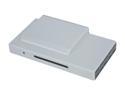
SiliconDust - HDHomeRun Network-based Dual Digital - HDTV Tuner Ethernet Interface
Pros: Easy setup, great reception from OTA/Clear QAM. It also automatically updated the firmware with no interaction. Great little device.
Cons: None.
Overall Review: Comcast Clear QAM does NOT carry Fox in my area (Waldorf, MD), so I am required to use my antenna and cable signal, but at least I have that option. Also no MyDC20.
10/6/2010See more detail
Great hard drive
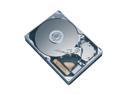
Western Digital Blue WD800JB 80GB 7200 RPM 8MB Cache IDE Ultra ATA100 / ATA-6 3.5" Internal Hard Drive Bare Drive
Pros: Purchased more than 4 years ago as the main drive in the family desktop, which is on all the time except at night. Never any disk problems, which I have been grateful for since the kids have seemingly broken everything else on the computer. Holds up over time.
Cons: None
11/15/2008See more detail
These things are great, but don't last long

Logitech Marble Gray 4 Buttons USB or PS/2 Trackball TrackBall Mouse
Pros: My wife burns through these things like nothing, but anoot use any other mouse without getting really grumpy. For someone who is on the computer all day doing graphics and websites it takes alot of strain off of moving your arm around all the time. But don't expect one of these to last much longer that a year if you will be using all day. We are in our 4th in 5 years, but nothing else out there can compare to the hand posistioning, etc...
Cons: Could last a little longer.
11/15/2008See more detail