

Your Browsing History


Isaac T.
Joined on 12/27/08
0
0
product reviews
- 32
Best OS Available
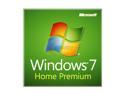
Microsoft Windows 7 Home Premium SP1 64-bit
Pros: It's better than XP, Vista, and Windows 8.
Cons: None for me. It installed correctly and the code worked.
Overall Review: Linux is becoming a better option thanks to Windows 8, but I believe Windows 7 is the best choice presently. OEM = Only get one install on one motherboard.
12/5/2012See more detail
Decent Game. Difficult to Get.

NVIDIA Gift - Assassin's Creed III Game Coupon
Pros: It was Free. Great game. There are a lot of cut scenes and a lot of optional quest missions. Visually, its the best I've seen with a great story (unless your'e a redcoat).
Cons: Simple combat design. In melee combat, there are only a 3 buttons to press: Counter, break counter, and attack. While visually the combat looks awesome, the game suffers from a lack in difficulty because of its simplistic combat system. The game is also buggy. You will not go through the game without finding bugs and glitches (mostly comedic to me than bothersome). By the way, the game is difficult to even get. You use your game code to get another game code. You need to get a Ubisoft account. Most difficult was adding the game to the cart, you will likely have to try a few different things to get it into the cart. Once you get it and checkout, they need your address information and what not. Luckily they didn't ask for my credit card information. Then when downloading, it is separated into 23 .rar files. Luckily installing was easy, just had to open the first .rar file and it installed the rest.
1/19/2013See more detail
It works on Windows 7 and 10!
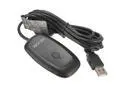
Black PC Wireless Controller Gaming USB Receiver Adapter For Microsoft XBOX 360
Pros: Just need to update drivers and its good to go. See comments below on how to update drivers. Works with Microsoft Store games like Halo and Steam games with controller enabled.
Cons: None yet.
Overall Review: WINDOWS 10 INSTALLATION INSTRUCTION: It is listed in the device manager as an unknown device. To fix this, in device manager simply right click it, click properties. Go to the "driver" tab and click "Update Driver...". Then "Browse my computer for driver software". Then choose" Let me pick from a list of device drivers on my computer". Then click "Xbox 360 Wireless Receiver for Windows", hit Next with that highlighted. An Update Driver Warning will pop up and all you have to do is click yes. Then you are ready to sync your controlled with this receiver. YA!
12/11/2016See more detail
First SSD and Not Disappointed
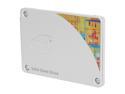
Intel 530 Series SSDSC2BW120A4K5 2.5" 120GB SATA III MLC Internal Solid State Drive (SSD) Retail
Pros: - Fast Boot - Silent - Etc.
Cons: None yet
Overall Review: Drive size after install = 111 GB.
2/26/2015See more detail
Great Router
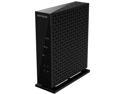
NETGEAR Wireless Router - N300 (WNR2000)
Pros: I currently have 30 Mbps and soon 60 Mbps download with an upload of 4 Mbps. Performing a speed test, my speeds were either at that speed or exceeded that amount in both download and upload. This includes wireless and a wired connection. Plug and play type router makes it easy for the biggest noobs. The basic settings are easy to maneuver and had everything I needed. My parents also have an older version of this router at their home and it has been working for them for 3-4 years.
Cons: I have had very few disconnects but it's unlikely related to the router and more the ISP's fault. These disconnects occurred when I was wired. I don't use wireless except with a couple mobile devices I own which I don't use often. I am primarily on a desktop wired up.
Overall Review: Remember to divide your download speed (30 Mbps) by 8 to get your actual download rate. 30/8= 3.75 Mbps and that is where my speed holds most of the time, give or take a bit.
11/30/2014See more detail
Wedding Gift

Diablo III Prop El'Druin The Sword Of Justice Prop Sword
Pros: I bought this for a friend as a groomsmen gift. He seemed to like it being a big gamer and Blizzard fan/employee
Cons: None that he told me.
11/30/2014See more detail