
Your Browsing History


Peter H.
Joined on 03/19/08
0
0
product reviews
- 36
Excellent, Compact MacOS X "Lion Tamer"
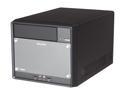
Shuttle SH61R4 Intel Socket H2(LGA1155) Intel H61 Barebone
Pros: Compact. Comprehensive (just add proc, RAM, HD, optical drive and video card). Supports Celeron through i7 LGA 1155 procs. I selected a Pentium Dual Core G850 and am quite pleased with it. PCI-e 16x + PCI-e 1x + mini PCI-e 1x slots are supported. I installed an eVGA PCI-e 16x video card and a mini PCI-e 1x WiFi card for MacOS X Lion support (MacOS X does't support HD 2000 graphics, but it does support HD 3000 graphics). Installation of 10.7 was a breeze ... worked the first time. Update to 10.7.3 also was a breeze. Now running 10.7.3 with all software updates.
Cons: ASM 1042 USB 3.0 chip does not support MacOS X. Although this Shuttle's case was designed for screw attachment of the ICE (liquid) cooler, Intel "push pins" are provided instead. This takes some getting used to as all previous Shuttles with ICE coolers had provisions for screw attachments, too, and the screws were provided. I suppose third-party screws could be used, if absolutely necessary.
Overall Review: I used the Kakewalk USB stick installation method and MacOS X Lion which was purchased as a download from the Apple Store. I used the MultiBeast for Lion boot loader installer. Be sure to specify the Realtek E-net driver and not the Lnx2Mac E-net driver. As the boot loader can support a secondary OS, such as Windows 7, a second hard drive should be used for that purpose and a DATA-only partition should be placed on that second drive for maximum MacOS X-to-Windows data interchange (MacOS has been able to access Windows FAT-type partitions for years and years). The case has more than enough SATA power connectors for this purpose.
3/23/2012See more detail
Supplied OS-Less ... Chrome OS Was NOT Installed, Restore Media Was NOT Supplied
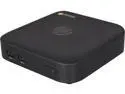
HP Desktop Computer Chromebox (J5N49UT#ABA) Celeron 2955U (1.4 GHz) 2 GB DDR3 16 GB SSD Google Chrome OS
Pros: Economical for the function delivered<br><br>Intuitive to use.
Cons: OS was not installed, requiring me to laboriously read through various posts to find the source of a downloadable image of the emergency restore media. I elected to use the USB stick method, and it worked the first time, but took some time. Alas, VESA mount is an optional extra (but this can be re-purposed from an Intel NUC's VESA mount. or, possibly, a generic VESA mount.)
Overall Review: Mechanical design is very good, even for HP, which often skimps in that area. I bought the Celeron 2955U version, which came with 2 GB of DDR3L-12800S RAM, and 16 GB of m.2 SSD. I will very shortly be upgrading to 4 GB of RAM and 32 GB of SSD, which, of course, will require re-installation of the OS, but that is why I have the USB restore media, right? So the best approach is to start with the USB restore media, and go from there. 05/08/2016 update ... Now at 8 GB RAM and 64 GB of SSD. Performance is certainly better, and probably because of the cooling fan, the box does not overheat, as competitive boxes are known to have done when upgraded. So far, I have used the box with 2 (standard), 4 and 8 GB of PC3l-12800S RAM and 16 (standard), 32 and 64 GB of m.2 SSD, with all results being at least "good", and with the 8 GB/64 GB upgrade certainly much better than "good". Incidentally, no crashes or hangs in any of these tests. The hp ChromeBox is solid as a rock, which is what one would expect and require from a network appliance. I keep the removed RAM and SSD in a static-free "Zip lock" bag, along with the recovery media which is on a 4 GB USB 2.0 stick (an SD card is also an option). The hp ChromeBox and its Chrome brower are fine, and I could see using this combo in a number of cases, but my main "Mac" remains a Shuttle SZ77R5 "Hackintosh", with a Core i7-2600K processor and 16 GB of PC3-12800 RAM, running OS X 10.9.5 with all updates and LOTS of applications which the hp ChromeBox CANNOT run.
5/8/2016See more detail
2.5" Drive Installation Hints
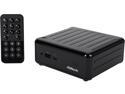
ASRock Beebox N3000/B Mini / Booksize Barebone System
Pros: The 2.5" drive option is indeed a tight fit, but the drive cables are intended to fit behind the RAM sockets, and not elsewhere. When these cables are routed behind the RAM sockets, there is enough room for the cables there, and the cables are just long enough to reach the motherboard's connectors. I have a 1 TB conventional (5,400 rpm) drive in my BeeBox and it works great, but cooling IS an issue. This issue MAY be mitigated, somewhat, with a solid state 2.5" drive, but at a significantly higher cost.
Cons: None, one the proper routing of the cables was figured out.
Overall Review: The 2.5" cables must make an immediate 90 degree bend in order to comfortably fit and be successfully routed behind the two DDR3 sockets, but THEY WILL FIT.
11/12/2015See more detail
Poor Build Quality
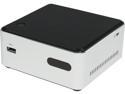
Intel BOXDN2820FYKH0 Mini / Booksize Barebone System
Pros: Conceptually, this is a fully-featured PC, sold less RAM (1 GB to 8 GB, in one SO-DIMM stick) and less drive (2.5" HD or SSD, your choice). Very quiet.
Cons: Build quality is poor. Item is shipped with a BIOS which is level 13, but the most current is level 34. Level 13 will not recognize most SO-DIMM sticks (these are seen as having zero GB capacity). Level 13 also does not support legacy booting, only UEFI booting, and even that can be problematic. Level 13 also fails to recognize some keyboard escapes to get into the BIOS. However, these significant defects are fixed by level 34, provided you can figure out how to get to level 35 without the keyboard working as expected and required. Hint: start with FY0034.BIO in the root of a FAT-32 USB stick and TRY to get the F7 keyboard escape to work. My unit ran Ubuntu flawlessly for about 20 hours and then died. The Ubuntu screen went black and the unit was completely dead. I transferred the SO-DIMM and HD to another NUC and those components ran flawlessly, so my conclusion is the basic box died. Infant mortality, I would say. Finally, this model NUC uses the same dc power connector as other NUCs: 5.5x2.5mm. But, this NUC is 12 volts and the other NUCs are 19 volts. It is therefore possible to accidentally apply 19 volts to this 12 volt unit.
Overall Review: The NUC concept is great, and I have several of these, some in mission critical applications. Some running MacOS X Mavericks, some running various flavors of Linux. Intel really should have spent a few extra pennies and included provisions for a second SO-DIMM stick and an mSATA stick. Intel should not have used the same 5.5x2.5mm dc power connector, but should have used a 5.5mm variation which cannot accept a 2.5mm pin, to prevent applying 19 volts to this 12 volt model.
6/8/2014See more detail
Works Flawlessly with OS X, After Many False Starts
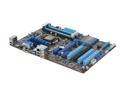
ASUS P8H77-V LE LGA 1155 Intel H77 HDMI USB 3.0 ATX Intel Motherboard
Pros: Works flawlessly with OS X Mountain Lion, but a "distro" is your best path as a roll-your-own installer, such as tonymacx86's, may not make the optimum choices, and, in fact, it (tonymacx86's installer) may make an unusable installation. With a "distro", and I used iATKOS ML2, the installer will select a compatible CPU Power Manager Disabler * , and a compatible audio kext, for a "right the first time" installation. My incarnation of Mieze's USB 3.0/2.0/1.1 Compatibility DSDT mods works well on this mobo. The "distro" will make a DSDT-less installation, so the custom DSDT will be added after the first boot of OS X. DO select USB 3.0 compatibility in the BIOS, and DO use a USB 3.0 flash drive for your installer ... it will go at close to light-speed, compared to a slow-as-a-turtle USB 2.0 flash drive or a slow-as-a-sloth DVD. Updated to 10.8.3 flawlessly. Installed and ran all utilities and applications flawlessly. [ * ] The ASUS mobos are totally immune to modified BIOSes and will reject such images. As a PMPatched BIOS is usually needed to get OS X to run on generic hardware, and as the CPU Power Manager Disabler is a second-best solution, I was forced to second-best, but it worked after MANY false starts with non-"distro" installers. Forewarned is forearmed.
Cons: Not enough case fan power plugs, so you will have to buy a "Y" splitter, if your case has more than one fan. Oh, the iATKOS "distro" DVD kernel paniced shortly after specifying the language, which is why I tried a USB installer in the first place, and I was rewarded by a light-speed installation. The BIOS incorrectly flags Corsair XMS3 1333 RAM as being "bad", and ASUS' proprietary "Mem OK" push-button does not correct this error, although it should have done so. OS X also sees what it thinks is bad RAM, but OS X eventually figures out that the RAM was really OK after all.
Overall Review: I installed this mobo in a Corsair Carbide 200R fan (currently out-of-stock), but this is a great case. I also installed a Corsair 500W PSU, alas, not a "modular" one. A "modular" PSU is a good choice as it eliminates a lot of cabling nonsense within the case. The Corsair Carbide case is a "double wall" design, so any unneeded cables can be stowed underneath the mobo for a "clean" look inside the case.
4/9/2013See more detail
Great Case From Corsair
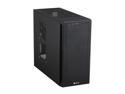
Corsair Carbide Series 200R Black Steel / Plastic Compact ATX Mid Tower Case
Pros: Fixed pin (which seems to fit ANY mobo) allows precise location of mobo before it is tigntened down. Flexible design: only a few stand-offs are required to be removed in order to support (literally) ANY mobo configuration, including some real odd-balls. Implements the preferred (at least by me) PSU in the bottom of the case. Two USB 3.0 connections on the front. LOTS of spare screws are provided.
Cons: May require and extender for the proc power connector, depending upon the PSU you select. No USB 2.0/1.1 on front, so this case is mainly useful on 7-series mobos which provide an on-mobo header for front USB 3.0 (B75, H77, Z77, etcetera).
Overall Review: I wanted a very sturdy case, and one which accommodated the PSU in the bottom, for a much lower center of gravity, as I tend to stack my Hacks. I bought two of these cases, with a rebate which was applicable on one. Provision for MANY additional cooling fans.
3/18/2013See more detail
seller reviews
- 1
Refusbished iPhone Perfect Condition
iPhone came with all accessories in a plain white box. No scratches or any other blemishes ... looked brand new. Battery came partially charged, so time to fully charged was minimal. Updated iOS to the latest and greatest via iTunes. Accepted my third-party nano-SIM card, and worked the first time, and every time.
On-time
Delivery
Product
Accuracy
Customer Service
Satisfactory
6/8/2017See more detail