

Your Browsing History


Sam M.
Joined on 08/06/03
0
0
product reviews
- 8
Good little netbook
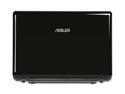
ASUS Eee PC 1201N-PU17-BK Black Intel Atom N330(1.60 GHz) 12.1" WXGA 2GB Memory 250GB HDD NetBook
Pros: Great performing portable in a tiny package. The 12" screen is beautiful, even if it does have an annoying glossy finish. Dual Core Atom multitasks flawlessly, while the ION allows me to relax and play games (albeit it a lower detail settings) when I want to take a break from getting work done. 6 Cell battery provides a decent amount of runtime for the power this netbook packs. Even at an estimated 4 hours (from most review sites), it still lasts longer than full sized notebooks, and even some netwbooks running 3 cell batteries.
Cons: Why are people who don't even own this netbook reviewing it? Are they HP employees? For starters, if you are concerned about having the longest run time on batteries in the industry, then this notebook is not for you. Also, if you don't like fingerprints or the chiclet style keyboard, then this notebook is not for you. This notebook IS for you if you like having portable performance, a larger screen, and the ability to playback full HD video and multitask without a performance hit. Note that if you have never used a laptop or chiclet style keyboard, then it might take some time getting used to it. I do agree that an x64 version of windows should have come installed instead; however, for those of you that rate themselves as having "high" tech knowledge, then you should know that the key provided on the unit works with either 32 or 64 bit versions. Load your own if 64bit on a netbook is important to you.
Overall Review: I've read that Asus is also planning on shipping a version of this netbook, with the same hardware, only with a matted silver case/finish to it. If the site of fingerprints disgusts you, doing some research and waiting for that model might be better. Also, the 5400rpm HD that is included is just a bit too slow for my tastes, so I will probably be ordering a SSD from newegg here shortly.
12/24/2009See more detail
Incredible
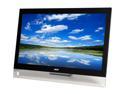
Acer T272HL bmidz 2-Tone 27" LED Monitor; 10-pt Capacitive Touch (5,000:1) Built-in Speakers
Pros: The monitor itself is incredibly clear and crisp. It leaves the factory with the Brightness set at 100, but the on screen controls make it easy to lower to a more reasonable setting. Windows 8 auto detected the 10 point touchscreen and required no calibration. The inputs are good, including VGA, HDMI, and DVI. The monitor has a 3 port USB3 hub mounted on the left side (as you face the display). I mounted the receiver for my wireless keyboard and mouse in it, and it the display seems to have no problem handling it's low power requirements. It also has a 3.5mm audio input port for analog audio.
Cons: One thing I did have an issue with was getting the display to not look so "washed out". I tried altering the warmth, brightness, contrast, cycling through the presets, etc, but still the blacks looked washed out. I finally dinked around with my the color settings in my graphics driver (Integrated Intel HD 4000), and found a setting called "YCbCr". When I enabled this, it drastically improved the picture quality. The background pictures "popped" with color, blacks were black, gamma was perfect. I'm not sure if such a setting exists in Nvidia or AMD drivers, but for the Intel graphics this setting ended up being all that was needed. The power button is placed really close to the up/down selection arrows, making it easy to inadvertently turn off the display, but thankfully once you get your settings dialed in you shouldn't need to alter them again (in theory). My only complaint with the connections is that the power adapter is a 90 degree barrel/post connector, which makes the fit kind of awkward. If it had been straight I think it would be a better fit.
Overall Review: The speakers seem to be top mounted, and sound about as hollow as you'd expect from 2w monitor speakers, but if all you need is to hear the windows chimes when an error pops up, then they will suffice. Anyone wanting to play games, listen to music, or watch a movie should invest in a good pair of headphones or speakers). The clear plastic bezel at the bottom is removable, and I think I might do that to lower the monitor to be slightly below eye level. This is really a design issue with my desk, and no fault of the monitor. In fact, I'm glad that they offer the option to remove it. Giving the option makes it work for a variety of installations. The VESA mount in the back is 100mm, and includes a small plastic cover to cover the hinge when you remove it.
3/12/2013See more detail
Good looking
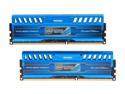
Patriot Intel Extreme Master, Limited Edition 8GB (2 x 4GB) DDR3 1600 (PC3 12800) Desktop Memory Model PVI38G160C9K
Pros: Great looking set, love that the heatsinks are "reasonably" tall without looking fugly. Speedy and stable, they also stay very cool to the touch.
Cons: Running the XMP profile, these sticks will not pass a memtest (memtest locks up during the first or second pass), but will run prime95 and the Heaven benchmark for 24+ hours without a hiccup.
3/2/2013See more detail
Quiet and stylish
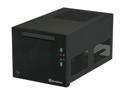
SILVERSTONE Sugo Series SST-SG08B Black Aluminum Mini-ITX Desktop Computer Case 600W 80+ Bronze Certified / Single +12V rail Power Supply
Pros: Case is sturdy, compact, and very stylish. The front panel really gives it some weight. The included PSU has all the connections you could want, including 2x6+2 pin PCI express power connectors. The shroud/duct for video cards is a great idea to keep warm air from recycling back through the video card cooling system.
Cons: The front panel cables (and PSU cables) are MUCH longer than they need to be. The front USB3 and audio cables can stretch several inches beyond the back of the case, and the PSU cables can be routed to virtually any position and still have slack leftover that need to be managed.
Overall Review: Spent nearly as much time doing cable management as I did to install all the parts.
3/2/2013See more detail
Incredible little board
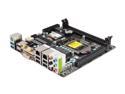
GIGABYTE GA-Z77N-WIFI LGA 1155 Intel Z77 HDMI USB 3.0 Mini ITX Intel Motherboard
Pros: So many features in a compact package. The black PCB looks great, SATA headers are colored for easy understanding. The BIOS is layed out very similar to the G1 Sniper 3 board I also own.
Cons: Some of the headers are placed in inconvenent places. The 4pin CPU power header is right near the middle of the board (close to the CPU, but still awkward to route). Same with the FP audio connector. The CPU socket sits REALLY close to the first RAM slot. I put an i5-3570k in to this motherboard using the stock cooler. The first time I mounted the cooler, I couldn't fit the RAM in to the first slot as it bumped up against the cooler. The stock Intel cooler has a small clip on one side for routing the power cable. That little protrusion was just enough to prevent me from putting the RAM in, so I had to dismount the cooler, rotate it 90 degrees (to move the clip), and then remount. After that, it fit perfectly. The RAM I'm using is the Patriot Intel Memory Master kit, which doesn't have large or garish heatsinks. Just FYI.
Overall Review: Mounted the board in to a Silverstone SG08B, and the black PCB looks outstanding in the black frame of the case.
3/2/2013See more detail
A great case, at a cost
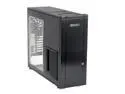
SilverStone Temjin Series TJ10-BW Black Aluminum ATX Full Tower Computer Case
Pros: This case is absolutely cavernous. Plenty of space to work with. The aluminum used is not to thin to make it feel inferior or shabby, but not too thick to make it too heavy to lift. Plenty of fan mounts and vents. The window does a good job of showing off the good stuff, and making it easy to hide the bad.
Cons: Is the case supposed to be the most expensive component of a system?
Overall Review: As noted on Silverstone's website, this case has 2 additional 120mm fan mounts at the top, and 1 120mm fan mount between the harddrive cages. The hard drives are mounted on their side, allowing air to flow up and between them.
8/24/2007See more detail