

Your Browsing History


John L.
Joined on 11/07/06
0
0
product reviews
- 8
Quiet, great performance
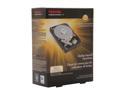
TOSHIBA PH3300U-1I72 3TB 7200 RPM 64MB Cache SATA 6.0Gb/s 3.5" Internal Hard Drive Retail Kit
Pros: Nice retail packaging - the drive is literally encased in padding. Fast performance and relatively quiet. 1TB platters with AF.
Cons: There's no cables or screws. I didn't need any but usually these are included in a retail box. This drive is supposed to have a 3-year warranty but when I went to Toshiba's site to verify, it showed the warranty began six months ago. Hopefully, Toshiba will update the warranty once I send it proof of purchase.
Overall Review: I'm using 3 of these drives in a Sans Digital TR5M+B enclosure connected to a HighPoint RocketRAID 2314 and configured for RAID5 (running Windows 7 64-bit). I've copied almost 4TB of data to/from it via 1Gbps LAN and via local SATA drives. I haven't had any disconnects or errors. TIP for everyone that buy hard drives: You should *always* run a Health check and Error Scan on a drive before using it. Run it overnight. If you get any errors, send it back. Usually there aren't any problems but I've seen enough to make this a routine practice. And *always* run a SMART monitoring program regularly (CrystalDiskInfo is great - and free). Catch a potential problem before crying over lost data :)
5/29/2013See more detail
Whining noise at low RPM
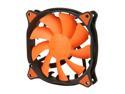
COUGAR Vortex PWM 120mm (CF-V12HP) Cooling Fan with Hydro-Dynamic Bearing and Pulse Width Modulation (Orange Version)
Pros: The cooler looks and feels superb. The plastic housing and the fan have a nice-high end feel to them. The 4-pin sheathed power cable is 18" long and includes molex adaptor. The amount of air generated at various RPM is really good.
Cons: When the cooler is connected via PWN and operating at the low end (around 800-1000 RPM), there is a noticeable high-pitch whining noise. At the max 1500 RPM, the fan is actually a bit loud. The spec says the noise level is 17.9dB but this must be at low RPM. I'd be shocked if it's 17.9dB at 1500 RPM.
Overall Review: I had bought the CF-V12HP to replace a Xigmatek fan on my CPU cooler. I also bought some cheaper Rosewill Hyperborea to replace my Cooler Master chassis fans. I installed the Cougar and discovered the high-pitch whining noise that other reviewers have mentioned when it's running around 800 RPM. I tried to bump up the fan settings for my CPU profile but even at 1000 RPM, I could still hear the whine. Past 1000 RPM, the sound of air movement drowns it out. I was really disappointed (and annoyed) so I decided to try the Hyperborea. Amazingly, the Hyperborea was almost dead silent at 600 - 800 RPM. I know I'm a bit sensitive to low noises so I did a simple test: Connected the Cougar to my MB's CPU_FAN Connected the Hyperborea my MB's CPU_FAN_OPT This is normally used for push-pull for dual HSF setup. I put the fans about 12" apart and let the computer sit in the BIOS screen (both fans ran at their lowest RPM). Then I had a few friends and family members listen to both fans and ask which one they thought was quieter/louder. The result? Everyone thought the Hyperborea was quieter. Most people remarked about the whining noise. But a few didn't hear the whine until I told them to listen for it. And then they could hear it. It's not exactly a scientific test but it's enough to tell me I'm not crazy hearing the whine. The date on the fan seems to be 2012-11-06 so I don't know if this is part of a bad batch or if the whine is normal and other people aren't as sensitive to it? I decided to use the Hyperborea and shelf the Cougar. Sadly, a disappointed first-time experience with a Cougar product.
5/27/2013See more detail
A great cheap RAID array
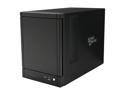
Sans Digital 5-Bay eSATA RAID 0/1/10/5/JBOD Tower Storage Enclosure w/ 6G PCIe Card TR5M+B (Black)
Pros: - Small compact chassis. The sides are smooth with a brushed metal look. - It holds 5 hot-swappable drives using trays. - The included RAID card works fine for RAID5 (but I eventually didn't use it) - The price is unbeatable (similar to its kin, the Rosewill) for what you're getting. - The online expansion capability is great. Can add drives and non-destructively resize the array. - The Web GUI is simple and functional. You can set up email alerts.
Cons: - My unit has a defective power button. When you push the button to turn it ON, it doesn't spring back and stays recessed. So the only way to power it off is to unplug it. I didn't want to deal with RMA'ing it to Newegg so I'll just have to deal with it. - The 120mm fan has an annoying high-pitch noise. I looked into replacing it but it has a 2-pin power connection (like a VGA fan). Some splicing will be needed to do the deed. Or maybe I'll try a splitter on the 4-pin Molex. - The fan in the power supply is also a little loud. I think the PSU is a Flex ATX form factor but customized for Sans Digital; there's only one 4-pin Molex. - The front cover of the unit isn't perforated so outside air isn't being pulled across the drive (the sides are perforated). My drives aren't running unusually hot so I guess the side holes are sufficient. - Online expansion and array rebuild time is slow.
Overall Review: I've been running a Rosewill RSV-S8 (8x Seagate ST32000542AS 2TB RAID5) connected to a Highpoint RocketRAID 2314 controller for a few years. That unit has worked great so I wanted another but I didn't have room for a large tower. And the TRM5+B is half the price. I'm using 3 Toshiba PH3300U-1I72 3TB drives in RAID5. This drive is actually a Hitachi HDS723030BLE640 and supports TLER. I picked it over WD Red's since they're cheaper. I did't test using the RR622 and 5 drives - I know others mentioned issues with 5 drives. This doesn't concern me since I'd be using it with my RR2314, which I know can support 5+ drives. I took the opportunity to run a lot of tests to compare against my RSV-S8 and Seagate 5900rpm LP drives. I also tried out some of the other software RAID alternatives - StableBit, FlexRAID, and SnapRAID. Not enough space to get into the nitty-gritty for those but suffice to say, all of them had their pros and cons. I really liked FlexRAID but its Real-Time RAID isn't up to snuff yet. For RAID5 performance, I found the RR622 or JBOD using Window's RAID5 was the way to go. According to HDTune Benchmark, RAID5 Read with 3x Toshiba drives connected to the RR622 card was around 90MB/s. Once I moved it to my RR2314, the number went up to ~125MB/s. By contrast, the Toshiba drive itself pegged at ~180MB/s. (The RSV-S8 in RAID5 with 8x Seagate drives is ~150MB/s - bare in mind the 8 drives are using 2 eSATA channels) I tested degrading the unit by power outage and drive removal. The array rebuilt itself gracefully but it took almost two days. Nothing unusual...my 16x Dell SAS array at work also takes a long time to rebuild when we're talking about 2TB+ drives. I don't think Sans Digital should advertise that the included RAID controller can achieve 200MB/s in RAID5. I'd like to know their config. The included card is a just a PCIe x1 and the TR5M only has a single eSATA channel. Don't expect the performance to be like an Areca, PERC, Adaptec, or LSI. A $40 SATA port multiplier card will not come anywhere near what you'd get from a $800+ SAS expander controller with cache and onboard processor. Having said that, I'm pleased with the TRM5+B. In my setup, it works as expected. If you purchase this type of unit, take the time to independently run an error test on all your drives first and check its S.M.A.R.T. info with CrystalDiskInfo (free). Then create the array and run a stress test. I usually run a script to copy/delete files to fill the entire array. Then test out the fault tolerance capability of the unit by removing a drive. Copy/delete more files in degraded mode. Wipe the removed drive and then re-insert it to re-establish redundancy. Once you're happy with it, delete the array and recreate it. You can skip the option for verification since you've already tested the drives and everything, right? :) Test PC's: 1) Asus P8Z68-V, i7-2600K, 16GB, Win7 x64 2) Asus PQ5-E, E8500, 16GB, Win Serve
6/25/2013See more detail
Awesome fan if you like quiet!
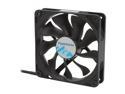
Rosewill ROCF-11004 - 120mm Computer Case Cooling Fan - Hydro-Dynamic Bearing, Silent, 2-Speed with PWM Control
Pros: Very quiet when running at the lowest speed using PWN. I have a Hyperborea on my CPU heatsink and another as an exhaust fan. They're usually running 900-1000 RPM. Both combined are actually quieter than the single Xigmatek fan I had on the heatsink. The airflow is also pretty good. Air, of course, is audible at high RPM but the fan itself doesn't make much noise.
Cons: The look and feel of the Hyperborea is very plain. No fancy colors, no rubberized screw holes, forget about any holographic badging. The plastic material used for the frame and fan blades feel rather low quality. The power cable is a bit short - would've been nice if it was a bit longer. And the cable's sleeve is a weird waxy/sticky material. It picks up dust like a sticky pad. The packaging is also cheap. Just a thin cardboard box without any padding.
Overall Review: When I pulled the Hyperborea out of it's cardboard box, my first thought was, "Wow, this thing feels cheap. Good thing I got it on sale." And then when I went to plug it in, the short cable annoyed me since it forced me to rearrange some connections. But once I had it running, I was totally impressed with how quiet - and smooth - the Hyperborea ran. No vibrations, no high-pitch whine, just a gentle woosh of air moment. It works great using PWN and even at the highest RPM, it still maintained a decent noise level. I originally bought two Hyperborea for my case and a more expensive "premium" fan for my CPU. Sadly, the premium fan makes a high-pitch noise that drove me crazy. The Hyperborea won me over and I'm using on my CPU and another on the case. While my temperature is pretty much the same as before, what I'm getting is a lot less noise. These fans aren't perfect but I'm not deducting any eggs. They may look like $5 fans, but they sure outperform $15 fans. And at the end of the day, that's all that matters.
5/29/2013See more detail
Newegg's poor packaging killd this drive
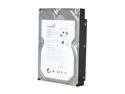
Seagate BarraCuda 7200.12 ST31000528AS 1TB 7200 RPM 32MB Cache SATA 3.0Gb/s 3.5" Internal Hard Drive Bare Drive
Pros: It arrived in 2 days! Impressive!
Cons: It arrived dead. It was poorly packaged in nothing more than bubble wrap and some peanuts. The bubbles popped and the drive bang around.
Overall Review: I read countless reviews of Newegg's poor packing of these OEM drive. But I couldn't resist and bought the drive as a combo deal. So the drive arrived and immediately I hear movement inside the box. Opened the box and was aghast to see the bare drive wrapped tightly by a single layer of bubble wrap. There were peanuts to fill the rest of the box but it didn't matter. The drive had been moving around and all the bubbles popped along one edge against the cardboard. I wrote to Newegg. Their response: "We will request our related department and request them to improve the packing." Umm, seriously, Newegg, this is not a problem to take lightly. You cannot ship hard drives out like this.
11/30/2009See more detail
Good board, not spectacular OC'ing
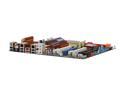
ASUS P5Q-E LGA 775 Intel P45 ATX Intel Motherboard
Pros: I bought this board after weeks of researching and comparing reviews. I decided on this because it was "mid-range" and offered good features with the P45 chip. 8 SATA ports (there is one port that you need to use one of the included angle cable if you have a long video card - I'm using it and it's a bit wobbly but it works), dual NICs, eSATA, and FireWire 400 are great to have. I added my own FireWire 800 card and there's no conflict. The layout of the board is great except in my case, the 8-pin EATX12V is too close to my case and will be a PIA if I have to disconnect it. The chipset heatsinks didn't interfere with my OCZ Vendetta 2. Intel Matrix RAID is great! Everyone should buy two HDs and carve up RAID0 for the OS and RAID1 for your data. The perfect solution for someone like me, who works with RAID in the corporate environment and understand the risks/benefits of RAID but didn't want to commit to "full" RAID0/1 on 2 drives. Matrix RAID lets you do both simultaneously.
Cons: I had high expectations of OC'ing with this board but after a couple weeks playing around, I couldn't have it run with 100% satisfaction over 4ghz with my E8500. Getting to 3.6ghz is very easy, however, and in I've finally settled at 3.9ghz (410 x 9.5 @1.36v) Anything over 3.9ghz would pass Prime95 and Memtest, but I experience random reboots and BSOD. Nothing to cry about as 3.9ghz is pretty good! My CPU temp is about 34 idle, 63 load.
Overall Review: The P5Q-E has an 8-pin EATX12V power plug but 4 of those pins are covered by a blank tab. When I was testing, I had a PSU that only had a 4 pin and I had stability problems while OC'ing that I later realized was because the the board needs an 8-pin. One issue I have is that Core Temp/Real Temp would show the wrong CPU readings at times. I'm not sure if this is CPU-related or MB-related. Intel E8500, 2x2 Corsair TWIN2X4096-8500C5DF, 2x WD6400AAKS, OCZ Vendetta 2, PNY 9600GT.
9/3/2008See more detail