
Your Browsing History
 Holiday Shipping Details & Extended Holiday Returns Holiday Shipping Details & Extended Holiday Returns

Joined on 03/02/09
Works as advertised
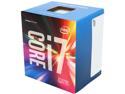
Pros: Speedy, cool, lower TDP than K series, cheaper than K series, comes with adequate (if unsexy) fan
Cons: No overclocking, but you already know this :) Requires new platform. (Engineers: backwards compatibility is a thing, just throwing that out there...)
Overall Review: I bought over K series because of the lower TDP and low-maintenance setup. Saving a couple bucks helps. (Yes, I could have underclocked and used another fan, but I don't have the time I used to have for tinkering... No-brainer for a non-tweaker...) Slices through software like butter, speedy virtual machines, compiling sloppy and broken code, obviously games as good as it gets really... My 2500k lasted since 2011 (and still ticks fine), I assume this will take me to 2020 at least. Yes, this is a worthy upgrade from the 2500k _IF_ you can tolerate the platform upgrade cost. The gains in speed and features are noticeable and future-friendly.
Lacks advantages of tablet or muscle...
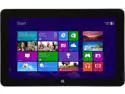
Pros: Full 1080p, 4GB RAM, 128GB SSD, Upgrades to Win10 easy enough, speedy fingerprint scanner for logins was surprisingly excellent. Not much (if any) bloatware. Swappable battery, adequate connections.
Cons: Big, heavy, slower than expected...
Overall Review: I can't adamantly recommend this unless you have a specific need for it (fingerprint, SSD size, 11" screen, etc)... It's too big and heavy to carry "tablet advantages," but also too slow to function as "in-a-pinch desktop muscle" substitute. If you need the price point, I suggest keeping an eye out for an inexpensive Surface, or the Dell Venue 8 Pro (look for 2GB RAM model). Both have better form factor, and equivalent or improved muscle. Frankly, my test of "can I use this on an airplane" failed with a bout of embarrassment at the size of it, and my tests of "is this a responsive entertainment interface" was meh.
Works as advertised, couple of considerations
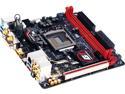
Pros: Tiny, no-hassle setup, great feature set (future-friendly), snappy Wi-Fi. Red light (if you're looking for a red light of course - can be disabled).
Cons: Only one system fan header (plus CPU header, of course), one thing I didn't look for. Would be nice to have two or more. BIOS is a bit young (small things), but always is this early. (Missing BIOS settings include hiding specific keyboard shortcut options on startup, changing boot up logo to custom, disabling external-facing ports on a per-port basis, etc. Luxuries, sure. Might come with updates.) Count how many USB ports you need and make sure you're set here.
Overall Review: Going with mATX for future option to throw into a small Steam Machine build or what not. I personally don't SLI, I don't overclock (or need extra space for cooling), and this comes with good Wi-Fi baked in, there's really no need for anything bigger. This can support lean beef. The feature set here is really a robust, "some of everything" approach. USB 3.1, Type-C, M.2, Sata Express; all should be useful (and relevant) at some point in the board's lifespan. The only thing that kind of nags me is that the LED color is not changeable. Sure, you can fade it or sync it to your Kenny G jams, but at this point I'm kind of expecting RGB with programmable options. Not worth an egg, but if we're doing LED purely for aesthetic, let's do it for _any_ aesthetic.
Works as advertised
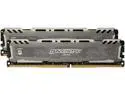
Pros: No hassle, good aesthetics
Cons: Requires me to enter a con when reviewing it...
Overall Review: Out of package, works as advertised. Timings, speed, etc.
Sexy, but consider some things...
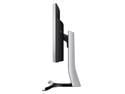
Pros: Wide, curved, sexy... Wide format good for productivity, curved display does contribute to immersion and does not detract from "orthogonal" things like Excel/Visio/Photo work. Also looks fantastic standing on a desk from any angle. Physically, the most aesthetically pleasing non-TV display I have ever seen, much less owned.
Cons: Color quality and Price; next to a 'prosumer' display, gradients can be choppy, dark colors become soupy, saturated colors over/understated, and calibration options are adequate at best... Make no mistake, for gaming/movies/productivity, this is good, if not great color. Of course, anyone who really needs color reference already knows this isn't the right model. Also, for same price, many other options available - bigger "4k" models, better-color QHD models, cheaper (if flatter) WQHD models... [-1 egg for color]
Overall Review: With a 670, can push most current games to a very nice playability with some eye candy enabled. Witcher 3, running AA and most everything at "medium" or "high," but not the hair stuff. Wolfenstein Old Blood and FC4 is gorgeous and running like a top... As for color, anything daylight or bright is vibrant and engaging, but darks (like Skyrim's dark caves) get washed out though. Note some games don't natively support WQHD, and some don't work on it at all... Getting into this format will present some challenges if you either don't have the graphics muscle (I feel the 670 is a V6 family sedan here; potent but not exhilarating), OR you play a bunch of older stuff, you'll have a hard time falling in love with this. If you want to communicate, "My workstation is sexy technology," or think "I play a bunch of FPS/Racing games and have good horsepower," then this is worth a look. It's pretty sweet, and even the wife shows it off. If you're thinking, "Is WQHD right for me?" or "Wow, that 37" QHD/4k display is pretty awesome, should I do that instead?" Or, perhaps, "With $1000, I could eat for six months!" Well, then I would seriously consider the other more mainstream options... Last thing - I decided a while ago to never skimp on a display for any daily-use computer; I have never regretted it.
Careful what you wish for!
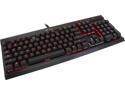
Pros: Solid build, expected features, quality of switch options, customizability (of colors)... You're getting what you expect to get.
Cons: Advertises 16.8m colors, but color banding is sometimes very obvious... They Cherry Red keys are not as quiet as you might think, and the blues are downright obnoxious (note, tested another keyboard with blues, not this model). All things equal, I'd take another look at the browns if they were in stock, but the reds have a nice sensitivity to them.
Overall Review: Coming from a wireless keyboard, the cable is a beast. Would have been nice to have a couple of plug options to integrate with desk layouts (i.e., if you have something directly behind the keyboard, you don't now). USB pass-through would be beautiful, but it's not there... Going into USB 3.0 was no issue. Software is really not hard if you watch a video or two. Surface-mounted switches bleed a lot of light. I may try to find some little rubber gaskets to cover switch bases at some point. Now the question is what do I really do with all of this color power? I don't normally look at the keyboard while I'm using it, and creating a set of program-specific shortcuts is an exercise in tedium (creative tedium, yes...) And while it's kind of cool as a conversation piece, it's only such when lighting is right AND when your PC is on AND when folks are walking around it... And even then, you're having a conversation about a keyboard. In short, it works as advertised, no quality issues, but I'd like to see a couple more generations of design adjustments. Happy with the purchase, but can't say it's changed my life...