

Your Browsing History


Robert H.
Joined on 09/27/04
0
0
product reviews
- 5
Very useful
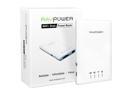
RAVPower External Wireless Mobile File Transfer WiFi Disk & 3000mAh Power Bank for Tablet PC & Smartphones
Pros: Can act as file server on your existing WiFi network. Accessible from Windows and linux Minuscule power use, so can be left on
Cons: Documentation is not very good. Prepare to tinker if you want to do anything interesting.
Overall Review: It wants to be the Wifi hotspot, with your desktops using it to reach the Internet (it connects to your in-house WiFi). But you don't have to do it that way. The GUI tells you what IP address it got assigned by your router, so you can put this in your linux fstab to mount it: //192.168.1.8/SDCard_Volume1 /mnt/wifidisk cifs username=admin,password=hex_digit_wifi_key In Windows you map a drive letter to the same place: \\192.168.1.X\SDCard_Volume1 using same user & password You can ssh into this thing, it runs linux
1/18/2014See more detail
Nine years without a hiccup
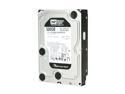
Western Digital Black WD5001AALS 500GB 7200 RPM 32MB Cache SATA 3.0Gb/s 3.5" Internal Hard Drive Bare Drive
Pros: Utterly reliable
Cons: None
Overall Review: I'm writing this because I took these out of service today, January 21, 2019. I bought and installed two of them in 2009. They have been running every day since. They're still running, but I don't want to tempt the devil. Nine years was great.
1/21/2019See more detail
Plug and Play
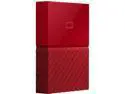
WD 2TB My Passport Portable Hard Drive USB 3.0 Model WDBYFT0020BRD-WESN Red
Pros: High speed -- USB 3.0 High capacity (I bought 2TB model) Easily detachable
Cons: None so far
Overall Review: I bought this during the recent 'ransomware' scare to serve as a backup destination that could be easily detached so that the Bad Guys couldn't get to it even if they scrambled the rest of my machine. Every week I turn off the WiFi adapter, run a virus scan, attach this drive, run a disk imaging backup, then detach this drive and turn WiFi back on.
6/11/2017See more detail
Make it work with KVM switch / Linux
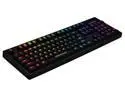
Tesoro TS-G7SFL-RD Excalibur Spectrum Switch Single Key Full Color RGB Backlit Illuminated Mechanical Gaming Keyboard - Red
Pros: Only had it a day. Seems nice so far. I bought the blue switches expecting klickety-klack, and I got klickety-clack.
Cons: Wouldn't work out of the box with my KVM switch.
Overall Review: I'm writing this to explain how I got this keyboard to work with my KVM switch. When I first plugged the keyboard into the USB on the KVM switch, it wouldn't even light up. I think it wants to draw more power than the KVM wants to supply. I had a spare powered USB hub lying around, so I plugged the keyboard into that, and the hub into the KVM switch. Bingo. That did it. Next challenge: Worked on Windows, not on linux (the reason for the KVM switch). I found that hitting the Fn Pause [G/PC] key combo cleared that up. Now works on Windows and linux, through the KVM switch. Yay.
10/16/2015See more detail
Linux Fedora
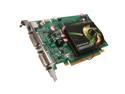
EVGA GeForce 9500 GT 512MB DDR2 PCI Express 2.0 x16 SLI Support Graphics Card 512-P3-N954-TR
Pros: Fedora recognized it instantly. Zero driver issues.
Cons: None so far.
Overall Review: Used this to replace a 'motherboard integrated' NVIDIA chip that had "issues" with linux... kept crashing the X-server. Haven't had that since I installed this card.
10/22/2010See more detail