

Your Browsing History


Eduardo B.
Joined on 04/29/10
0
0
product reviews
- 13
Its powerful
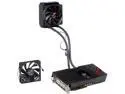
ASUS Radeon HD 7970 GHz Edition x 2 6GB GDDR5 PCI Express 3.0 x16 CrossFireX Support Graphics Card ROG ARES II (ARES2-6GD5)
Pros: Great for gaming if you have a demanding system. Aside from gaming,which many reviews on the web have covered, there are other neat GPGPU programs that can be used. Previous dual GPU cards could not disable onboard cross-fire but this can. The radiator is huge and includes two fans. It fits a level 10 GTS but might consider buying a new case. This card is very silent.
Cons: Well the price is quite high, I will be eating peanut butter and jelly for a few months until my $1500 is earned back. The card is huge, but not as heavy as looks might suggest. Card outputs a tremendous amount of heat, it is heating up my room right now in the winter.
Overall Review: This card is expensive, there are many uses beyond gaming, in fact I might try to mine litecoins (1.150 MH/s with cgminer; 1.375 GH/s bitcoin - not important since ASIC is out) with it when not gaming or programming; this card can in some ways be an alternative to the Firepro S10000. The Tahiti cores in the ARES II are "cherry picked" to be the highest quality chips produced, they are stable and overclock up to 1300 MHz with some voltage tweak. Lets face it, Tahiti has been out for over a year, new series cards from AMD and nVidia will be released towards the end of 2013, which TSMC will start producing 20nm chips, thus driving down the cost of 28nm chips. The increase in performance between series is usually between 20 to 35% The ARES is clocked at 1100 MHz (10% above GHz 7970, and 18% normal 7970), by overclocking it up to even 1275 results in increase of 27% for GHz 7970 and 37% for normal 7970 - pretty close to supposed "theoretical performance increase" of non OEM 8970.
2/13/2013See more detail
Its alright, does not exceed my expectations
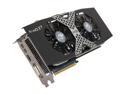
HIS IceQ X² Radeon HD 7970 3GB GDDR5 PCI Express 3.0 x16 CrossFireX Support Graphics Card H797QM3G2M
Pros: It can finally run (see other thoughts), fan is rather on quiet side vs reference, slightly cooler than reference
Cons: Low quality chips: card cannot overclock by much - have had a number of driver crashes and bsod, and RMA'd cards appear to be rather unstable and crash on their own
Overall Review: First card worked alright until trying to run it as primary vga in triple Cross-fire, it stopped working without any overclocking done. RMA'd it, then received a defective card that kept making my system crash and bsod very often (Newegg refused an immediate 2nd RMA until card became more problematic in end of 30 day support, then another RMA). My third card seems to run fine so far, it can overclock up to 1200 MHz max (my OC Gigabyte 7970, OC Sapphire 7970, and Sapphire ref 7970 can run all the way up to +1275 MHz stable); HIS is the weakest link of my cards, especially with bitcoin mining.
7/19/2012See more detail
Incredible bang for the buck
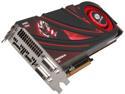
SAPPHIRE Radeon R9 290 4GB GDDR5 PCI Express 3.0 x16 CrossFireX Support Graphics Card 100362SR
Pros: Purchased this GPU solely for its price to performance ratio (as review title says). There is no need to state performance statistics for this card here, since many tech websites published already. Crossfiring graphics cards will no longer require a bridge (cleaner look), has an integrated audio solution (time will tell if I will use it), the cooler seems rather attractive especially with the Sapphire decal (though might not be appealing to everyone else out there). Games play smooth, and Litecoin is faster than 7970/R9-280x at 840 KH/s (need more time to find best settings).
Cons: I like to fine tune core and memory clocks by a difference of a megahertz, Catalyst Control Center utilizes percentage now. Once the blower fan reaches over 80% it sounds and feels like a fighter jet is ready to take off. Hope this beautiful card does not start sagging on me any time soon.
Overall Review: Some may wait until the end of November 2013 to buy cards that ship with different coolers, I'm thinking of just watercooling it. As for the "GPU-overclocking lottery," those early cards from a new GPU series sold upon release generally (but not always) are able to overclock significantly.
11/7/2013See more detail
It is a beast, watchout with AMD APU
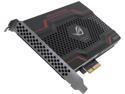
ASUS ROG 240GB PCI-Express 2.0 x2 MLC Internal Solid State Drive (SSD) RAIDR Express
Pros: Very very fast, and works with a 6800K on a GA-F2A85X-UP4 (has UEFI) temporarily (see the cons below), but will be installed into a more powerful future machine using a 4770K. Read and write speeds are ~660 MB/s for read and 500 MB/s on write for crystaldiskmark (ROG) in Win 8 64. Transfer speeds in ATTO from 1024 through 8096 are consistent with 780 MB/s write and 816 MB/s read.
Cons: Buy this with the knowledge that it cannot be refunded by Newegg once it is shipped - read their policy. Watch out if you are pairing with an APU, you cannot use the x4 slot on ATX motherboards (bandwidth shared among all other devices linked to FCH or older term, "south bridge"): crystalmark results and file transfer rates in Win 8 (64) will be significantly lower, while ATTO will be unchanged. Thus you need to run it on one x16 sized PCIe slot: splitting your the bandwidth to x8 x8 if you are using a PCIe GPU concurrently.
Overall Review: PCIe ssd appears to be the future. Some other manufacturers aimed towards the server market have them already on x4 (PCIe 2.0) and higher laned slots (they will cost closer to $100K when you find them now). I can see this device lasting at least through 2018 as a primary drive, and coupled with a 32 GB (DDR3 2400MHz) RAMdisk at the same time. By then, an ssd will be likely be significantly faster and cheaper.
8/27/2013See more detail
Great card - but little expensive
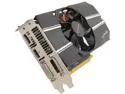
SAPPHIRE Radeon HD 7790 2GB GDDR5 PCI Express 3.0 x16 CrossFireX Support Graphics Card 100356-2GOCL
Pros: Purchased this card for a quiet build with a 5800K APU and GAF2A85X inside a Fractal Design R4. This card runs very cool and rarely surpasses 50 Celsius, and the fan is inaudible. The backplate adds a nice touch to the card's aesthetics and does not become hot, it compliments the white LED aerocool fans installed in my case. Unlike longer higher end graphics cards, the pcb has remained flat without any signs of bending, and is quite light requiring only one 6 pin PCIE power cable. This card can overclock in addition to the factory overclocked speeds, but not something I have in mind, at least for the time being. The 2 GB is a nice feature over most other Radeon 7790s if the one intends to use all thi memory for multiple screens or for a specific application.
Cons: 2GBs adds a premium to the card over other 7790s.
Overall Review: Crossfiring this card with another 2GB 7790 will be a little too expensive. One can get more bang for the buck when buying a 7950 since it has essentially twice the specs of a 7790 (896 sp vs 1792 sp). Unless you plan to use two 7790s (shorter pcb) to try and match th performance of a 7950 (longer pcb) in a small computer build (if crossfire supported by app).
7/20/2013See more detail
One word...WOW!

ViewSonic VP2770-LED Black 27" 2K SuperClear IPS Monitor, 1000:1, 300cd/m2, USB&HDMI&VGA&DVI-D Display Port, VESA mountable
Pros: Too many pros to list, but some them are: resolution of 2560x1440, high resolution allows more space for window/task half-screening in Win 7, excellent response timing, excellent color, very very light weight monitor, very functional design and look
Cons: I do not see any cons with this monitor, the price is not one of them in my case - sold for $759.99, pre-order $90 off coupon/discount. Setting up the monitor can be a little tricky, just follow the included directions on fitting the stand, careful with your fingers.
Overall Review: Setup: 3870K AsRock FM1 Extreme 6, the graphics card is a Sapphire 7970 dual X OC. Monitor purchase intended for graduate biology work in my case. I have not tried games, it most certainly would perform well; though seeing the Apollo 15 landing site on the moon in Google Earth...terrain imaging is so crisp, sharp, vibrant, it seems as if I am looking at the real moon, not just textures and polygons.
9/26/2012See more detail