
Your Browsing History


Timothy H.
Joined on 07/13/10
0
0
product reviews
- 3
Great device so far, don't understand the bad reviews
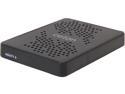
Ceton InfiniTV 6 ETH – Six-Tuner CableCARD Ethernet Network Tuner for Win7 and Win8 PC 5504-DCT06EX-ETH
Pros: 6 Tuners, using the beta firmware and tuner pooling works fairly well already. Set this up on my new HTPC, and have been thrilled with the functionality so far. I'm even able to watch live TV through Media Center on my Office PC over WiFi (using a good AC router) while somebody else uses a Laptop for live TV while the HTPC is recording and viewing live TV! Had a few small quirks which I've largely been able to work through. To those having issues with pixilation and/or slow channel tuning, READ THE DOCUMENTATION! Make sure your signal is within their specifications for signal strength (should be close to 0dBmV with a good Signal to Noise Ratio). All you have to do is type the IP address of the Ceton into your browser and you can view signal strength for each tuner. At first, mine was at the low end because there are multiple splitters before the device, and I would start to see pixelation on channels where the signal went below -5. Had Comcast come out and put in an amplifier and the signal is now between 0 and +5, tuning is MUCH faster, and no more pixelation. The device can run a bit hot under use, but seems to do better when stood on its side vs laying flat. If all else fails, just put a quiet fan on it.
Cons: Runs hot at times, should have a small fan built in to keep it cool. A bit sensitive to minor signal issues, but nothing a decent cable amplifier (or smaller splitter) can't fix.
Overall Review: Tried the Ceton Echo as an extender (not so great), and ended up going with a pre-owned Xbox 360 instead for the same price. Between Ceton, Media Center, and the Xbox 360, I'm dumping my cable boxes and DVRs. NOTES: -Make sure your cable signal is as close to the recommended strength as possible! -Be sure the device has room to breathe and can stay cool. -If the device looses power or is rebooted, you will have to reboot the PC or restart the Windows Media Center Receiver Service to reconnect to live TV -If your PC asks to update Play Ready for premium channels but cannot, leave the error message on screen, unplug the Ceton, wait a minute, click the option to try again (it should now complete), reconnect the Ceton, then reboot the PC. You should be good to go after that.
8/7/2014See more detail
Decent for most live TV on smaller screens
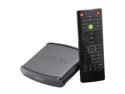
Ceton Echo – Windows Media Center Extender Watch Live & Recorded TV/HDTV Access Personal Media Libraries on Any TV on Home Network, HDMI Interface, Remote Included
Pros: Very small and low power usage. Does fairly well on the standard HD channels with latest firmware, allows playback of recorded TV, navigation speed and boot time are acceptable.
Cons: Minor framerate/screen tearing issues on premium channels. Cannot keep up with HD media encoded in H.264 (but Xbox 360 handles fine). Mediocre de-interlacing and image quality can be distracting on larger TVs. On some occasions the audio/video would get out of sync on HD channels requiring a reboot of the device (happened to me twice in the same day, not again since then).
Overall Review: For a smaller TV (below 40") that is only going to be used for basic TV watching (say, watching news, sports, or HGTV in the kitchen), this is a decent product. Not a good solution for a home theater or larger screen, or where you plan to use an extender to watch your movie library.
8/7/2014See more detail
Absolute junk
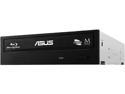
ASUS Black 12X BD-ROM 16X DVD-ROM 48X CD-ROM SATA Internal Blu-ray Drive Model BC-12B1ST
Pros: Works ok for playing a disk at 1x most of the time.
Cons: If you ask it to work hard (rip or burn a disk) it will lock up and stop reading any more disks until the computer is powered off and back on. This is in a brand new pc with new cables. No driver updates or firmware are available. Will be getting a different brand, ASUS support isn't worth dealing with for such a cheap drive.
Overall Review: Great if your computer needs a cup holder or if you enjoy rebooting.
9/1/2014See more detail