

Your Browsing History


Intella I.
Joined on 08/27/02
0
0
product reviews
- 8
Runs great, overclocks, zero issues
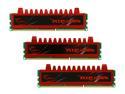
G.SKILL Ripjaws Series 12GB (3 x 4GB) DDR3 1600 (PC3 12800) Desktop Memory Model F3-12800CL9T-12GBRL
Pros: Absolutely zero problems getting them ram to work. I enabled the XMP and then I changed the voltage to 1.54v. I did this because I wanted to overclock the ram. I'm currently running all 12GB at 1680 MHz at CAS 9-8-8 timing. I haven't tried to tighten them anymore, but I assume I could. My i7-930 is stable at 4.02GHz, and while I had the ram overclocked higher previously the CPU was not stable. The only thing I can currently tighten is the CAS timings, which I'll play with in the future, but for now I'm happy with the ram and G.Skill is always highly recommended when it comes to being at the top of the list for ram.
Cons: None
Overall Review: With memory it usually works or it doesn't. Before you blame a memory supplier, you should move your memory around to different slots on your motherboard, ensure voltages are correct, you power supply is sufficient etc. I know memory has problems from time to time, but it seems as of late, when I read reviews I see individuals that either don't know what they are doing, or assume something is broke before they troubleshoot correctly. Normally when you enable XMP, you should check the voltage that is assigned. For some reason the voltage is usuallly incorrect when using XMP. Set it to what the company says, or if that option is not available just above it.
5/25/2011See more detail
Perfection, 2 years running now
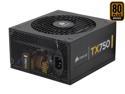
CORSAIR TX Series CMPSU-750TX 750 W ATX12V v2.3 SLI Ready CrossFire Ready 80 PLUS BRONZE Certified Active PFC Compatible with New 4th Gen CPU Certified Haswell Ready
Pros: I purchased this back in May of 2009. The power supply powers an overclock i7-930 running at 4.02 GHz with overclock G.Skill 12GB DDR3 1600 (PC3 12800) ram, a video card and 6 HDs with zero issues.
Cons: None of course.
5/25/2011See more detail
NO issues in my HP DV8T i7-920 laptop
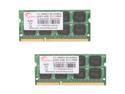
G.SKILL 8GB (2 x 4GB) 204-Pin DDR3 SO-DIMM DDR3 1333 (PC3 10666) Laptop Memory Model F3-10666CL9D-8GBSQ
Pros: I popped these into my HP DV8T laptop and I have had zero issues. This baby screamed before, but I needed a tad bit more ram. I'd always recommend G.Skill as one of the top 3 ram providers across desktops and laptops. Combine this with my Intel X2 SSD and my system is silky smooth.
Cons: You kidding, NO!
5/25/2011See more detail
This thing is Smoking!
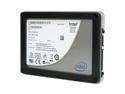
Intel X25-M Mainstream 2.5" 80GB SATA II MLC Internal Solid State Drive (SSD) SSDSA2M080G2GC
Pros: Write speeds hit 88.8 MB/s. Passmark reported reads as 243.9 MB/s and writes at 80.5 MB/s with Random Seek + RW was 104.8 MB/s. My Windows 7 Experience score for the Hard Drive is now 7.8 from 6.2 - Just for FYI my memory score was 7.9 and CPU 7.6 - Things are snappier but considering I have an now O/C i7 930 I don't notice it too much on boot-up, but loading apps and moving files are much faster.
Cons: I had to set my mobo to IDE for AHCI to upgrade my firmware via the bootable ISO I downloaded from Intel. - Expensive but similar upgrades for a CPU, Motherboard or RAM would cost just as much and this gives you just as much or more bang for your buck.
Overall Review: It says OEM, but the drive is encased in an enclosure in case others were wondering. You will need a mounting bracket, but those are cheap under $10 for a usb 2.5 to 3.5 setup.
3/26/2010See more detail
Cool, Quiet with Fedora 11 - The Good & Bad
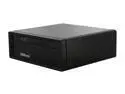
ASRock ION 330 NVIDIA ION 1 x HDMI Barebone
Pros: I bought this device for a few reasons. One I wanted a small powerful device and the recent addition of a dual core Atom chip was the answer. I needed something that used little power and ran cool and is very quiet. This device does all of the above in a very small and compact setup. The size is amazing and the number of USB ports combined with an HDMI along with VGA and audio is very nice. It comes with an onboard NIC card which was a great idea.
Cons: No option to add any onboard cards such as a secondary NIC, eSATA etc. I need a second NIC on this box so I have a USB 10/100 NIC coming in the mail. Hopefully it will work well on this system running Fedora 11. You will need USB mouse/keyboard unless you have USB/PS2 converters. Just FYI if you don't have these available. Only comes with 2GBs of RAM. This is to keep the price down I know, but an option for 4GB would be recommended. Add eSATA port Add 2 front Panel USB ports
Overall Review: Overall great small box. I will probably get another one to replace another system I have running that I need up 24/7. The small size combined with low heat output device which is virtually silent will enable me to save money over the long run. I'll also be able to downsize from (2) 1500VA UPS to (1). If you use it for 1080p video and install the correct drivers you should have no issues playing them as almost all processing is offloaded to the NVIDIA ION chip and not the ATOM CPU. I have a Popcorn hour or else I'd use it for that. Love this box!
11/19/2009See more detail
Works perfect, even better timings!
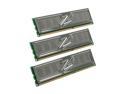
OCZ Platinum 6GB (3 x 2GB) DDR3 1600 (PC3 12800) Low Voltage Desktop Memory Model OCZ3P1600LV6GK
Pros: I had just purchased a new system and this was the ram I purchased for my new i7 build. I purchased this along with the Gigabyte EX58-UD4P motherboard and 920 2.66GHz CPU and Corsair 750w PSU. I normally don't overclock the ram and set up my system to try and reach 3.6GHz give or take for the 920 CPU. From my reading this is about the best bang for your buck as far as speed/power/cost goes. After tweaking my D0 stepping 920 to a 3.67GHz at 1.18v -> 1.15v under load and setting my ram at 1.68v -> 1.66v under load (specs call for 1.64v) I was able to get my ram to 1632 at the following timings 7-7-7-18. It's possible I could push it slighly lower but I'd probably need to increase the voltage and I'm quite happy with the settings. 7-7-7-18 is like DDR 3.5-3.5-3.5-9 so that's smoking. The ram works great, has lower timings that the specs say. Bottom line get it. If you can't get these specs or close then you settings for your mobo are wrong or the board is average.
Cons: ZERO, NONE, NADA! (FYI: Manually set you ram to 1.64v in the BIOS) This is not a CON, but make sure you do this if you are having issue. Good Luck!
Overall Review: When leaving the ram setting to auto the voltage was 1.69v but that was with my tight timings. OCZ recommends 1.64v and you should set you ram to manual voltage in the bios and set it accordingly. If you motherboard has the option to manually change the timings then set those to the specs of 7-7-7-24. If you are overclocking then please do not blame the ram if it's not reaching the required timings. The default is 1600 and I am at 1632 with 7-7-7-18 timings but I'm using 1.68v or 1.66v under load which is only .02 volts more than spec, which I'm fine with. I was able to find a good pdf file that was written for the EX58-EXTREME mobo. The bios settings were the same for me and I learned alot bout the settings I needed to reach not only for ram but for overclocking. If you have a good motherboard and the correct settings in your bios the ram will run just fine at 1600 with 7-7-7-24 default timings. If you can tweak you can get a little more out of it with more voltage.
5/26/2009See more detail