


Your Browsing History


David E.
Joined on 04/17/03
0
0
product reviews
- 4
Makes a good internal drive
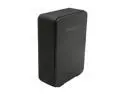
Hitachi GST Touro Desk 3TB USB 2.0 3.5" External Hard Drive 0S03290 Black
Pros: Inside is a brand new 7200rpm SATA drive for about half of what a bare drive is going for now.
Cons: Takes some work to get the drive out of the screw-less enclosure
Overall Review: Use a flat sturdy tool to wiggle your way into one of the corners, then work your way around to pop the panels off on the front and back. It will take some effort to pry and pop the panels off, but once they are off the drive should come right out. Just watch you don't bend the SATA to USB converter when pulling the bare drive out. It is attached with screws into the drive itself but there is a clip wire attached that needs to be disconnected first. The drive has nothing that physically connects it to the enclosure, so don't worry about giving the old heave ho when prying the panels off.
12/28/2011See more detail
Sadly, it was terrible
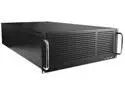
iStarUSA EB-445-PM Black Steel 4U Rackmount 4U 45 3.5" HDD Bays EATX Storage Server Chassis eSATA Port Multiplier
Pros: -Amazing concept -Sturdy -Good airflow
Cons: -Could not get the port multiplier to work at all. Tried 4 different controllers, plus one from their 'verified list' all stating they supported port multiplier -After contacting them for support, they gave me a list of 3 fairly shoddy options that they said they had verified would work. They only supported 4 sata ports each, and therefore would require 3 cards to work. Not to mention that one of the 3 was a sata 2 card. I opted to return the whole thing after testing one of the verified controllers and STILL got nothing to work. Backplanes would not see more than one drive connected. -The bays to put drives in are incredibly tight. You have to hammer the drive in a bit to get it in, and then pulling them back out again is a bit of a nightmare... especially if you have it fully loaded.
8/21/2017See more detail
So good
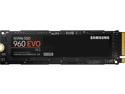
SAMSUNG 960 EVO M.2 500GB NVMe PCI-Express 3.0 x4 Internal Solid State Drive (SSD) MZ-V6E500BW
Pros: Amazingly fast and reliable; Samsung never fails to impress with their SSD
Cons: A little expensive still when compared against other drives, but absolutely worth it. Hardly anything comes even close to the performance of Samsung's NVME drives.
8/21/2017See more detail
7 port without power adapter
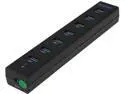
HooToo® HT-UH008 USB 3.0 HUB 7-Port Bus-Powered (USB Charging Cable, Strip-Shaped Design, 2 feet USB 3.0 Data Cable)
Pros: I figured it wouldn't work with anything that drew too much power, but it kept disconnecting all the devices I plugged into it randomly. I made sure to disable any power saver settings that might disable it, and have no problems with a different usb 3 hub.
Cons: One of the ports plastic innards pulled right out when I unplugged a device from it leaving the bare metal pins behind. It ended up damaging the pins inside my usb cable, and that port is now totally useless, vs only semi-useless like the others..
Overall Review: Don't buy it.
1/27/2014See more detail