

Your Browsing History


Steven W.
Joined on 03/28/01
0
0
100%
product reviews
- 88
Inexpensive, fast laser printer!
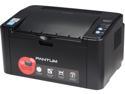
Pantum P2502W 1200 x 1200 DPI Wireless / USB Monochrome Laser Printer
Pros: This is a very fast printer optimized to efficiently use its modest 128MB of printer memory. Installation is just a breeze!..... unpackage, install toner cartridge, power up and use the supplied cd, voila'...up and printing. Faster than many of the high end postcript and pcl printers out in the market since all the processing is handled by the pc itself. Because this Pantum 2502 is a wireless design you can also capitalize on everyone in the household directing their printing needs to one device. Savings are obvious since you no longer have to stock different toner/inks for each of your various printers. Would be nice to have duplex printing but this is easily remedied by refeeding the printed simplex page a second time provided you manually reinsert the first side correctly. Pantum web site though slow appears to have drivers not only for windows but also Mac, Android and Linux along with manuals in pdf format.
Cons: Complex print jobs with embedded EPS calls might not necessarily ender or print correctly but this is to be expected with a entry level printer such as this Pantum P2502. Replacement toner cartridges not readily stocked or sold by third party sellers as yet .... I suspect Pantum is following HP's printer sales strategy....give away the printer at cost and make up for this with expensive toner cartridge replacements. Solid area coverage on printouts have a slight but noticeable strobing...again a trait of entry level printers. Searches on how to refill spent toner cartridges are non existent hence for me it will be a trial and error process just to see if I can successfully refill my own cartridges with easily purchased generic toner. Until this shortfall is resolved replacement toner cartridges in my opinion are a tad expensive, not readily stocked locally, and presently sold online by a few select vendors. Paper tray holds roughly 150 sheets of letter sized stock....far too small for large print runs. Top manual tray according to documentation states envelope printing is acceptable....wrong!.....continuous envelope jams which requires a convoluted way of clearing jammed stock. Whoever designed this 2502 printer should have thought possibly about a more elegant way of clearing jammed sheets of envelopes/paper stock.
Overall Review: Delivery times by Newegg again is top notch, packaged well, and handled by UPS...what's NOT to like about this? As of this date there are very limited vendors of replacement toner cartridges...even Newegg appears to be out of stock on this one...unusual!
7/7/2014See more detail
1 step forward, 2 steps backwards

TP-LINK TL-WA854RE V1.2 300Mbps Universal Wi-Fi Range Extender, Repeater, Wall Plug design, One-button Setup, Smart Signal Indicator
Pros: If you are a prior TP-Link customer with the older TL-850RE Range Extender you will be pleasantly surprised thatsetting this newer TL-854RE is practically identical and easy. This newest TL-854RE carries forward the very same slick design and in my earlier review of the 850RE you can also use this as a convenient hallway night light but be forewarned the addition of any range extender/access point typically always halves the bandwidth downward on your router. Quality again of TP-Link products is excellent and the manufacturer still extends their warranty for a solid 2-years after purchase. This wireless range extender obviously is way better than the older powerline range extenders since you do NOT need a minimum of 2 powerline devices to extend your range.
Cons: The older TP-Link TL-WA850RE is just way better in value over this new TL-WA854RE since it does NOT have the built-in external RJ-45 Ethernet port. I've used both the 850RE and now the 854RE and they do indeed extend the range (typically around 60-75 feet) which for me is enough to cover the dead spots on the far end of the house. Darn shame this model range extender does not embrace the 802.11ac standard which is the latest frame standard.
Overall Review: Documentation and support is top notch....TP-Link web site has the latest documentation easily downloadable 24x7.
5/5/2014See more detail
Paid $83 in Nov ....wish I purchased 2 more!
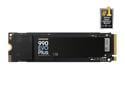
SAMSUNG 990 EVO PLUS SSD 1TB, PCIe Gen 4x4 | Gen 5x2 M.2 2280, Speeds Up-to 7,150 MB/s, Upgrade Storage for PC/Laptops, HMB Technology and Intelligent Turbowrite 2.0 (MZ-V9S1T0B/AM)
Pros: Purchased 1 of these NVMe's from Newegg in November and now I'm regretting the fact I didn't purchased 2 more of these. Though this NVMe was cachless the drive is spectacular in performance going on a month now. I never cheap out when it comes to NVMe drives and currently it's very spartan out there with outrageous prices for suppliers who currently have stock.
Cons: None available even at the local "brick's and mortar" competitors. Plenty of 2nd tier NVMe's however their longevity has burned me pretty badly with high mortality rates.
Overall Review: This Samsung 990 EVO Plus NVMe is amazingly fast even without a built-in cache. Paid just $84 + tax from Newegg and I now regret the fact I didn't purchase 2 more. If you are contemplating a build don't wait....I see prices doubling this year. I have this 990 EVO Plus installed as a boot drive on a Asus Maximus Z890 Hero and originally thought I was over-paying at the time. This same MB originally set me back $399 and today, January 3rd Newegg has the very same MB selling for $699 + Tax. Price increases are simply mind boggling. A decent pc build will definitely double in cost in 2026
1/3/2026See more detail
Originally paid $240 and it's currently $755
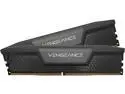
CORSAIR Vengeance 64GB (2 x 32GB) 288-Pin PC RAM DDR5 5200 (PC5 41600) Desktop Memory Model CMK64GX5M2B5200C40
Pros: Timing is everything when it comes to purchases and I cannot complaint sourcing these 2 sticks of DDR5 prior to the triple price jump. I didn't fare as well on my second pc build this month but delaying any longer would only hurt our household budget. If you need problem free installation you should seriously consider this Corsair DDR5 memory kit. Enabling XMP is simply one mouse click in your BIOS!
Cons: I am still in shock on these never ending price increases for DDR5 memory however if what I read holds true it's important to make my memory purchases as quickly as possible. It's a darn shame there is no place to sell my old sticks of DDR4 memory and I've got over a dozen sticks of name brand DDR4 memory.
Overall Review: My first pc build this year and decided to purchase this 64GB DDR5 kit in early October 2025. This was a basic requirement since I use Adobe PhotoShop quite often. This same kit is now currently $755 and I suspect in early 2026 there will be another price increase. I trust Corsair memory even though it's extremely cost prohibitive. I've never had much success enabling XMP in any of the other brands but it's just a matter of "enabling" XMP and it works...no fuss and no trial and error tweeking. Having 2 brand new pc builds using this Z890 Intel chipset now checks off 2 tasks for our household. No more pushback from both TurboTax and our financial institutions warning us logging in with a Windows 10 OS would no longer be allowed in the near distant timeframe. No more worry completing a hardware upgrade in preparation to tax season. Life is good!
12/17/2025See more detail
1st build since 2008 .... prices up but quality is still perfect
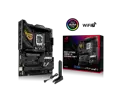
ASUS ROG STRIX Z890-H GAMING WIFI Z890 LGA 1851 ATX motherboard, Intel Core Ultra Series 2 Ready, Advanced AI PC-ready, 16+2+1+2 stages, DDR5, 5Gb LAN, WiFi 7, 4x M.2, PCIe 5.0, USB Type-C, AI OC
Pros: This no frills Asus Strix MB installed cleanly and loading Windows 11 was a joy using a "Rufus" bootable flash drive. I was even able to re-use an old Windows 10 license key from my work Microsoft ActionPack. I'm elated I built this pc as early as I did....prices of DDR5 ram have tripled in price....ouch! This is my first AIO enabled pc and the absence of fan noise is amazingly welcome.
Cons: Lot's of bloatware with Windows 11 so be sure and use a custom tailored "Rufus" enabled flashdrive to disable bitlocker, TPM, and the dreaded Microsoft Account enrollment. The average home user doesn't require these types of bloat!
Overall Review: I had to quickly assemble a new pc in preparation for tax season and once again I purchased from Newegg instead of my local brick's&mortar store due to their limited selection of motherboards and AIO's. Price increases are inevitable and this goaround was no different. The good news was Newegg provided a good education (reviews read), parts availability, and above all choices. This Asus Strix Z890 MB installed and powered up uneventfully which was a good thing. Been using this new build since early November and it hasn't given me any problems whatsoever. Because of this I'm already assembling another build for my son this time with another Asus MB (Asus Maximus Z890 Hero) purchased also from Newegg. I trust both Intel and Asus simply because I've never had any issues going back 20+ years alll the way back to the Intel 920 CPU. What makes this Strix motherboard so nice is the fact I can still repurpose my old 25 years old Cooler Master HAF full tower, fand the old power supply thereby saving me money to put to use elsewhere.
12/14/2025See more detail
265K more cost effective than 286K .... pocket the extra $200
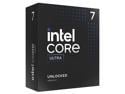
Intel Core Ultra 7 265K - Core Ultra 7 (Series 2) Arrow Lake 20-Core (8P+12E), LGA 1851, 125W Desktop Processor - BX80768265K
Pros: This Intel 265K runs extremely cool with a AIO water cooling setup. Researched quite a bit and decided to forego the usual heatsink fan cpu cooler and I am glad I did. Doing this frees up a huge amount of space and avoids this terrible five pound heatsink fan combo. I do like the fact it has both multiple thunderbolt ports along with an HDMI port which allows me to repurpose some old be useable peripherals.
Cons: Couldn't repurpose my old power supply and had to go with a compliant ATX 3.1 supply which has multiple 6 and 8-pin power connectors. 25+ year old Cooler Master HAF case couldn't be repurposed for this new build due to the half dozen 5-1/4 half height drive bays hence new case was an added expense.
Overall Review: I've been a huge fan of Intel processors going back over 30 years and when it cam time to upgrade I hesitated until this 265k went on sale. Pairing this with an Asus motherboard was a joy and this new build from start to finish took a tad over a day which includes the Windows 11 install. This build was completed using a bootable "Rufus" USB drive and believe it or not you can use one of your old Windows 10 license keys. Money saved partially cover the cost of Corsair DDR5 memory which continually ascends in pricing. This processor was paired to a Asus Maximus Z890 Hero MB and performs quietly and efficently. I depend on Newegg to have a wide selection of motherboards and depend on their reviews to make a wise choice.
12/12/2025See more detail