


Your Browsing History


Paul M.
Joined on 05/23/04
0
0
product reviews
- 4
Attractive Board with plenty of ports
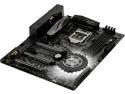
ASRock Z370 Taichi LGA 1151 (300 Series) Intel Z370 HDMI USB 3.1 ATX Intel Motherboard
Pros: The board has a good amount of USB ports and I like that they include a 3.1 Gen 2 type A and type C ports as well as a front header for another gen 2 port. Want to add an M.2 PCIE SSD? How about three? ASRock includes three...thats right, three full speed x32 PCIE M.2 slots. Now I won't have to replace an M.2 card when I want more storage, I can just add to the one I already have. Also helpful if the LED display for error codes. The RGB chipset LED is just right amount of subtle, too. Overall a very good looking and solid board. Impressed my the UEFI as well. It's easy to use and with the advance features has a fair amount of tweaking control for overclockers. Lastly. no gaudy boot screen, just a small ASRock logo in the center of a black screen. I really like that last part.
Cons: I would have like to see a tad bit more RGB on the board, but that a very subjective thing. Also, probably not the board, but I can't get XMP Profile 1 in the BIOS to be stable with my Corsair Vengeance 2666mhz memory. It defaults at 2133mhz and when enabling XMP, the computer just freezes. No freezes while at the default speed of 2133mhz, though. It's probably a BIOS problem as its still on the release BIOS (no updates other than beta, yet).
Overall Review: In the end, I really like the board and wouldn't hesitate on recommending it to a friend. Hopefully the next BIOS update clears up the memory issue. ---This review for ASRock review rebate program---
10/19/2017See more detail
No recommended Android App
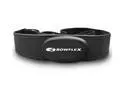
Bowflex iConnect Fit Wireless Heart Rate Monitor Kit for iPhone 4/4S/5, iPad 1/2/3, and Androids
Pros: User changeable batteries Detachable sensor
Cons: Closed loop strap Android app no available in U.S. Bad instructions
Overall Review: I'll start with what I like. The battery in the dongle that attaches to your phone is replaceable, as is the battery in the sensor that attaches to the chest strap. I also like that the sensor can be removed from the chest strap so one can easily clean the strap. The sensor also works with my Star Trac S-TRc treadmill so that's a plus. Now for the things I don't like. The Android app they tell you to install can't be installed in the U.S. You will need to purchase an app that can read this sensor. I bought Runtastic Pro and it worked. Also the chest strap is a closed loop, ie. no clip. You either have to stretch it out over your head and shoulders or step into it to put it on. More of a pain taking off the sweaty thing, yuck! Also the instructions aren't clear on what the 3-position switch on the dongle is for. It has block, A, and B. One would think that is some switch combined with on/off and RF selection. There is, however, no corresponding selection on the sensor, so I don't know. Lastly, the current price is not at all reasonable, but at the sale price of thirty dollars it is.
12/28/2012See more detail
Died just after warranty expired
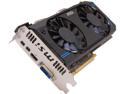
MSI Radeon HD 7870 GHz Edition 2GB GDDR5 PCI Express 3.0 x16 CrossFireX Support Graphics Card R7870-2GD5T/OC
Pros: Was a fast card for its time.
Cons: High power draw, and loud fans. Died a little after 3 years. Never OC'd and only used for moderate gaming.
Overall Review: I'm not not sure I would trust another MSI product. I had a motherboard go bad, and now the video card by MSI. I still have computers with XFX cards from 10 years ago (gaming is subpar though) working with no problems, sigh.
10/21/2017See more detail
Washed out colors
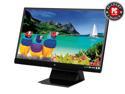
ViewSonic VX2370Smh-LED Black 23" Full HD 1080P IPS Monitor, 1000:1, 250cd/m2, HDMI&VGA&DVI-D, Build-in Speaker
Pros: Energy Efficient Lightweight Thin Bezel Built-in Speakers
Cons: Washed out colors Poor White Balance Built-in Speakers Inaccessible Controls
Overall Review: Nice looking monitor when it is off. It is LED, so it is energy efficient, and stays very cool. It's also extremely lightweight for it's size, which is nice. Other than that, not a very good monitor for average users. The first thing I noticed was that the whites were way off, and no matter the adjustments made, I could never get white, so all the other colors just looked wrong. Now, I want to VERY clear here, as I had a hard time trying to find this next piece of info. While it's been stated this is edge to edge glass, it is covered with a matte screen. You will never have the bright colors and super crisp text that just pop from a glossy screen. However, if your sitting behind a window, then this is probably a good thing for you. The matte screen is what probably ruins the picture on this monitor, and judging by some of the good reviews, it's entirely possible the quality control on this one piece may be poor, and some of us are getting bad matte covers. The monitor has built-in speakers. Of course, with such a thin monitor, one would not expect much. They are much worse than expected, though. After an audio test with my iPad, the iPad won (by a HUGE margin) for better sound reproduction. Though the monitor could get louder, it was like listening to it through a metal straw. I also have an old Toshiba laptop that sounds far superior. You won't want to use those speakers solely. The controls are another poor aspect of the monitor. They are practically hidden on the pedestal below the screen. They are also glass touch controls, so there are no raised buttons to feel for. You must literally duck below your screen to see where to touch, and even then they are labeled poorly. Just a 1, 2, power symbol, up, and down. 1 ends up being a menu and back key while 2 becomes and enter or select key. Again you have to look at the screen to see the menu and adjustments then hunch under your screen to see where to touch, then back up to look at the screen, then hunch back down, then look back up and so on for every adjustment with the controls.
1/16/2014See more detail