




 here!
here!
I’m your shopping assistant for PC builds, upgrades, and everything tech.
Got questions? Ask away!
Start a conversation
here!
I’m your shopping assistant for PC builds, upgrades, and everything tech.
Got questions? Ask away!
Start a conversation

Joined on 01/18/05
Great Value RAM
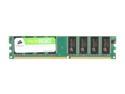
Pros: -Cheap -Dual Channel -Good Compatibility -OK for gaming (I run FEAR with PC settings on MAX/Video on High) My rig -Aspire X-Navigator Case w/5fans -Hiper 580w Aviator Molex Power Supply (not from newegg, but they should have this! What a bad larry power supply!! Almost 2 bennys though!!) -AMD 3500+ Newcastle (while they were out) -ASUS SLI Deluxe (2nd Revision) -(2) 1GB Corsair Value Select RAM -(2) XFX 6600GT’s in SLI -(2) 160 GB SATA Hitachi (mirrored) -(1) 40 GB ATA Fireball Drive for Media -DVDRW/DVD/MediaReader/Floppy
Cons: -CAS, 2.5 would be nice
Overall Review: I have owned this RAM for probably 1 year now with no problems. Run at default speed 8-3-3. Worked with 2 other sticks of Kingston 512 PC3200 DDR, but beware: I ran the NVPerformance benchmark that came with my mobo, and I was killing all the NVIDIA Baseline specs by miles, EXCEPT the memory. I investigated and realize the RAM was only running at 333MHz when 4 sticks of DDR are installed. So to test, I pulled the 2x512 Kingston sticks out leaving the 2x1GB Corsair, and alas my speeds returned to 400MHz AND I was scoring significantly higher scores in my memory benchmark. I realize I was mixing RAM capacity, so it may not have been so bad if they were all the same capacity sticks. Also I hear rumors about new BIOS revisions to fix it, but unsure and not willing to test on my stable BIOS. All in all I guess thats another reason to buy larger capacity 1GB RAM over a 512 chip, so you can get the same #GB out of less sticks, with faster clock speeds.
If you like this one....
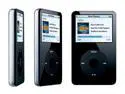
Pros: Check out the CREATIVE Zen Vision:M... the 60gb version of that is only a few beans more than this, plus it has TONS more features not to mention a 4x bigger color spectrum... sorry fanboys, just playing devil's advocate
Cons: DRM authoring, less color, less features, less video compatibility, less battery life, less storage space
Overall Review: I chose the Zen after giving the Pod, Zune, Gigabeat and Zen all serious consideration and hours of research... couldn't be happier!!
Glad I chose this One (cont.)
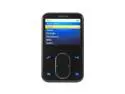
Pros: Just an addition that didn't fit in my other review... if you don't wanna get those hairline scratches on the face (or if you wanna try to hide them) search for BESTSKINSEVER and they make kits for the 30gb and 60gb that cover the entire player. VERY high quality stuff and fairly easy to install with a little patience (mine took maybe 5-10 min) Like I said before, they're worth they're weight in gold!!!
Cons: I have to hear all my Pod owning friends cry about the fact they can't copy my 30gb music collection while I steal ALL THEIR MUSIC!!
Overall Review: FYI - i don't use mine a whole lot for videos so I chose not to comment much about video support, although the videos that came with it and the ones I added do look great and worrk 100% fine, I haven't had enough time or use of it yet to comment in depth about video capability.
Glad I Chose This One
Pros: 1) The screen is absolutely amazing. 262k colors here vs. 65k on the Pod = over 4x the color spectrum. 2) Navigation features. IMO the slide wheel is just as revolutionary if not moreso than the wheel. Once you get the feel of it its SO GREAT to use. (ie: tapping the bottom or topmost part of the slide will move 1 item, holding it will fast scroll, clicking the slide left or right) Plus it takes up less room than the wheel while serving the same function allowing more controls to flank the sides. Back, Menu, and dedicate play/pause button, plus a JUMP button that you can assign any function of the Zen. 3) Zen is DRM-Friendly, so I can play ANY mp3s on my zen whereas a Pod can't. I can take my buddy's Pod collection to my Zen. You cant share music between Pod's. 4) Price point, 60GB for $xxx, why buy the 30GB? 5) Features. Things like FM radio (+$40 on Pod), syncs to outlook contacts calendar tasks, Microphone, Camera Connector, removable disk 6) Drag & Drop
Cons: Not much really but some.... 1) The Dongle. I wish they could have just built it in to the player. Instead you have to plug the Dongle in and then the USB, Video, and AC plug into that. I keep mine in the nifty suede case they provide. Not a huge deal, definitely should not deter a purchase but I felt I should mention it. Worst case if it gets lost they're only fifteen beans. 2) Software. For the majority of people out there you can use Windows Media Player and it will work as better than perfect for you, correcting track info and adding album cover. Especially if you don't bootleg and have mostly legit music collections. As for Creative software, don't get me wrong, it all works fine, its just a matter of finding the right mix of using what for which reasons. Experienced users might find themselves using 3 or 4 different softwares. More on this in other thoughts.
Overall Review: When I used WMP11 for my library it had alot of the artist names incorrect or unorganized. (Ex: Kid Rock and Kid Rock ft. Whoever would be 2 seperate entries rather than 1). So I found a program called Media Monkey (in the manual actually) that allows you to rename all your tracks so they organize the way you want them fairly easily. (Great for bootleg tracks). Plus it will rewrite the filenames on your PC to reflect changes in your library. Then when I loaded it into WMP11 it was 98% organized although WMP still renamed a few artists for some reason. I chose to Sync my Zen with MediaMonkey, as if you try using WMP11 as well, it may duplicate dync. Creative software will let you drag and drop, has a video converter, and an app for getting zencasts, but I found the Monkey to be the best to my liking. Plus you can get album covers & track info from the web more efficiently than WMP11 IMO. Go to and grab a cover (30 or 60GB) theyre worth their weight in gold
Must Own for Your 360
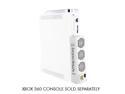
Pros: Cools off the 360 significantly. Barely audible, no louder than the 360 itself. For those that complain about sound, turn your TV or surround sound up! You can have it on auto so it comes on.off with the 360 or turn it on/off manually if you want (dunno why u would). Plugs right into the 360 and utilizes the existing power cord. Doesn't stick out too much further than without it (an inch or so), which is great for small spaces like mine. Can also be cleaned once fans start collecting dust. Great product and how can you not justify spending a JACKSON to protect a 3 BENJAMIN machine. MUST OWN!
Cons: Hmmm... i paid 5 beans more because i needed it right now.
Overall Review: I have my 360 in a smaller entertainment center, and it was getting hot to the touch on top. I was getting red-lights on boot so I decided I'd get onoe of these (for 5 bucks more at WorstBuy). I cannot be happier. My 360 is cool to the touch even after long gaming sessions (3+hrs) and no more red-light since. I saw pics that say it lowers components in your 360 from 2-10c which is significant. If this didn't work I was gonna bust out the dremel and mod a side window with a fan into it. Glad it did though!
Was yours bad?
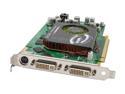
Pros: Many of these cards did work, and well I might add! For those that didn't, EvGA has adressed the faulty Samsung memory problem and switched to a new SKU with their 7900gt's, the AR line. If you have a 7900gt that artifacts, eVga will RMA your old faulty board for one with the new memory chips. Check eVGA's site to see what boards are covereed.I think it'ssupposed to be RUSH Shipping, but I'll see when I send mine out this week.
Cons: If it's broke, you have to send it out. But stuff happens and at least their doing the honorable thing and making things right. READING FROM EVGA: EVGA has been working out the new SKUs to resolve the issues that some users are experiencing with artifacting during 3DMark06 and random games; we have been manufacturing new cards based on a new AVL list. Here are the details on the new 7900 cards: * "New" AVL Memory (Approved Vendor List) * RoHS compliant * Test results are extremely positive If you are an EVGA user that is experiencing artifacting with your 7900 Series products we ask that you submit for an advanced replacement through our website directly. If you are not experiencing artifacting then there is no need for you to submit for an RMA, the number of cards that are having this issue is very low in comparison to the number of 7900 Series of cards that have shipped. Please allow 2 business days your card to ship once you have submitted for a replac
Overall Review: So there you have it, proof that mistakes happen and good copanies are there to make right! I know I'll be sending my GT in for fixin. Big ups to eVGA for catching this and doing the right thing! If i got it from the egg, and not a step-up I would have returned it to them.


