

Your Browsing History


Michael W.
Joined on 11/14/03
0
0
product reviews
- 6
Video Review Says It All
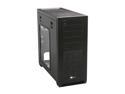
Corsair Obsidian Series 650D (CC650DW-1) Black Aluminum / Steel ATX Mid Tower Case
Pros: I love this case. It's roomy. The three large fans are quiet and move a lot of air. Cord management is exceptionally easy and motherboard installation easy as well. I read a lot about a sticky start button. So far, that hasn't been a factor to me. It feels different than any start button I've used. One gentle off center push and up she goes.
Cons: No complaints.
11/20/2013See more detail
Don't Buy It!
Enermax MaxREVO 1500W 80+ Gold Full Modular Power Supply
Pros: None
Cons: I bought this power supply for a new build about a year ago. I was having intermittent episodes where the computer would simply shut off. This would happen, perhaps, every three weeks or so. In order to restart it, I would have to turn off the switch on the back of the power supply and then turn it back on again. Not knowing what the cause was, I tried to ignore it. Then, I noticed that after going into sleep mode, the computer would once again be non-responsive. Was it the motherboard, graphics card, power conditioner or power supply. I didn't know. So because I wanted to replace my graphics card anyway and couldn't find the power cords that came with my Enermax power supply, I went online to contact the company to see if I could order new ones. Once there, I discovered numerous posts about intermittent loss of power issues with this Maxrevo unit. I asked the company about it. No response was given. This is poor customer service and poor build quality. Especially in a unit at this price point. Since then, I've purchased and installed a SeaSonic unit with half the available power at half the price and it works beautifully. To be more specific: Seasonic Titanium 850W. Buy it!
12/6/2016See more detail
Great Fan Easy To Install
Rosewill ROCC-13001 AIOLOS PLUS 120mm Long Life Sleeve CPU Cooler Compatible Intel Core i5 & Core i7
Pros: I've built three previous computers here at NewEgg. The last build lasted for four years. All three had stock cpu coolers. This one did not. I was concerned. I shouldn't have been. The video made it easy. Just remember to remove the plastic protector on the bottom where the heat sink pipes make contact with the cpu. I did this right away but awoke the next morning worried that I hadn't. Wished I'd have placed it somewhere obvious but it was buried beneath instructions and boxes. No worries though. My cpu is running cool.
Cons: None
11/14/2013See more detail
This RAM Works Beautifully With The Asus Sabertooth X79 Mobo
CORSAIR Vengeance LP 32GB (4 x 8GB) DDR3 1600 (PC3 12800) Desktop Memory Model CML32GX3M4A1600C10
Pros: What I like about the Asus Sabertooth X79 Motherboard is that it has a RAM fault led that remained dim upon insertion and startup of the board. This RAM is fast and my computer runs cool.
Cons: None
11/14/2013See more detail
Make Sure Your Software Supports the Cuda Engine
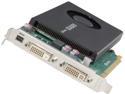
NVIDIA® Quadro® K2000D VCQK2000D-PB 2GB GDDR5 PCI Express 2.0 x16 Workstation Video Card
Pros: It's functional. The picture on both of my monitors is crisp and clear. But this is supposed to be a professional video production card that makes for a more enjoyable editing experience. That might be valid if you're editing in Adobe Premier but forget about any improvements if like me, you're editing with Corel VideoStudio ProX6.
Cons: And this is my big issue. Simply say in the description that this card will only help you if you're operating in certain programs as I've experienced absolutely no improvement in rendering or in previewing effects. If you're not working in a specific environment that this card supports, I recommend getting a standard video card with lots of RAM. This one only has 2Gb.
11/14/2013See more detail
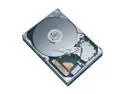
Seagate BarraCuda 7200.7 ST3160023AS 160GB 7200 RPM 8MB Cache SATA 1.5Gb/s 3.5" Hard Drive Bare Drive
Comments: Quiet and fast, I'm running this as my system drive and backing up to two Seagate ATA 100 drives. The nice thing about building your own computer is doing it with cash! No credit. In six months I put together an incredible computer. So can you.
1/23/2004See more detail