

Your Browsing History


Douglas S.
Joined on 01/17/04
0
2
product reviews
- 4
Great SSD, Bad Corsair SSD Toolkit Software
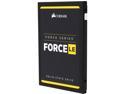
Corsair Force LE 2.5" 480GB SATA III TLC Internal Solid State Drive (SSD) CSSD-F480GBLEB
Pros: Fast, light, small, good price
Cons: The Corsair SSD Toolkit would NOT clone my HDD to the SSD - instant error code. I located third party software (AOMEI BackUpper Pro), at additional cost, that easily did what the Corsair software should have done - :(
Overall Review: Maybe - it's no bargain over the Samsung, like I thought it would be, because I had to acquire additional software.
6/18/2016See more detail
Not Very ULTRA
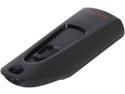
SanDisk Ultra 32GB USB 3.0 Flash Drive SDCZ48-032G-A46
Pros: Sandisk name, and hopefully, reliability.
Cons: Not the performance expected from Sandisk.
Overall Review: Write speed is pitiful! Using the ATTO benchmarking software, the best the SanDisk could muster was 10.9 MB/s for an 8192KB test file. Read speed topped out at 79.5MB/s for a 1024KB file. Using the exact same testing platform, software, and port, my two-year-old Corsair Voyager produced its best write benchmark of 14.2MB/s with an 8192KB test file, and its best read speed of 71.0MB/s with a 4096KB file. I expected better from the brand new SanDisk device. The 30% write speed advantage of the Corsair may not seem like much, but it is VERY noticeable when writing large files (like movies). I thought that maybe I had received a dud or an old rev flash drive. So, I submitted a Support Ticket at the SanDisk Technical Support web page to voice my concerns. The response from Marc J., SanDisk Technical Support: "We currently do not advertise the write speed of the SanDisk Ultra USB 3.0 flash drive product. Our advertised read speed is up to 80MB/s which is 4 times faster than our Cruzer USB 2.0 drives. There are several factors that can affect the performance of your drive and are specific to the host device or in this case the desktop PC that you are using. As per the ATTO Benchmarking result sent, it seems to be within the specifications for the USB 3.0 Flash Drive." Well it’s no wonder they don’t advertise the write speed! I found Mr. J’s last sentence somewhat insulting. The test platform was the exact same for both the Corsair and SanDisk drives. Granted, the Corsair was an 8GB device, and would require two fewer address bits, but that would only be a factor when filling the devices to capacity. A 30% performance penalty is just too much. Perhaps instead of being disappointed in SanDisk, I should be more enthused about Corsair!
10/28/2013See more detail
Unreliable - Two Different Drives, Both failed Within Months
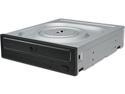
LG Internal 24x Super Multi with M-DISC Support SATA Model GH24NSC0B
Pros: Doh - it's a drive. Worked fine for a little while. I got it specifically to read MDiscs.
Cons: Prevented the PC from booting. PC passed P.O.S.T. but failed to continue. Disconnecting the SATA cable to this DVD drive allowed normal PC boot and operation. Reconnecting the SATA cable re-created the 'no boot' problem. This is the second drive of this model that failed. The first one developed a "No Disc Read" error, so I replaced it with this second drive. Thinking it was just a fluke and a rare failure, I did not claim a repair for the first drive but I did submit a repair claim to LG for this second drive (worked OK for 4 months).
Overall Review: Do not recommend. Would not purchase again. Even if LG repairs/replaces this dive, I'll never have confidence it it. I'm going to look for a different brand of MDisc-capable drive.
1/10/2022See more detail
Bought Two - One Dead in 6 Weeks
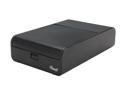
Rosewill METAS – External 3.5" Hard Drive Enclosure – USB 3.0 & eSATA, Black, Rigid Aluminum Body and ABS Plastic Top Cover
Pros: Good looking, solid, easy to clean, USB3.
Cons: One died: Not recognized by either of my two desktops. The other enclosure is still working (for now).
6/4/2013See more detail
seller reviews
- 1
They Claim to Be Fast, But They're . . .
not - they're REALLY, REALLY fast! I placed my order on Wednesday and received it on Friday! Woo Hoo
On-time
Delivery
Product
Accuracy
Customer Service
Satisfactory
4/19/2024See more detail