
Your Browsing History
 Holiday Shipping Details & Extended Holiday Returns Holiday Shipping Details & Extended Holiday Returns

Joined on 04/28/11
Excels in marketing fluff specs, but drops the ball a bit where it really matters.
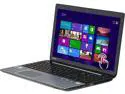
Pros: The NVIDIA GT 740M is a decent midrange GPU, and provides adequate performance in a number of recent titles. Could it be better? Yes, but it's certainly not the worst. A quick web search on the GPU should get you the information you need about how well it runs various games.
Cons: The main issue with this laptop is that the display it's using is a 15.6" 1366x768 display. Such a resolution in a display this size makes things onscreen rather large, the resolution itself doesn't let you fit much onscreen to begin with, and -- as is typical of display panels this size and resolution -- it's a low-grade display panel with very poor image quality due to low contrast. Really, for a laptop in this range, you should be able to expect a decent display, long before "i7" this and "12GB RAM" that. The display in this laptop is not a "decent display" -- it's actually pretty bad. There are a number of laptops out there in similar budget ranges that will get you a similar or better GPU, and a decent display, at the same time -- some even with touchscreen like this laptop has.
Overall Review: One thing that's important to keep in mind about this laptop is that, while it may initially seem attractive due to its "Core i7" and "12GB" of memory specs, those are -- for the most part -- overkill for the majority of users. Processor and RAM aren't the keystone defining aspects of how good your computer is, despite what marketing may imply. Before you jump on this laptop, you'll want to make sure you evaluate what'll actually have an effect on your user experience with proper weight over what won't. For example, game performance will tend to be bottlenecked by a midrange mobile GPU / Graphics Chip before it matters too much what type of CPU / Processor you have. Getting a more powerful GPU will go a lot further than getting a Core i7 instead of an i3/i5/etc. And the display, of course, pretty much affects everything you do, both in terms of how much you can fit onscreen due to resolution itself, and in terms of quality that creates its impression continuously.
An absolutely-awful display, despite otherwise-decent hardware: Stop doing this, manufacturers.
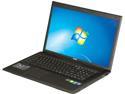
Pros: Decent for moderate gaming due to its NVIDIA GT 740M GPU, but you can get that in a lot of laptops that don't drop the ball on the display like this one does.
Cons: The display MSI decided to use in this laptop is a 17.3" 1600x900. 1600x900 resolution in a display this size makes things onscreen rather large, and furthermore almost all display panels produced for laptops that are 17.3" with 1600x900-pixel resolution -- this one included -- are low-grade LCDs with very poor image quality due to the grayish blacks and overall washed-out look brought on by poor contrast, as well as severely-limited viewing angles. You're going to find many other laptops this size without this issue, that are using displays 17.3" with 1920x1080 resolution. Not only is this resolution more fitting to such a large display, allowing you to fit a decent amount onscreen for the size, 17.3" displays with 1920x1080 resolution also tend to be displays that do well in terms of contrast and other picture quality aspects. By buying the MSI GP70, you're not only disadvantaging yourself by saddling your user experience with such a poor display, in the bigger picture you're supporting manufacturers' use of displays like this: something that needs to stop. Send the right message, while at the same time doing yourself a favor to begin with, by buying something else.
Overall Review: What I strongly urge you to do is consider some alternative models offered right here on Newegg, which offer significantly better displays as well as more powerful GPUs (the graphics processing unit). As of writing, these are some of what's available: - Aspire V3-772G-6468: http://www.newegg.com/Product/Product.aspx?Item=N82E16834314279 - IdeaPad Z710: http://www.newegg.com/Product/Product.aspx?Item=N82E16834313581 - IdeaPad Z710: http://www.newegg.com/Product/Product.aspx?Item=N82E16834313582
Some models are great; not this one.
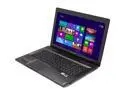
Pros: We bought a Lenovo IdeaPad Y580 for my sister for College. I can attest first-hand to its excellent game performance, and to its excellent audio quality. The GTX 660M GPU (what some call the "graphics card") in the Lenovo IdeaPad Y580 is capable of providing more than satisfactory performance in a number of recent titles. For example, Skyrim performs excellently under High settings, and performs fairly well under Ultra settings. I did not get to try out very many games on it myself, but you can check this list for some benchmarks: http://www.notebookcheck.net/NVIDIA-GeForce-GTX-660M.71859.0.html One of the primary selling points of this laptop for her was audio quality, and the JBL speakers in the Lenovo IdeaPad Y580 did not disappoint. Sound is rich and loud, and despite lack of a subwoofer actually provides rather decent bass.
Cons: However, this was not the specific model we bought. The main difference between the model we bought and the model for sale here is that our model came with the 1920x1080-resolution display and this model comes with the 1366x768 display. This difference is critical, and because of it I cannot recommend buying this model. 1366x768 resolution in a 15.6" display makes things onscreen large, and 15.6" displays that have 1366x768 resolution tend to be low-grade LCD panels with very poor image quality due to low contrast. This holds true for the vast majority of 15.6" laptops that come with 1366x768-resolution displays, and you should make a point to avoid displays like this when it is reasonable to do so unless you require the larger text for eyesight-related reasons. It's understandable to settle for such a poor display when your budget does not make it reasonable to get something better. But generally, if you can afford this laptop, then there are many options also available to you that come with significantly better displays. The 1920x1080 display in our Y580 is great, in that it has high contrast and in that it allows you to fit a lot onscreen, but the reason you need to be looking into the models of the Y580 that come with the 1920x1080 display and other 15.6" laptops that come with 15.6" 1920x1080 displays, instead of laptops that come with 15.6" 1366x768 displays, isn't just because of how good the 1920x1080 displays are, it's also because of how bad the 1366x768 displays are.
Overall Review: Note that the fact that this laptop comes with a "Core i7" processor should not be a selling point, for the majority of users. Game performance depends far more on the GPU ("graphics card") than it depends on the processor, and basic usage is essentially completely unaffected by the differences between most available processors. Also keep in mind that the NVIDIA GTX 660M GPU in this laptop, and the NVIDIA GT 650M GPU available in many other laptops, are very close in performance. The difference in actual framerates tends to be around 10%, and is generally not going to be make-or-break. Keep in mind that a GT 650M is not a "terrible" GPU, but a 15.6" 1366x768 display is a "terrible" display. You need to be more concerned with improving a display that's pretty bad before you become concerned with improving performance that's already pretty good. As alternatives on Newegg, you may also want to consider the following models: - http://www.newegg.com/Product/Product.aspx?Item=N82E16834152339 - MSI GE60: NVIDIA GT 650M, 15.6" 1920x1080 matte display, 750GB HDD - http://www.newegg.com/Product/Product.aspx?Item=N82E16834152339 - MSI GE60: NVIDIA GT 650M, 15.6" 1920x1080 matte display, 1TB HDD - http://www.newegg.com/Product/Product.aspx?Item=N82E16834152338 - MSI GE70: NVIDIA GT 650M, 17.3" 1920x1080 matte display, 750GB HDD If you are set on the Y580, the you need to keep in mind that the only two models listed here on Newegg that you should generally consider buying are the two models that come with the 1920x1080 display. - http://www.newegg.com/Product/Product.aspx?Item=N82E16834310662 - http://www.newegg.com/Product/Product.aspx?Item=N82E16834310661
Mediocre 1366x768 display.
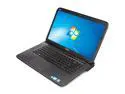
Pros: Excellent speakers. Game performance is moderately decent. 1920x1080 B+RGLED display available on some other models.
Cons: This version of the Dell XPS 15 comes with the 1366x768 display instead of the 1920x1080 display that is available with some other models. 15.6" 1366x768 displays limit multitasking and productivity by making things onscreen large, and they tend to have very poor image quality due to low contrast. It's a good idea to avoid 15.6" 1366x768 displays if you have the necessary budget to get a laptop that suits your needs and at the same time has a better display, and don't require large text for eyesight-related reasons. The 1920x1080 B+RGLED display available in the Dell XPS 15 is one of the best 15.6" displays available. In addition to its high resolution and contrast, its high color gamut makes colors appear very saturated. It is important to consider the screen resolution when buying a laptop, because the screen tends to affect the user a lot more than most specs that buyers commonly pay attention to such as the processor and the memory.
Overall Review: While I don't own this particular laptop, I have vast experience with the current laptop market and have in the past year made thousands of recommendations to prospective buyers on various forums. I have recommended Newegg often, as it is great place to buy because of its good prices and lack of sales tax. The Dell XPS 15 is a nice laptop, but I would only recommend buying a model that includes the 1920x1080 B+RGLED display. I would not recommend this particular model or any other model that come with the 1366x768 display.
Mediocre Screen
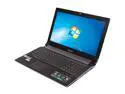
Pros: Aside from the rather poor display, the performance is decent for someone who wants a mid-range gaming-capable laptop.
Cons: The biggest issue with this laptop is the display. Instead of a 15.6" 1920x1080 display like many other ASUS N53 models have, it has a 15.6" 1366x768 display. 15.6" 1366x768 displays limit multitasking and productivity by making things onscreen large, and they usually have very poor image quality (contrast). It's a good idea to avoid 15.6" 1366x768 displays if you have a budget to get a laptop that has a better display and at the same time suits your needs, and if you who don't have eyesight-related concerns with small text. The display is generally the most important spec to focus on when comparing different models of the ASUS N53 and deciding which to buy. Other differences often seen between the models that are typically of less importance are: - GPU: GT 540M/GT 550M/GT 630M. These GPUs are all rather close in performance. If one suits your needs, the others will too. - CPU: i5-2430M/i7-2670QM: The vast majority of users, including gamers, do not need a particularly fast CPU
Overall Review: There are four primary versions of the ASUS N53 that have the 1366x768 display, and they are the N53SV-DH71, N53SV-EH71, N53SN-EH71, and N53SM-DS71. It would be recommended that you instead consider the N53SV-DH72, N53SV-EH72, N53SV-DH51, N53SM-ES71, and N53SM-ES72, as these models have the far-superior 1920x1080-resolution display. These models of the ASUS N53 are overall great, and I would certainly recommend buying them, I just generally would not recommend buying the versions that have the 1366x768 display when it's at-all feasible to get one with the better display. While I do not own this particular laptop, I have vast experience with the current laptop market, and have in the past year made thousands of recommendations to prospective users on various forums. I have recommended Newegg often, as it is often a great place to buy because of its good prices and lack of the sales tax that is associated with many manufacturer websites.