

Your Browsing History


Daniel L.
Joined on 04/16/06
0
0
product reviews
- 4
Great Capacity and Quiet, BUT ...
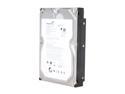
Seagate BarraCuda LP ST32000542AS 2TB 5900 RPM 32MB Cache SATA 3.0Gb/s 3.5" Hard Drive Bare Drive
Pros: Immense capacity (duh!) and quiet operation.
Cons: Had an horrific time with the Seagate Disk Wizard. On My Dell XPS-600 (Vista Home Premium 32-bit) it would barely recognize the first of the identical two drives I installed and a mind-boggling, jaw-dropping number of read and write errors cropped up. I had to partition each disk into two 1 TB (931 GB) partitions and the formatting (my system would not allow a quick format) took up to 10 hours per partition. Finally, I had the first drive wrestled and functional (the Disk Wizard also wreaked havoc with some of my applications) installed Disk Wizard on that drive and it would never even recognize the second drive. SO - short story long, ladies and gents - use Disk Management under Windows to partition and format these drives.
Overall Review: Seagate tech support - while available seven days a week - is perfunctory at best. After about a dozen calls, only Fatima and Darryl (especially) were helpful and pointed my nose in the right direction. The latter especially suggested Disk Management. If you run into a mediocre tech - and you will - hang up and dial again (and again) and get yourself a knowledgeable and helpful tech. Seagate has a (too) few of them.
8/23/2009See more detail
Vista Ready - But ONLY for 32-Bit Vista
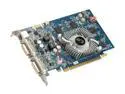
ECS GeForce 9500 GT 512MB GDDR3 PCI Express 2.0 x16 SLI Support Graphics Card N9500GT-512MXL-F
Pros: Nice card with excellent hardware features for the price.
Cons: * No 64-bit driver included. * On-CD Intel Utility refuses to install. * On-CD Profile link takes you to the NVidia web site. * ABSOLUTELY no links, telephone numbers, web sites or email addresses for technical support. Zero, nada, zilch!
Overall Review: Also note that the installation of DirectX 10 takes up to 5 minutes - on a heavy-duty system. If you can handle the above, then it is an excellent graphics card for the price. If not, go with a name brand.
7/22/2009See more detail
Phenomenal Product!

Logitech MX Revolution Black 7 Buttons 2 x Wheels RF Wireless Laser Mouse
Pros: After having read the reviews, I was somewhat skeptical but I was very pleasantly proven wrong. This mouse is a beauty in design and functionality. Especially for a large hand with long fingers. It is very responsive and the Setpoint software ( be sure to download the latest version) makes it a breeze to customize. The battery life is astonishing too - just make sure that you charge the mouse to the hilt before getting started.
Cons: In a week, have not encountered a thing.
8/23/2009See more detail
Fantastic Sound Improvement - But The Installation ...!
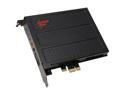
Creative Sound Blaster X-Fi Titanium Fatal1ty Professional 70SB088600002 7.1 Channels 24-bit 96KHz PCI Express x1 Interface Sound Card
Pros: Upgraded from the Soundblaster Platinum because it started to inexplicable snap, crackle and pop intermittently. Hoping it was a speaker problem, I replaced those first (less expensive). (I suspect that "built-in" obsolescence was initiated with some of the latest drivers, but my therapist says it might just be a coincidence. Not too sure about that, so I fired the therapist.) Short story long, moved from X-Fi Platinum with 2.1 speaker system to X-Fi Titanium Pro with 2.0 speaker system and the sound difference is phenomenal! Not crazy about Creative Labs in general BUT, they're the 800-pound gorilla in the sound card field so watcha gonna do but swallow? Hard. Unreal amount of software and apps come with it (and I cannot believe reading these Goldilocks who complain it's either too much or not enough. I guess, in that respect, Creative Labs is damned if it does and damned if it doesn't.) but the minimal install is VERY reasonable.
Cons: For the installation, please make sure to reserve at least an entire day, have an enormous supply of your favorite comfort foods and liquor handy, and a couple of handfuls of Xanax and/or Valium at the ready (or beforehand) because it is going to be a long and very frustrating haul! And I'm a relatively savvy, intelligent and technical guy. Had the temerity to first install the card in a PCI Express 16x slot because there was a little more room. Followed the instructions to the letter and installed the applications from the Creative Labs CD. Please MIND YOU! There is this Creative Labs habit to, during the installation of its applications and drivers, to take up the entire screen so you cannot get at anything behind it. Or, if it does not take up the entire screen, after the primary window has done whatever it has done doing, a secondary - much smaller screen - will be right behind the first one! Not that you would know, because it does NOT show up in the task bar, it does not
Overall Review: This padded room is actually really very nice! Thank you, doctor!
8/27/2008See more detail