

Your Browsing History


Ken F.
Joined on 09/12/10
0
0
product reviews
- 5
It does the job
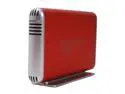
acomdata SMBXXXU2E-Red Aluminum 3.5" Radiant Red IDE / SATA USB 2.0 Samba Enclosure Kit
Pros: The case provides good thermal conductivity. It has both SATA and PATA/IDE connections. No driver needed for Linux. Provided USB cable and instructions manual. It comes with a stand so the drive could stand vertically. The design of the case is very cool. I did not use the SATA connection yet, but i'm sure it works.
Cons: The power plug that goes into the back of the drive is not very wobbles in the socket. The power connection inside the drive is tight between the hard disk and the circuit board. It was also hard to align the screw holes when putting in an IDE drive.
Overall Review: I used this drive just to recover data off an old drive. I wouldn't suggest it to anyone who will be doing a lot of swapping. It wasn't until after I bought the red version that I learned there was a blue and black too. Oh well!
9/26/2010See more detail
Wow...
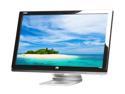
HP 25" TN Full HD 1080p LCD Monitor 3ms(GTG) D-Sub, DVI, HDMI 2509m
Pros: 25'', HD, Gives a beautiful picture. What more could you ask for.
Cons: None
Overall Review: Got this monitor in a bundle with the HP Pavillion p6649c-b. First monitor that I had that is over 10" and/or HD.
1/17/2011See more detail
After it is set up, its good...
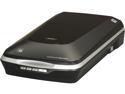
EPSON Perfection V500 Photo B11B189011 Film & Photo Flatbed Color Scanner
Pros: Scans Slides, Pictures, etc. really well. Digital ICE works really well, as well as grain removal. Once you turn it on, you just wait 10 seconds and it is ready to go. Software is VERY useful (almost a necessity) and easy to use. Tech Support solved my first issue in the cons.
Cons: At first, I was having trouble getting the Epson Scan program to run. (You need this in order to scan slides) It just didn't want to work. I was about to return it when I decided to call the tech support. 5 minutes later, it was working. Turns out I had some unnecessary drivers from a Dell A940 interfering with the program. I should have realized it before I called. Also, this scanner is not supported in Linux, but if you jump through some hoops, you can get it to work, very difficult process though. Not sure if the software runs in WINE. Otherwise, no cons.
Overall Review: The main reason I bought this Scanner was to scan slides. Otherwise, I would not have need this product, although it is quite useful and does scan very well.
1/17/2011See more detail
Wireless is awesome
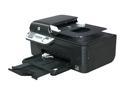
HP Officejet 4500 wireless CN547A Up to 28 ppm Black Print Speed 4800 x 1200 dpi Color Print Quality USB / Wi-Fi Thermal Inkjet MFC / All-In-One Color Printer
Pros: All-in-one printer. (Print, Copy, Scan, Fax) (haven't gotten to use the Scanner or Fax features yet) Has wireless printing. It prints. Works in Linux and Windows 7.
Cons: None so far.
Overall Review: This is the first wireless printer that I ever owned. All my others had to be connected directly to the computer. Half the computers in my house are running Linux and the other half are running windows. The printer worked out of the box with the Linux computers, and the CD was needed for the Windows computers. Wireless is really easy to set up. I have not discovered what the top part of the printer is for (above the scan table). Got this at costco for two reasons: 1.) It was cheaper 2.) Needed it right away Sorry Newegg!
1/17/2011See more detail
Small, yet awesome.
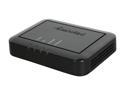
Actiontec GEU003AD3B-01 Ethernet DSL Modem with Routing Capabilities 24 Mbps 1 x RJ-45 10/100Base-TX LAN
Pros: It works. It's easy to set up. The directions were clear. Comes with the necessary cables. Most Importantly, It gives me internet! As for speed, it goes as fast as my current plan allows me.
Cons: Gets *slightly* warm. Nothing to be worried about, as almost anything that uses electricity gets warm. Doesn't make my Verizon Internet Service faster :P
Overall Review: I got this at a best buy, just cause I needed it right away. (Sorry Newegg!) I This was to replace an old Westell 2200 from Verizon. It only gave me about 20kb/s download speed. I unmounted it from under my desk to find that the bottom had turned brown! There was also something rattling inside the case. This modem is pretty darn small (compared to the one I had). I am almost afraid of losing it under my desk :P
1/12/2011See more detail