

Your Browsing History


Andrew V.
Joined on 08/25/07
0
0
product reviews
- 4
Great Board
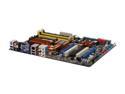
ASUS M3N-HT DELUXE/MEMPIPE AM2+/AM2 NVIDIA nForce 780a SLI HDMI ATX AMD Motherboard
Pros: This board is from what i've had use of it a stable board. The on board video works rather decently, i'd compare its performance to the top of the line video cards of 2 years ago. Navigating the BIOS is an easy task and the features are well laid out and overall very helpful. The memory heat pipe works well and is a breeze to install.
Cons: Express gate is a joke i tried using it to only fail miserably, not a big deal to me beings i had no interest in it in the first place. The BIOS doesn't ship able to accept the Phenom processors to me also wasn't a large issue i just purchased an AMD LE 1100 for 20$ and its nice to have a spare proc to run tests if problems arise.
Overall Review: MAKE SURE U HAVE THE RIGHT PSU!!! I purchased this board and had problem after problem with it. After looking in to it and using the ASUS forums i figured it was because i didn't have the new EPS 12v PSU with the 8pin processor plug.
9/30/2008See more detail
Best speed for your $$
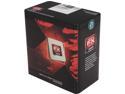
AMD FX-8120 - FX-Series Zambezi 8-Core 3.1 GHz Socket AM3+ 125W Desktop Processor - FD8120FRGUBOX
Pros: The processor runs FAST. This processor also takes to overclocking like a fish to water and does it with out losing stability. A lot of reviews say you don't need 4x2 cores but multitasking with this processor you never lose speed. Out of the box the processor is more stable than the Phenom system that it replaced which made me really happy. This processor not only runs fast its self but I've noticed that the entire system is faster after the upgrade, i get considerable faster data transfer speeds.
Cons: The processor runs a bit warm, when over clocked to 4.038ghz. I have mine running solid at 4ghz and it under load climbs to 50C nothing that I'm concerned about at the moment.
Overall Review: After installing the operating system i was only registering 2 of the 8 cores and proceed to worry that i had a bad processor. This was not the case it was just due to needed updates for windows. So if you take home your nice shiny new 8120 and only see 2 of the 8 cores make sure to install all updates for your operating system.
3/4/2012See more detail
Worth the money
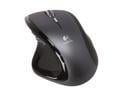
Logitech MX Revolution Black 7 Buttons 2 x Wheels RF Wireless Laser Mouse
Pros: Good resolution for an average user. The wheel is something that after using i can't imagine life without. I've used this mouse for 16 hours strait and have never had a sore hard or been uncomfortable. It has been a very durable mouse i use it with my laptop and haven't broken one. Battery lasts long enough (about a week) and charges fast.
Cons: It gets dirty and slows the free spin of the wheel down. Doesn't have a middle mouse button, after a while i stopped missing the button though. Could make me breakfast in the morning.
Overall Review: Let the battery drain all the way before recharging, as with every battery throwing them in the charger every night is foolish and will ruin the battery. Use your limited charges wisely and drain the battery. If you notice the mouse tracking poorly after you have owned it for a long period use a q-tip to clean the laser opening. I've never installed the software that comes with it so i don't know how good or bad it is, its not incredibly necessary unless u want to install 3rd party software to switch the search button to a middle mouse button.
1/9/2010See more detail
Why water cool
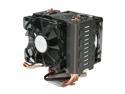
Cooler Master Hyper N520 - CPU Cooler with Copper Base and 5 Heatpipes
Pros: The device runs COOL i have it installed on an AMD phenom 9950 compared to the stock cooling this dropped my temps from 50c to 38c. The temp drop was far more then i expected. Fans seem to flow a lot of air helping cool thoes components around the processor as well. Because of this my NB and SB chips dropped a good 5-10c as well.
Cons: I have to give a con to the size, it takes up a good amount of room. Thinking about that surface area is what makes coolers effective that and air flow .... how is this a con then oooppps disregard. In that case. Doesn't pick up chicks.
Overall Review: Some have complained about the instructiosn being poor, others have commented that there is no flow indicator. On both of these i have to say that that there is a clear flow indicator you just have to know where to look. Every fan that I've come across with computers has an arrow on it some where that shows both spin direction and air flow direction. Instructions were very clear they used pictures and didn't require reading.
10/1/2009See more detail