
Your Browsing History


Andrea O.
Joined on 02/24/06
0
0
product reviews
- 11
from a gtx 780 ti to this is quite the upgrade
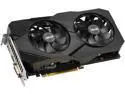
ASUS GeForce GTX 1660 Super Overclocked 6GB Dual-fan EVO Edition VR Ready HDMI DisplayPort DVI Graphics Card (DUAL-GTX1660S-O6G-EVO)
Pros: i'm running games on high/ultra setting that i had to baby with a 780 ti. the BSODs i got are now a thing of the past, the price for such an upgrade is fantastic. if you're budget conscience and need a new graphics card ,this is what you need.
Cons: I now have to replace my mobo/cpu/ram... not that it's that big of a con, everything just bottlenecks at the cpu now lol
Overall Review: i still haven't a clue why this is so much cheaper than everything else i see graphics wise, i'm just grateful it was because my graphics card died hard on me. ty for the memories 780 ti, 1660 is here to see the rest through xp
11/6/2020See more detail
OK, but frequency listed as 667Mhz
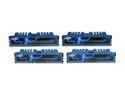
G.SKILL Ripjaws X Series 32GB (4 x 8GB) DDR3 1600 (PC3 12800) Desktop Memory Model F3-1600C9Q-32GXM
Pros: 32 gigs in 4 sticks. works Has worked ok for the last 2 years 10 months that they've been installed
Cons: Says 1600, BIOS on ASUS AMD 3+ board limits to 1333, no options for the special setting to make it run on 1600. In Windows, CPU-Z and Task Manager both list DRAM Frequency at 667 Mhz and not 9:9:9:24 but at 11:11:11:28
Overall Review: S.O. has a set of DDR4s from this company, the BIOS says for their PC is running at 2133mhz and CPU-Z and Task Manager both list DRAM Frequency as 2133mhz. I do not get why mine says HALF of what my ASUS BIOS is set to. This is just as bad as saying a CPU has 8 cores when it only has 4 physical cores with 2 logic cores each.
3/8/2020See more detail
processor works great, fan on heatsink grinds and creates awful noise however
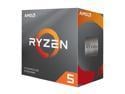
AMD Ryzen 5 3rd Gen - RYZEN 5 3600 Matisse (Zen 2) 6-Core 3.6 GHz (4.2 GHz Max Boost) Socket AM4 65W 100-100000031BOX Desktop Processor
Pros: - excellent cpu, does what i need it to do, grateful it came with a heatsink - the price wasn't horrible ( during a sale ) - great upgrade from the fx-8350 that I bought in 2017 that was failing
Cons: - fan on heatsink grinds and makes horrible noises when first turned on - attaching the heatsink is more difficult than necessary. I recommend a new design for this wraith heatsink to work with the onboard clip area you remove to attach the wraith heatsink or another device you attach first because thermal paste is slippery, required and just makes it that much more difficult to attach
Overall Review: I recommend an extra set of hands to hold the backplate and keep the heatsink from slipping around while you're fumbling trying to screw pressure backed screws into 4 holes in a backplate that is detachable and can fall off the motherboard during the process
1/20/2021See more detail
Nice w/rebate
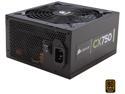
CORSAIR CX series CX750 750W 80 PLUS BRONZE Haswell Ready ATX12V & EPS12V Power Supply
Pros: It works quietly.
Cons: Had issues attaching the 20+4 rail to the mobo, took brute strength to get it to snap on but this was a flaw of the mobo so no eggs removed.
2/25/2014See more detail
Love it!
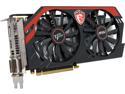
MSI N660 Gaming 2GD5/OC G-SYNC Support GeForce GTX 660 2GB 192-Bit GDDR5 PCI Express 3.0 x16 SLI Support Video Card
Pros: Fits, works, runs my games and got a rebate...
Cons: None
Overall Review: If going for a gaming rig you should be using a full tower for the extra air flow and space to fit monstrous parts like this one. Mine fits with an internal 120mm fan at a 45 degree angle right next to it for the perfect fit.
2/25/2014See more detail
It's a motherboard...
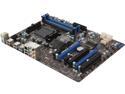
MSI 970A-G43 AM3+ AMD 970 + SB950 USB 3.0 ATX AMD Motherboard
Pros: Installed easily enough, works with windows 7 64bit OS, not having any real problems.
Cons: Had trouble connecting PSU 20+4 rail to the mobo. It just wouldn't completely fasten although it connected fine to another mobo without problem. The Bios is extremely frustrating to get into having a fraction of a second to press a button to reach it. For this reason I docked an egg because I ended up having to visit the Bios quite regularly while setting up my system to fine tune the settings.
Overall Review: Didn't use the two sata cables that came with the mobo because they were not labeled to be shielded or not or what type of shielding. *The USB 3.0 drivers become corrupt when I plug in my XBox 360 controller into them and reboot the computer. The front ports of my computer are 3.0 only so this forces me to use the rear 2.0 ports which has become quite the hassle as I mod games so quite frequently need access to the console in game which having the controller plugged in disables so I'm getting up a lot to disconnect and reconnect.
2/25/2014See more detail