
Your Browsing History


David G.
Joined on 03/07/14
0
0
product reviews
- 12
Sleek and fast without the flare.
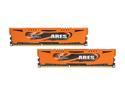
G.SKILL Ares Series 8GB (2 x 4GB) DDR3 1600 (PC3 12800) Desktop Memory Model F3-1600C9D-8GAO
Pros: Worked great straight out of the packaging. Amazingly fast when mixed with my SSD. Doesn't occupy much space in the case. Doesn't have fancy heat-sinks just for the flash and flare.
Cons: None
Overall Review: I don't care much for flashy heat sinks, and I would much rather have my RAM occupy less space in my case than to be expressive.
4/11/2014See more detail
I DO NOT RECOMMEND. Two of these were defective for me. Support from ASRock is horrendous, if non-existent.
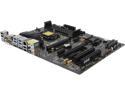
ASRock Z87 PRO4 LGA 1150 Intel Z87 HDMI USB 3.0 ATX Intel Motherboard
Pros: Plenty of features. Modernized and current. Plenty of utilities included on the CD if that's something that interests you.
Cons: I received my first Pro 4 from Newegg and it had two dead ram slots, channels A1 and A2, meaning I had to place my two RAM sticks in the 3rd and 4th slots- preventing me from running in Dual Channel. I sent ASRock an email immediately and received a confirmation email within 24 hours. 4 weeks later and I have not received a single response. There is almost no way to find an 800 number on their site, and even when Newegg tech support provided me with the number, the automated system sounded cheap and foreign (no offense, but it was unprofessional sounding to listen to). Not only this, but when calling, the automated service simply said there were no techs available to speak with, and that I could leave a message, which I promptly did- in detail with contact information. 2 weeks later, no response. I had the motherboard RMA'd with a replacement, which Newegg was willing to provide for me, although explained that if there were any bent pins, regardless of how it happened and even if it came out of the package this way, I would not be refunded. I received my second motherboard in retail packaging, as expected. I removed it from the protective plastic, only to see slight streaks of white smudges on both the board itself, and on the metal casing that would soon clamp down over the CPU. This could only be what I would think to be thermal paste, but is unacceptable from a retail package. I gently smudged some of it off to ensure it wasn't caked on, but was sure to leave it there so Newegg could see when/if I sent it back also. I installed my RAM on A1 and B1 for dual channel, and much to my delight, the system started fine. Shortly after a fresh reinstall of Windows 7, I had encountered issues where, upon startup, I would lose keyboard and mouse functionality and could not even enter my password to log in. After a few attempts, I was finally able to enter safe mode and things seemed normal. I began to get artifacts with the on board display, blue and black static-y checkered striping and white noise, and the keyboard and mouse would become unresponsive. After more troubleshooting, even with a GPU installed, the same freeze would happen, only without the on screen artifacts. The display of my desktop was visible, but any video or audio being played would stop dead and my keyboard and mouse again, unresponsive. I finally reinstalled the original motherboard with the faulty ram slots, and so far so good. Mind you, 2 of 2 motherboards were defective in their own ways, and ASRock tech support is nowhere to be found. Newegg is willing to RMA my board again, or even replace it with a different brand, but at this point I'm almost scared to even attempt a new install.
Overall Review: There's not much to say. I will never buy ASRock again purely due to their lack of support, and further more because two of the boards I received were defective.
4/11/2014See more detail
Great for the money.
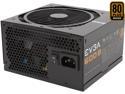
EVGA 600 B1 100-B1-0600-KR 80+ BRONZE 600W Includes FREE Power On Self Tester Power Supply
Pros: Powerful and not too large. EVGA tech support is absolutely amazing and everyone I have spoken to for other products has been intelligent and knowledgeable, as well as highly willing to assist in troubleshooting and filling RMA's.
Cons: None
Overall Review: I had to upgrade from an EVGA 500w 80+ White, which at the time, I was unaware that it was an entry level product and not as well rated. My 500w died on me after only 3 weeks of use. Had I known the price difference was so minuscule for the increased wattage, I would have chosen this one in the first place.
4/11/2014See more detail
Amazingly fast.
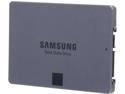
SAMSUNG 840 EVO MZ-7TE250BW 2.5" 250GB SATA 6Gb/s 1x nm Samsung Toggle DDR 2.0 3-Bit MLC NAND Flash Memory (400Mbps) Internal Solid State Drive (SSD)
Pros: I was extremely impressed upon installing Windows for the first time and playing games on this is amazingly fast. My brother had told me about Solid States and its hard to believe until you see it for yourself. I had a 7 year old PC with an old CPU and HDD, what a difference it made to upgrade everything. Windows boots from a cold power down in 15 seconds if not faster. System shut down and restart are incredibly fast, and load times in games installed onto the SSD are noticeably improved over a standard HDD.
Cons: None
Overall Review: Not much to say, these SSD's are amazing and Samsung is always a reliable brand to go with.
4/11/2014See more detail
Performs as advertised.
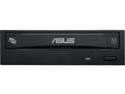
ASUS 24X DVD Burner - Bulk 24X DVD+R 8X DVD+RW 8X DVD+R DL 24X DVD-R 6X DVD-RW 16X DVD-ROM 48X CD-R 24X CD-RW 48X CD-ROM Black SATA Model DRW-24B1ST/BLK/B/AS
Pros: Fast and reliable. No issues yet.
Cons: None
4/11/2014See more detail
A great case for the money, some small issues.
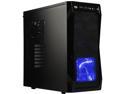
Rosewill CHALLENGER ATX Mid-Tower Gaming PC Computer Case, Expansion Ready: Internal 3.5" Bays & External 5.25" Bays, 3 Pre-installed Fans with Side Fan Mount Option
Pros: Great case for the money. Fans are well placed and noninvasive. Screws for the side panels are twist-able with your hand intentionally, and makes for easy trouble shooting if you constantly have to get back into your case. The extra USB ports are nice, although I'm not sure how many people need an external SATA cable output. 3.5 drive bays are easy to install since there are no screws to deal with, and they lock in place well.
Cons: The clips for inserting hard drives and devices into their bays are all facing the same direction. In the manual, it shows that you "can" reverse the direction of the clips in the event that you have a funky HDD or other device that faces the wrong direction when installed, however you have to manually remove and reposition the rubber pads and pins that hold the drive/device to the clip. Even then, the pins are applied with pressure rather than the usual screws you lock a device in place with, which on one hand is a plus, but on the other, it can cause them to fly off if you ever remove the device and apply more than a little pressure in the "squeezing" motion you do to release the clip. There are more than ten sets of these clips in the box it seems, yet they ALL face the same direction. It would have been nice if they took the guess work out of it and just provided some that face the opposite direction. I just happened to have a drive that was exactly as described above.
Overall Review: For those looking for rigid and metal inserts, look elsewhere. Lots of plastic here. It can easily be seen why someone might call this case "cheaply built" but the components are designed more for ease of use and quick installations and uninstallations of hardware at any given time.
4/11/2014See more detail