

Your Browsing History


George Z.
Joined on 07/11/03
0
0
product reviews
- 5
Major value for money
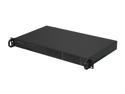
SUPERMICRO SYS-5015A-H 1U Intel Atom 330 Dual-Core 1.6GHz Dual Gigabit LAN Server Barebone
Pros: Size, efficiency, USB port on motherboard, doesn't run particularly hot (well, mine don't, anyway)
Cons: Many of the motherboard's features, including the majority of its SATA ports, are wasted by the server case. That said, you can connect eSATA-to-SATA adapters to the unused (non-multi-lane) SATA ports via the case's unused (but pre-scored) cutouts and dangle them out the back of the unit if looks aren't that big a deal.
Overall Review: Mobo USB port makes this a good candidate for FreeNAS or similar. I'm also using one of these as a movie server (My Movies for WMC). I recently upgraded to a four port RocketRAID 644 PCI-E card and am now running FOUR multi-disk arrays full of DVD and Blu-Ray disc images from this modest little Atom box. What a great unit.
11/11/2011See more detail
A Great Deal for the Money
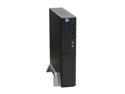
MSI Wind PC Intel 945GC Barebone
Pros: I bought a handful of these for use at my office, replacing older, more power-hungry P4 desktops. I'm finding them to be surprisingly good value. You'll agree if the following is true for your business: 1. The intended users are running Office apps, surfing the web, running Citrix apps or other lightweight client/server stuff; 2. You have a bunch of low-capacity SATA drives and adequate laptop RAM floating around due to upgrades. 3. Your users automatically assume that a "new" computer identifies them as "special". Anyone with a good screwdriver, fifth-grade reasoning ability and opposable thumbs can set one of these suckers up in a few minutes. With the right OS, you can be up and running less than an hour after cracking the box. Also a great PC for elderly relatives, children, etc. At this price, it's a great mix of (adequate) performance and expendability. I haven't tried the mini-pcie slot, but if it works you've got a great "expendable" PC for warehouse applications.
Cons: It's not an attractive machine, its expansion potential is minimal, and if you're the sort of person who doesn't like to waste a lot of time figuring out how things fit together and come apart, you're going to break the faceplate the first time you open the case.
Overall Review: I'm not typically a fan of MSI's hardware -- for want of a better term, I find it graceless compared to the competition. That's still the case here, but for the money, I can live with that.
4/23/2009See more detail
Great monitor
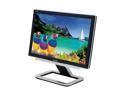
ViewSonic 20.1" Active Matrix, TFT LCD WSXGA LCD Monitor 8ms gray-to-gray (avg.); 16ms white-black-white (typ) D-Sub, DVI-D X Series VX2025WM
Pros: Beautiful monitor. DVI worked right out of the box with an X800. Typically speedy, hassle-free Newegg experience.
Cons: If the highest quality audio you listen to on your PC is, say, five year old RealPlayer files over your 28.8 dialup connection, you'll be very happy with the built-in speakers. If not, don't throw out those old speakers just yet.
5/15/2006See more detail
Does its job well
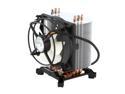
ARCTIC Freezer 7 Pro - Compact Multi-Compatible Tower CPU Cooler | 92 mm PWM Fan | for AMD AM4 and Intel 115x CPU | Recommended up to 115 W TDP
Pros: I'd been running a newly upgraded, heat-intensive config (dual-core CPU, X1900XTX, 5 HDs, etc.) for a few days, and the stock HSF was delivering sub-par performance. With this fan, I saw an immediate and significant performance improvement across the board. Remember, this is a bigass heatsink. Clearance shouldn't be an issue unless you have a skinny case or capacitors crowded around the outer edges of your CPU slot. Remember that the fan comes off! You'll drive yourself nuts trying to work around it otherwise. The fan assembly may seem a bit cheap, but the point is that it's flexible. That's a good thing, though you can still break the outer housing if you aren't careful.
Cons: Let's be honest -- if you're looking at this fan, there's a good chance that you've gravitated to it because you're too lazy to pull the mobo out and install an X-plate. If that's the case, fine -- just make sure that you truly understand how the push-and-turn locking mechanism works before you try to install the heat sink. You'll save yourself a lot of frustration.
4/10/2006See more detail
A good product, but...
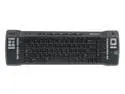
Microsoft Keyboard for MCE ZV1-00010 Black 83 Normal Keys 35 Function Keys IR Wireless Slim Remote Keyboard
Comments: If you built your MCE PC yourself and you're thinking of buying this remote, ask yourself this question first: could you get along OK with just a remote? Because you need the Microsoft Media Center Edition IR Receiver to use this keyboard. It's an OEM part. You can't buy it without the remote unless you have access to real OEM parts. The receiver is available with the remote as item N82E16880100851. Once you get it working, though, it's great. The trackpoint is a bit hinky, but short of putting a trackpad on the keyboard, it's the best solution out there right now. Also, using the "keyboard lock switch" erases the three "learning" buttons. Forgot about that.
9/15/2005See more detail