


Your Browsing History


John C.
Joined on 08/13/12
0
0
product reviews
- 4
Great Inexpensive ATX Case
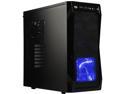
Rosewill CHALLENGER ATX Mid-Tower Gaming PC Computer Case, Expansion Ready: Internal 3.5" Bays & External 5.25" Bays, 3 Pre-installed Fans with Side Fan Mount Option
Pros: - Front Panel USB 3.0 and Audio - Three quite fans. - Lots of external and internal bays. - No-tools drive installation. - Includes speaker - I like the bottom mounted power supply.
Cons: - That awful blue lighting on the front fan. - Why don't they make internal bays where the power and data cables are exposed instead of buried in the bay? Is it just me?
Overall Review: I wanted a case that had a USB 3.0 and audio on the front panel. It also has two front-panel USB 2.0 ports. (This case costs just a bit more that buying a stand-alone front panel.) I needed external bays for a DVD-RW and a memory card panel. It also has plenty of space for my two HDDs. (I also have an M.2 SSD, but that's irrelevant for the case.) The three fans are quite, but the blue LEDs on the front fan are annoying. Overall, this is a great reasonably-priced ATX case.
1/9/2020See more detail
Excellent Power Supply with Poor Quality Cables
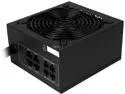
Rosewill CAPSTONE Series, CAPSTONE-850-M, 850W, Semi-Modular Power Supply, 80 PLUS GOLD Certified, Single +12V Rail, SLI & CrossFire Ready, Black
Pros: Nice modular power supply
Cons: One of the SATA cables came apart the first day. The connector detached from the cable. I emailed Rosewill and they sent me a replacement. A/C power cord is only four feet long.
Overall Review: Excellent quite power supply. With better cables, I would've given this five eggs.
1/29/2020See more detail
Worked Fine on my ASRock Motherboard
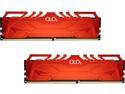
OLOy 32GB (2 x 16GB) DDR4 3200 (PC4 25600) Desktop Memory Model MD4U163216CFDA
Pros: Worked Fine on my ASRock Motherboard
Overall Review: These modules were immediately recognized by my ASRock X570 Phantom Gaming 4 motherboard even though they were not on the ASRock supported components list.
1/9/2020See more detail
Speeds Up Three-Year-Old PC
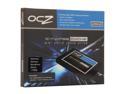
Manufacturer Recertified OCZ Synapse Cache 2.5" 128GB (64GB cache capacity) SATA III MLC Internal Solid State Drive (SSD) SYN-25SAT3-128G
Pros: This device can speed up your PC without having to migrate your OS or reinstall your applications. It is a cache for your hard drive that works without any intervention on your part. I installed it on a three-year-old HP PC, and the performance improved greatly. It took about 20 seconds off the reboot time. Logins are four time faster. Launching a program is four to eight times faster. (All times after a brief caching phase.) Although refurbished, it looked brand new.
Cons: There are no cables. You need a SATA data cable. If your PC has IDE power connections only, you need an IDE to SATA power adapter.
Overall Review: Those reviewers who complain about the SSD size are not using the device correctly. Once the Dataplex software is installed, you don't even see the device as a drive. It just works - you don't need to move any files.
7/6/2013See more detail