

Your Browsing History


Michael H.
Joined on 09/26/02
0
0
product reviews
- 5
LG DVD/CD M-disc burner
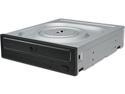
LG Internal 24x Super Multi with M-DISC Support SATA Model GH24NSC0B
Pros: I have tried all the functions of the LG burner before my 30-day return period runs out: CD writing and reading; DVD writing and reading; DVD Double-Layer writing and reading; DVD "M-Disc" writing and reading. Old home-made duplicates of good movies; they all work fine!
Cons: Blu-Ray burner? Not at their present prices (75-100 USD)! While HD videos are impressive on a large screen, with a computer screen (and my ancient eye sight) "regular" DVDs are adequate.
Overall Review: I bought this burner because the fools at "Computers for Classrooms" in Chico sold me a refurbished HP Pentium computer with a CD/DVD drive in it that would not write to DVDs! Their rationale when I called them? "Well DVDs are on the way out as a backup medium." But what about those of us who are still making DVD movies (or computer file backup discs)? Eventually, the drive gave up - no longer being able to watch commercially-made DVDs! Eureka! Now I get to replace that really poor "read-only" drive with a more current drive. After a little research, I decided on a DVD burner that could also write to "M-discs" in the DVD format. Lite-on, LG, and Asus seemed to be the main contenders in the DVD drive business, with LG and Lite-on being the only manufacturers to also make "M-Disc ready" burners. That's fine, ASSus previously scre**d me on an ATX motherboard, and Lite-on I have no hands on experience with.
3/24/2018See more detail
Did not work for Abit KR-7A-RAID
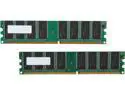
PNY 2GB (2 x 1GB) DDR 400 (PC 3200) Desktop Memory Model MD2048KD1-400-V2
Pros: Cheaper than original 512 MB memory. I don't understand those commenters that whine about the older memory being "overpriced". They can't purchase a "new old stock" 1970 BMW for $4,000., either! Maybe they are just inexperienced? The 1 gb 400 MHz. DIMM that worked was obviously backward compatible with an older board that was designed for 133 MHz. (266 MHz. DDR) memory (PC1600-2100).
Cons: One 1 gb stick worked fine in DIMM socket 1, but the Abit KR-7A-RAID motherboard would not recognize the second DIMM in any other socket! I will have to purchase a single 1 gb DIMM and be happy with that improvement for this 2002-2003 vintage motherboard. I do not know if the problem is the socket (DIMM2) being defective, or the memory specifications of the PNY stick. Bummer. I was hoping to upgrade to 2 gb. of RAM.
Overall Review: Newegg gave me a fast RMA and I shipped in back to them in the same package that I received it in. FIVE STARS to NEWEGG for their usual great efforts at helping me solve my problem.
8/4/2012See more detail
Some slight problems
Rosewill RX355-U Aluminum 3.5" IDE USB 2.0 External Enclosure
Pros: The external enclosure was fine when it connected through the USB 2.0 port to a new (to me) Windows 7 refurbished computer. My problem was that many times the "hand shake" between my computer and the electronics of the Rosewill did not happen! Rosewill responded promptly to my call for help, but wanted me to return the device to them, which I feel was a premature response. I experimented with the "power on" sequence a lot and found that I could get the proper communication between computer IF I FOLLOWED THE EXACT SEQUENCE: (1.) Make certain Rosewill enclosure is UNplugged from USB port and is OFF when starting up computer (Win7). (2.) After computer and enclosure are started and have "stabilized" WITHOUT being connected, plug enclosure into a known good USB 2.0 port. This takes about 3 minutes for Win. 7 and 1 minutes for the Rosewill to stabilize. (3.) Wait a few minutes after connecting USB. If USB connection "fails", restart from #1 above. It takes 2 - 5 minutes to connect through USB. Windows 7 will let you know if connection ("hand shake") has failed. Mountain Mike
Cons: None.
Overall Review: It took me between 30 and 40 minutes to configure and install HD Drive into the enclosure.
11/15/2013See more detail
Works in ABIT KR-7A-RAID!
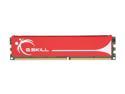
G.SKILL 1GB DDR 400 (PC 3200) Desktop Memory Model F1-3200PHU1-1GBNS
Pros: Backward compatible in the 133MHz ABIT KR-7A-RAID motherboard (MoBo)! In my case, WITHOUT any memory core voltage adjustments as suggested by manufacturer. I know, I know, some of you are asking why anyone would want to upgrade an older 2002-2003 vintage motherboard... because it's a better MoBo than I can purchase presently. ABIT no longer sells MoBOs and some of the stuff on the market now is junk- at least compared to the earlier MoBos! Does doubling the memory to 1 GB make a perceivable difference? YES! Page loading and YouTube videos are loaded faster without as much "pausing" as before.
Cons: I Cannot get this to work with 2 x 1GB sticks of high-end Corsair XMS memory. Probably due to the different timings. I will keep working on this problem, since it is too late to return this 1 GB memory to Newegg. It would be nice if this were ECC memory for the same price, but that's pushing things a bit. The strongly suggested increase of core memory voltage to 2.6-2.75 v. might be a problem for some users. Check your BIOS settings to see if it can be done BEFORE you purchase this great memory.
Overall Review: Back when I built this ABIT-equipped motherboard (computer), ECC memory was more plentiful and certainly relatively cheaper than it is now. I say RELATIVELY CHEAPER, because all memory was MUCH MORE EXPENSIVE back in 2002-2003. It disgust me to see /hear people complaining and whining about how "expensive" their memory sticks are! If only they were around when it WAS expensive! I am happy that I was able to upgrade my 9-year-old MoBo for such a reasonable price, and keep the older computer very functional.
12/3/2012See more detail
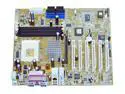
A7V333 - two defective MBs in a row!!
Motherboards - AMD
Comments: What a piece of XXXX this motherboard (MB) is!! I first ordered one in Oct. 2002. After "jumping through many hoops" to rule out other possible defective components, ASUS conceded it might be their MB. So I received a new board from the retailer (NewEgg), with no problems in the exchange. Now, it appears I am "jumping through more hoops", to prove to ASUS that ANOTHER MB IS DEFECTIVE! Neither MB had any QA or QC (quality control) stickers or stampings on it, which says something to me about ASUS's manufacturing process! Buy from another MB manufacturer! I won't touch another device made by ASUS after this experience. Their product support has also been dragging their feet on replying to my e-mails. They are over ten (10) days behind in replying to my request for product support. I guess after grinding out all those defective MBs, they are busy trying to give technical or customer support to those foolish enough to have purchased their products.
5/17/2003See more detail