


Your Browsing History


Jose H.
Joined on 01/26/02
0
0
product reviews
- 2
No parallel SATA power connectors, really?
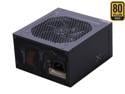
SeaSonic X Series X650 Gold (SS-650KM Active PFC F3) 650W ATX12V V2.3/EPS 12V V2.91 SLI Ready CrossFire Ready 80 PLUS GOLD Certified Full Modular Active PFC Power Supply New 4th Gen CPU Certified Hasw
Pros: High build quality and presentation, well-reviewed (although the "Flawless" review cited on the product page is for an earlier iteration). Has only been in my system a few days but seems to be working fine. Long warranty period--hope I never have to avail myself of the warranty, of course.
Cons: All of the SATA power connectors (all 10 of them) are mounted perpendicular to the cable they're on, even the ones on the ends of the cables. The lack of a parallel-mounted power connector prevented me from installing the SSD not only on the motherboard backplate riser of my case as originally planned, but in the only other viable fixed location available for it. So in the end my SSD is temporarily and awkwardly hanging off the power cable above the HDD cage, until I get an extension cable for it with a parallel connector, which BTW would have been a heck of a lot more useful to include than the floppy disk drive power cable adapter. In the age of $20 dollar 32 GB USB flash drives, who uses floppies any more, honestly? An extension/adapter cable with a parallel connector or two should have come included with a quality power supply like this one--that it isn't is a glaring oversight, so one egg knocked off there.
3/19/2015See more detail
Great monitor overall, with a couple of problems
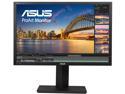
ASUS ProArt PA248Q Black 24" (Actual size 24.1") 6ms (GTG) 16:10, 1920 x 1200, IPS, 100% sRGB, Color Accuracy Delta E< 5, Flicker Free, HDMI, D-Sub, DisplayPort, DVI-D LCD Monitor
Pros: Beautiful colors, no dead or stuck pixels, pivotable to portrait mode, and 1920x1200 (that extra vertical space makes a big difference to me).
Cons: 1st problem, only happened once: when I first connected and ran it a little under two years ago, suddenly the picture dimmed to almost nothing and a little puff of smoke rose from the back of the monitor! Kind of freaked me out, but it didn't smell like electrical smoke, the picture came back fine and it had a 5 year warranty so I figured I'd give it a chance. No recurrence of that issue--maybe it was just lint in there or something, who knows. But now I'm wondering whether that was related to this next problem, which does come back. Read on. 2nd problem: every once in a while I'll use one of the four built-in USB 3.0 ports to hook up a flash drive (usually a USB 2 device, although I recently bought a USB 3 drive and tested it as well just now) and transfer a video file to it. When the problem occurs, the USB 2 drive transfer rate is something ridiculous like 1 MB/second, and just now I tested the USB 3 drive (a Corsair Slider 64GB) and was only getting 19-20 MB/second--I think the spec for USB 3.0 is quite a bit higher, right? You're maybe thinking, well, the drive is the problem--thing is, I took the USB 2 drive and plugged it into a USB 2 port on the front of the machine, and the estimated transfer time went from a reported 35 minutes for 2 files (total of about 2.3 GB) on the monitor's port to about 1/10 of that on the other port. In the past the only way to fix this has been to unplug/replug the USB cable going from the monitor to the computer. Don't know whether to blame the monitor's port or the motherboard's (an ASUS P8Z68-V-LE). I know I am connected to the USB 3 port on the motherboard.
5/3/2014See more detail