

Your Browsing History


Olin M.
Joined on 09/08/05
0
0
product reviews
- 12
Second Unit Good!
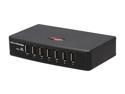
Rosewill RHUB-300 - 7-Port USB 2.0 Hub with Power Adapter
Pros: This was a FREE replacement from Rosewill. No charge for S/H either. Completely reversed my opinion of this unit. Fast, tight USB connection, etc.
Cons: Original unit had to be replace, maybe a bad batch? Hopefully nobody else gets the bad ones, if you do -- contact Rosewill, they will help out!
7/28/2008See more detail
DOA
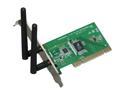
Rosewill RNX-N300 Wireless N Adapter IEEE 802.11b/g/n PCI (1T2R) Up to 300Mbps download and 150 Mbps upload Data Rates/ WPA/WPA2 (AES, 64,128-WEP with shared-key authentication) Cisco CCS V1.0, V2.0 and V3.0 compliant/ Vista/ Win7
Pros: N/A
Cons: DOA, tested in 2 different machines under 3 different OS's to verify. Cheap for a reason and cost to return for RMA would exceed its value.
1/7/2012See more detail
Great quality, quiet, and stable PSU.
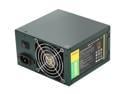
Antec EarthWatts Green EA-380D Green 380W Continuous power ATX12V v2.3 / EPS12V 80 PLUS BRONZE Certified Active PFC Power Supply - Intel Haswell Fully Compatible
Pros: Installed dozens of EarthWatts Green PSUs in workstations and low-end servers over the years and, knock on wood, I haven't had a single issue with any of them. The professional workstations I build are not power drains, therefore obscenely large PSUs aren't necessary and these EarthWatts work wonderfully. Being fairly efficient they generate less heat than some competitors, which can be nice when a tower is sitting under a desk adjacent to my clients. Operation is almost silent. I am so thankful for the rise in popularity of quiet PC components and the EarthWatt PSUs help in keeping an office quiet and cool.
Cons: None thus far.
2/19/2013See more detail
Good Basic SOHO Video Card
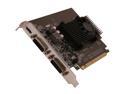
EVGA GeForce GT 610 2GB DDR3 PCI Express 2.0 x16 Graphics Card 02G-P3-2617-KR
Pros: I have installed several of these over the last 5 months in professional office workstations and they have served my clients well. These cards are not gaming cards, so don't expect them to be. They run Win7 aero just fine and run my clients software without issue. Several clients run 2 of these in their workstation for 3 to 4 monitor setups and they run great.
Cons: No complaints thus far.
2/19/2013See more detail
4 Installed and Working Well
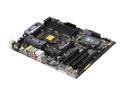
ASRock P67 EXTREME4 GEN3 LGA 1155 Intel P67 USB 3.0 ATX Intel Motherboard
Pros: I have built 4 workstations over the past 5 months for professional clients running these boards and have been quite satisfied. I do not overclock, only require stable boards with solid, stock performance and these deliver. If you rely on the BIOS to automatically set your RAM parameters, check them against your RAMs specs to make sure they match (I had 2 P67s that were incorrectly setting the timing and voltage causing BSODs in Win7 Pro - no problem once I manually set the values). Overall very pleased with these boards thus far; I will repost if I encounter any future issues.
Cons: Automatic RAM settings in BIOS aren't always correct- double check them and adjust as necessary for your unique setup.
2/19/2013See more detail
Great RAM Kit
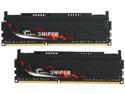
G.SKILL Sniper Low Voltage Series 8GB (2 x 4GB) DDR3L 1600 (PC3L 12800) Desktop Memory Model F3-12800CL9D-8GBSR2
Pros: Have installed 10 sets over last the 5 months with great results. Be sure to verify the timings/voltages/speed in your BIOS match the capabilities of the RAM and, even better, e-mail G.SKILL and ask for the proper settings for your specific motherboard and CPU setup as certain combinations are more stable at higher/lower timings and voltages. Their customer service is quick and very helpful. I am not an overlocker and nor do I want to be. I require stability and solid, stock performance and these kits deliver.
Cons: Had several BSOD's in Win7 Pro with a couple of sets, but the problem was the BIOS incorrectly set timings and voltages for the RAM. G.SKILL was very quick to reply to e-mail and their recommended settings have been solid and stable.
2/19/2013See more detail