

Your Browsing History


Sevena S.
Joined on 12/16/12
0
0
product reviews
- 3
Worked
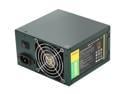
Antec EarthWatts Green EA-380D Green 380W Continuous power ATX12V v2.3 / EPS12V 80 PLUS BRONZE Certified Active PFC Power Supply - Intel Haswell Fully Compatible
Pros: It worked the first time. The cables were plenty long. It was easy to mount. Looks good enough. There were enough power adapters.
Cons: None yet.
Overall Review: The zip tie on the power cables is close to the bottom and hard to get off. I nicked one of the cables trying to get it off so I could get the second CPU plug out of the way.
2/3/2013See more detail
Cheap, but capable motherboard
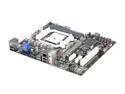
ECS A75F-M2 FM1 AMD A75 (Hudson D3) USB 3.0 HDMI Micro ATX AMD Motherboard
Pros: Has HDMI, ample ports, many headers for internal ports, a relatively good manual, and worked on the first try. It fit well and aside from the internal audio header being awkwardly positioned, the rest of the headers were out of the way so cable management was pretty easy. Also, apparently the first USB header can do a "quick charge". I don't know how well that works, but good to know. Did not have to use a video card. It worked with just the APU on the first try.
Cons: The IO ports are flimsy. For the ones "lower" or closer to motherboard it's not too bad. In fact, it's pretty much only bad for the VGA port (which is a pain to get in and screw in...).
Overall Review: Worked right the first time. The BIOS looked pretty nice. It looks to have an ability to overclock but for the purposes of this computer we won't be.
2/3/2013See more detail
Gorgeous Case
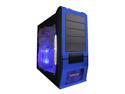
APEVIA X-SUPRA G-Type X-SUPRAG-BL Black / Blue SECC Steel ATX Mid Tower Computer Case
Pros: Looks great (especially the LED fans), very spacious, doesn't look or feel cheap, excellent price, leads for power,usb, etc. were well labeled and positive leads were labeled with a triangle, the manual has pictures and was helpful for the most part.
Cons: No USB 3.0 ports. The tool-less mounting brackets for the 3.5" drive did not work for the USB 3.0 panel we bought for the case. Luckily, they can be removed, and so we were able to screw in the panel normally. The tool-less mounting brackets worked nicely for the hard drive, however.
Overall Review: There are two types of screws that come with the case. They are the same thread but one type is shorter than the other. We made the mistake of using the long type to screw the motherboard to the standoffs. They are too long and do not secure the motherboard down (rather, they stuck to the standoffs and pulled them out). Be sure to use the shorter screws and make sure the motherboard doesn't wiggle.
2/2/2013See more detail