




 here!
here!
I’m your shopping assistant for PC builds, upgrades, and everything tech.
Got questions? Ask away!
Start a conversation
here!
I’m your shopping assistant for PC builds, upgrades, and everything tech.
Got questions? Ask away!
Start a conversation

Joined on 08/16/07
6 Years, Still Going Strong
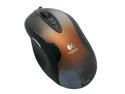
Pros: Functionally, this mouse is pretty much perfect. The tilt and scroll wheel works, the two buttons to raise and lower the sensitivity still work (although I never use them personally), the mouse is just as precise as the day I bought it. The side button 'mouse4' maps pretty well in every game I need it to. When I want to bind something to a key I push the button and it works just like binding it to anything else. I've never had a problem with any program ever not recognizing that button.
Cons: There is only one button for the thumb. It's all I really need, even as a gamer, but my previous mouse had 2, and if done well so it's easy to push which button you want, more buttons are better. However, if there's only one button then it sure is easy to push when you need it! Sometimes when I drop the mouse the little weight card inside slips out. I had to put in maximum weight in order for the mouse to feel 'right' to me, and even then I might've wanted it heavier if I could. This (and the resolution changer) seem like unnecessary options that I haven't used in over 6 years when more thumb buttons would have been actually useful.
Overall Review: Logitech knows how to make mice that last, that's for sure. The cord of my mouse hangs over the edge of the table. Where this happens, the cord has basically been chewed through from the friction over that corner. The padded lining is completely severed, and the black plastic liner is also cracked there so the copper cords are now only protected by the clear plastic lining inside. Once friction cuts through that and starts actually interfering with the copper it might be time to get a new mouse, lol. But even with the cord looking like it's been chewed through it still works 100% without a hitch. Also, over 6 years the accumulation of hand-gunk that builds up on the mouse can be pretty funky. When I scrape or chip it off, the cool paint job finish that it came with typically chips off right along with the gunk. Basically, this is now the ugliest looking mouse I've ever owned, lol. But still 100% functional. This thing must have over 30 THOUSAND hours of use and it's still ticking!
Mostly Okay
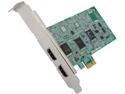
Pros: The card works well for component and composite connections. There is pretty much zero input lag so you're able to play games, even in realtime online multiplayer, without suffering response lag of any kind.
Cons: The standard software for this card is kinda ugly and unfriendly to use. The manufacturers seem to be from Thailand maybe? Or some other non-English country, so there's occasionally weird grammar errors in the program, on their site, in the help files, etc. The biggest con I have is that the PS3 will not work on the HDMI port, it gives an HDCP error. This prompts you to download something from Microsoft and update some kind of list, but the website it links you to doesn't work (and all Micro$oft says about it is format-reinstall or pay up for additional support). Note this is on Windows 8, may be different for other OS.
Overall Review: The software it comes with is not required for use. The drivers alone are sufficient to use other software that can view 'cameras' on your system. The drivers put two 'cameras' on your system, so depending on which type of input you're using, it will show up on one of the two cameras but the other will just be black or 'no signal.' If you don't like the default software, there's other capture card software out there that it works just fine with, once you've got the drivers installed. Personally I don't mind the software if I'm just playing by myself (I just play in full screen and then all the ugly UI isn't visible anymore), but I like that I can view it in Xsplit instead because that's what I use when I'm streaming, and the drivers work within Xsplit just fine (with the exception of the PS3 HDCP issue I mentioned.) Due to the age of the card, it can be hard to find the drivers. Googling 'C027' as the search term finds them pretty easily on AverMedia's site though. Keep in mind with all capture cards, most video that's made to be shown on a TV is in fairly low resolution. A Nintendo Wii for instance has a maximum resolution of 640x480 or 720x480 if widescreen. Playing Gamecube, PS2, or Wii games for instance (or older), are gonna look BLURRY when you put them fullscreen on a 1080p monitor. I personally haven't tried TV signals but I assume it would be the same. This is not the card's fault. Try backing farther away from the monitor to reduce the blurriness factor, or simply don't play in full screen. Finally, the HDMI input can only go up to 1080i, not 1080p. There really is no difference visually, but it means other things have to be set slightly differently to accommodate this limitation. Ultimately, given the age of the card, there's probably better cards out there available by now. However, this one really gets a lot done for the price, especially if you do not plan to be using HDMI input, such as with a Wii which does not do HDMI at all. However it also supports HDMI input too, if you plan on using both, which is the reason I upgraded to this one from previous ones that did not support HDMI at all. After having this card for two years, and particularly with the PS3 HDCP issue (which hasn't always been an issue, perhaps it's specific to Windows 8 or a format-reinstall might fix it after all), I'm still overall very satisfied with it. If I can't fix the PS3 HDCP issue though it'll be time to get a new one.
Crashes Often
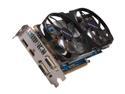
Pros: It's a pretty solid card that runs nearly all the games I want it to on maximum settings without a hitch (most of the time). I have it paired with an AMD FX-6100 (Item# N82E16819103962 on Newegg) and it handles pretty much everything I throw at it. Borderlands 2 with high PhysX can sometimes bog down when there's tons of particles flying down in multiplayer, but that's about the only thing I've seen slow it noticeably slow down below the 30fps mark and 99% of the time even BL2 is running at 60+. (Personally I consider above 60fps to be enough to look awesome, above 30fps to be enough to play with, and below 30 fps unacceptable.) Crysis 3 on maximum settings gets below 60fps but above 30 (barely), and pretty much every other game like Battlefield 3 can rock 45+ and often 60+. I use the 'NVIDIA GeForce Experience' to recommend graphics settings for games and I'm often able to run above the recommendation anyway (for instance in Tomb Raider I can leave the fancy hair effects turned on.) Any games older than the current generation run laughably fast and easy.
Cons: The problem is it crashes. Even in games with as low a draw as Black Ops 2, there is an error message of "display driver has stopped responding and has recovered." Whatever game you're playing will freeze, and the OS will recover but your game won't, you'll have to task-manager close your game and reload it. This happens with every driver since release. It's an inconsistent problem that happens sometimes after 5 minutes and sometimes after 5 hours of gametime. Based off internet research I'm assuming the card is basically overheating itself. Gigabyte offers an overclocking utility and using that utility and UNDERclocking the card back to 'standard' settings removes the crashing problem.
Overall Review: The sole reason I bought this card over other cards was because it was the highest clocked one I could find for a reasonable price on Newegg. If that's the reason you're looking at this card, then pick a different one. If you're okay with underclocking this card to make sure it stays stable, it is otherwise an extremely decent card, especially in a one-card system that isn't SLI or crossfire, and has excellent 'bang for the buck' quality.
Great Monitor
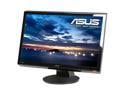
Pros: When people review monitors and talk about dead pixels or bleeding, I have no clue what they're talking about. I've never seen anything like that. And that includes this monitor, for sure. I guess I'm lucky? But seriously, this monitor is great, gets the job done. Good for gaming.
Cons: The biggest gripe I have with this monitor, and the reason it doesn't get 5 eggs, is that when you connect via HDMI, and then the other side of the HDMI stops sending a signal (for instance when you turn your computer off), the screen goes BLUE. It says 'no HDMI input detected' and will stay on FOREVER with a solid blue screen. This does NOT happen on DVI, only on HDMI. On DVI it does the expected behavior of going into power-saving mode, monitor turns off, the blue 'on' light goes to an orange 'suspend' light. It's just with HDMI input that it does this. Pretty annoying. The buttons to control the monitor are stiff and click really loudly. Can often be hard to navigate in the dark. Not much setup options, but then again not much setup needed. And as usual, the speakers suck. But you expect that for a monitor. One thing that was annoying: no headphone output port, only a sound input port. I plugged in my Xbox via HDMI and couldn't wear headphones while playing.
Overall Review: I'd like the buttons to be easier to use and possibly light up when pressed (and then turn off the lights when you are done using them so they don't distract.) I'd like an output for headphones when the input for audio is from HDMI. And I'd like the thing to be bigger for the same price. (Who wouldn't? =P) But that HDMI blue screen with no input thing needs to go. I sure hope they don't do that in any other monitor they ever make.
Good but not the best
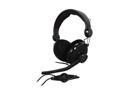
Pros: Great sound quality. Positional sound, such as used in video games, is very high. Good bass. Microphone on/off switch and volume adjuster slightly down the cord from the headphones. The microphone can be flipped up to get it out of your way when not using it.
Cons: They don't stay on very well. Perhaps it's just me, but tipping my head forward or back, even slightly (like, say, drinking from a glass) causes these to fall off my head. They're big and bulky too. The cord is really, really long which you either trip over, or it's a chore to keep it bundled up.
Overall Review: The long cord can be a pro or a con. For me it's a con. It's like 10 feet long I believe.


