
Your Browsing History


Ricky T.
Joined on 08/04/08
0
0
product reviews
- 8
Fabulous monitors
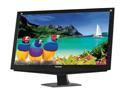
ViewSonic VA2448m-LED Black 24" Full HD LED Backlight LCD Monitor w/Speakers 300 cd/m2 DC 10,000,000:1 (1,000:1)
Pros: Great brightness, low power consumption, no dead pixels, no problems.
Cons: No adjustable stand, hate the side mounted buttons.
Overall Review: I've had 2 of these monitors for 15 months, and I use them for 8 hours per day Monday through Friday. Not a single issue with them the entire time I've had them. I wish all monitors could be this great. They are so awesome, I'm considering buying one for my home as well. Because these monitors are my left two monitors of 3 total, the buttons being on the right side are blocked by other monitors. Therefore if I want to change anything, which is pretty much never, I have to move the monitor to get to the buttons.
10/12/2012See more detail
What a joke
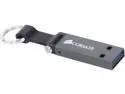
Corsair 16GB Voyager Mini USB 3.0 Flash Drive (CMFMINI3-16GB)
Pros: -It holds data -It's small
Cons: -No protection for when it's in your pocket, even though it's made to be on a keychain. Bends too easily, making the keychain idea a horrible one -It's horribly slow. Actually slower than a 3 year old Toshiba 16GB USB2 drive I have.
Overall Review: I bought this for my truck, just for music. Unfortunately, my truck really doesn't like it, nor does my wife's BMW. Works fine on the computer, but that's about it. I was hoping for USB 3 write speeds, but the USB3 interface is completely pointless since it will hardly write at USB 2 speeds. I've gone back to my old USB stick, and will keep this for other tasks. Buy something else, seriously.
4/22/2014See more detail
Meh
Seagate Constellation ES ST500NM0011 500GB 7200 RPM 64MB Cache SATA 6.0Gb/s 3.5" Enterprise Internal Hard Drive Bare Drive
Pros: It's a hard drive
Cons: Slow slow slow. No faster than a 4 year old SATA II hard drive. Even connected to a brand new machine with SATA III, it performs no better than a SATA II drive.
Overall Review: I regret purchasing this drive
2/24/2014See more detail
A bit peeved about this one
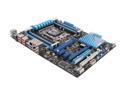
ASUS P9X79 LE LGA 2011 Intel X79 USB 3.0 ATX Intel Motherboard
Pros: High quality board that has what I need, for a great price
Cons: -No on-board speaker -Too few SATA ports -No 1394 (not that big of a deal) -Contradictory documentation. The manual says one thing, and the quick start guide says another with the wrong pictures of the board. -Quick start guide just said to place bios file on a USB stick, but that didn't work. Read the manual and you must rename the file. Why didn't ASUS just name the .cap file within the .zip file, what it should be named? -No troubleshooting guide in user manual
Overall Review: Overall, a very nice board with a few limitations. Took me about 2 hours to get past the hurdles of upgrading the firmware to support the i7-4390k processor. The manual wasn't clear about the CPU LED that is on the board. It just says that if the CPU LED is lit, something is wrong with the CPU. This made me start examining for bent pins and other connectivity issues, rather than going straight to upgrading the BIOS. A little google research led me to the solution.
10/23/2013See more detail
Excellent
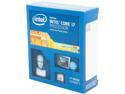
Intel Core i7-4930K - Core i7 4th Gen Ivy Bridge-E 6-Core 3.4 GHz LGA 2011 130W Desktop Processor - BX80633i74930K
Pros: Fast, lots of cores, 4 channel memory
Cons: NO HEAT SINK OR FAN!
Overall Review: Seriously, if I pay $600 for a processor, and Intel is too freakin' cheap to include a stock heatsink and fan like every single Intel processor I've ever purchased in my entire life, they are beginning to cheapen things. A $10 part caused me a 2 day delay in being able to set up my system.
10/17/2013See more detail
Piece of junk
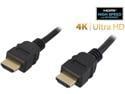
Nippon Labs HDMI-HS-6 6 ft. HDMI 2.0 Male to Male High Speed Cable with Ethernet Channel, Black
Pros: It's a cable
Cons: It's as thin as a piece of string, and when connected from a computer to a monitor, it makes the video extremely grainy and blurry. Standard VGA cable provides far better results.
10/15/2013See more detail