

Your Browsing History


F. C.
Joined on 02/23/04
0
0
product reviews
- 5
Easy to install; runs cool
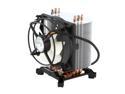
ARCTIC Freezer 7 Pro - Compact Multi-Compatible Tower CPU Cooler | 92 mm PWM Fan | for AMD AM4 and Intel 115x CPU | Recommended up to 115 W TDP
Pros: Following the instructions, this could not have been easier to install on a Gigabyte EP35-DS3R motherboard - align the plastic fasteners properly (in their locked position), press evenly on opposite corners and the pins just snap in. It is quite securely attached on this motherboard. The factory-applied ARCTIC MX-2 thermal material seems very effective. Runs quiet and cool: 34C at idle and 46C under load on an Core Duo E8400. With the PWM heatsink fan and an AC ACF8PWM 80mm case fan daisy-chained to the CPU fan header, fan noise from this pair is inaudible over other system noise. Compared to other CPU coolers of similar effectiveness, it doesn't weight very much.
Cons: The factory packaging doesn't provide sufficient protection for the unit - one of the fan-guard bars was broken in the box. It is rather large, so clearance can be a problem in some cases. On the Gigabyte EP35-DS3R, the fan unit encroaches on the nearest RAM slot, so I am using slots 2 and 4 for dual-channel operation (the Corsair Dominator RAM I am using has tall heat sinks). I'm not sure I would try to use slot 1 with this CPU cooler in place, although there would not be a great deal of pressure against the RAM module. OTOH, the bottom-most fins of the heat sink just (barely) clear the chipset heatsinks on the motherboard (not a con, of course).
Overall Review: The negative reviews here of this unit made be a bit uncertain as to whether I should try this cooler, but I am glad I did, because it has been working great so far and was very easy to install - in fact, this was the easiest to install of any CPU cooler I've had, by a wide margin. Associated equipment: Gigabyte EP35-DS3R motherboard; Intel E8400 CPU; 2x 1GB Corsair Dominator RAM (PC28500); MSI RX3870-T2D512E OC graphics board; 2x Western Digital SATA HDDs; Corsair 650TX PSU; Cooler Master Centurion case (a little tight for this build).
7/15/2008See more detail
NWA1121-NI
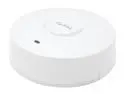
ZyXEL NWA1121-NI Single-Radio Ceiling Mount N300 Gigabit PoE Access Point (AP)/Repeater
Pros: Does what I need it to do. No connectivity problems. Easy to mount. Unobtrusive appearance.
Cons: The major con for me is the fixed IP address. If your router is not set to 162.168.1.x you can't access the device's settings interface. It seems shortsighted to me to ship a unit that requires the user to reconfigure her network if she's not using default settings. Security settings and interface are somewhat obscure. I needed to do some reading and research to determine the best settings for my use. It wasn't too difficult in the end. 2.4 GHz only. Not getting 300 Mbps (but it only claims "up to" 300 Mpbs).
Overall Review: This was a good value on sale and with an email coupon code, even though some of the savings were negated by the cost of a PoE injector. My router is at one end of the house and I wanted to get a better wireless signal to areas at the far end, and this does that. The performance is not spectacular, but depending on the device I consistently get speeds of 65–130 Mbps compared to the 24–54 they were getting directly from the router (802.11g @ 2.4 GHz). The fixed IP address is incomprehensible to me. My LAN does not use the standard 192.168.1.xx so I could not communicate with this device over the LAN. Fortunately I have a spare router that I reconfigured to 192.168.1.1 and connected to an old PC so I could change the IP to automatic and assign it in the router (I keep my devices set to obtain the IP address automatically but give them reserved addresses in the router). If your LAN is already 192.168.1.x (as long as x does not = 2) you shouldn't have any problem accessing the management software; if not, you'll need to change your network settings temporarily to communicate with the unit. The speeds I'm getting from the unit are somewhat disappointing, although this appears to be partly device-dependent. I can get 130 Mpbs with a Nexus 10 tablet, but only 65 Mpbs with a 2nd-gen Moto X smartphone when near the unit. I configured it to use the N band so range isn't that great, but the unit is near the devices I want to connect to it. For the price I can't complain, but if I see a promotion for the dual-radio version I might pick it up so I can get the N band on the 5 GHz frequency and set the 2.4 GHz band to G. I imagine the mount is the same for both. I don't have any practical way to test, but I wonder if the TrendNet PoE injector I'm using has any affect on throughput. I'm running Gigabit Ethernet through 75 feet of CAT6 cable (Gigabit from wall to devices).
8/6/2015See more detail
Still going strong
Hitachi GST Deskstar 7K1000.C HDS721032CLA362 (0A39264) 320GB 7200 RPM 16MB Cache SATA 3.0Gb/s 3.5" Internal Hard Drive Bare Drive
Pros: Quiet, reliable, fast enough.
Cons: None.
Overall Review: Bought this in December 2009 to replace a WD Raptor boot drive; still going strong (June 2014).
6/29/2014See more detail
So Far, So Good
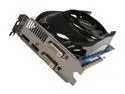
GIGABYTE Radeon HD 6770 1GB GDDR5 PCI Express 2.1 x16 CrossFireX Support Graphics Card GV-R677UD-1GD
Pros: Relatively short compared to many other graphics boards on the market, so will install in tight cases. Runs fine with current AMD driver set (11-8). There's not much else to say at this point. It's driving two digital monitors (1680x1050 and 1280x1040). The most demanding game this will face is Sims 2, which it runs smoothly with all settings maxed.
Cons: Given its relatively low power requirement, runs a bit hotter and with more fan noise than I would have expected, but neither are excessive. According to GPU-Z, the GPU temp tops out at around 71C at full load.
Overall Review: It's a bit early to draw any firm conclusions, but after a week this product is working without problems. The heat and fan noise are in line with what I have read in online reviews.Compared to other boards on hand (HD 4830 it replaced, HD 4770 in my machine, and HD 6850 that replaced it), this HD 6770 runs both hotter and with more fan noise. Under load, the fan is clearly audible over the other system noise. Four eggs because of the temps and fan noise. It's true that I did not carefully research these two aspects of the board prior to buying, but now that I have the board, I would probably choose a different one if I had to do it again. The 03/2011 WinXP 32-bit driver download for this board on Gigabyte's Web site does not support the board. Associated components: Gigabyte GA-EP45-UD3L Intel Core 2 Duo E7400 Wolfdale 2.8GHz w/Arctic Cooling cooler Cooler Master Centurion 5 CAC-T05-UW Corsair VX 450 power supply (the minimum, but have a TX 650 if needed)
8/29/2011See more detail
HIS H577FK1GD Radeon HD 5770 (Juniper XT)
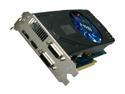
HIS Radeon HD 5770 (Juniper XT) 1GB GDDR5 PCI Express 2.1 x16 CrossFireX Support Graphics Card H577FK1GD
Pros: No installation problems or obvious driver problems (crashes, BSOD). Fairly quiet.
Cons: Does not scale correctly at 1920 X1200 in Sims 2, on HP ZR24w. Tried different driver versions and different monitor settings; at that resolution, the image is squeezed horizontally, so that everything in the game looks short and fat. With ATI drivers 10-6 and 10-7 (not at the same time!), introduced an unpleasant wave effect when moving the "camera" around the environment, as if the game were under a layer of transparent water. Will need to RMA for refund. I don't have sufficient need for the DisplayPort connection to keep trying different 5770s until I find one that works.
Overall Review: I do not have this problem with the MSI R4770 Cyclone I have been using. I chose this HIS product for its DisplayPort and two DVI connectors, but due to its inability to properly render a standard resolution in the one game I play with any frequency, I cannot keep it. The HIS Web site freezes my screen with a Flash player error, so accessing support there doesn't work. System specs: Gigabyte EP35-DS3R Rev. A2, BIOS F4 Intel Core 2 Duo E8400 (Wolfdale) @ 3.00GHz Artic Cooling Freezer 7 Pro CPU cooler Kingston KTC1G-UDIMM PC2-6400 x4 (4096 MBytes) ATI Radeon HD 4770 (MSI R4770 Cyclone) PC Power & Cooling Silencer 750 Quad SoundBlaster Audigy 2 ZS Platinum Hitachi Deskstar 7K1000.C 320GB Western Digital Caviar Blue WD5000AAKS 500GB IBM Model M keyboard (1391401) :)
8/10/2010See more detail