
Your Browsing History
 Holiday Shipping Details & Extended Holiday Returns Holiday Shipping Details & Extended Holiday Returns

Joined on 07/23/08
Performs well under pressure, but make sure you have good cooling!
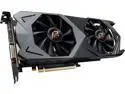
Pros: Good price for the RX 590 Decent design compared to some
Cons: Gets HOT if you do not have really good cooling. My MC500P's stock cooling (2x intake, 1x exhaust) cannot cut it. I plan to correct this in the near future.
Overall Review: So I got this to match my ASRock X470 Taichi. It isn't a bad card at all, but AMD WattMan adjustments are a MUST! First, turn off the ZERO RPM option, next manually set the fan curve. This guy taps out around 65C while playing Fallout 76 after about an hour, but that is in part due to not-so-great cooling in my case.
Works great, weak panels though -- DEAD in 10 months
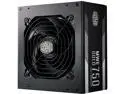
Pros: Fully Modular 750W PSU with high 12V Rail Easy Setup
Cons: Front and back panes are very weak, bend while attaching cables *May 2020 Update* Unit died in 10 months. I have been waiting for a week to hear back from CM about it, but honestly the way the forums look this is very common.
Overall Review: It is a good product, however the weak front and back panels being as weak as they are I urge caution when plugging in your cables. Other than that one con, very well made PSU. *May 2020 Update* After mine died I hit up the Cooler Master forums and found many others suffering the same fate. It appears these units tend to die 6-12 months in. I haven't received a response from Cooler Master for an RMA request yet, so I am researching for a replacement.
A new style for an old favorite
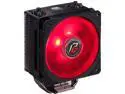
Pros: Works well Easy installation Good RAM clearance Clean design that matches the ASRock X470 and RX 590 perfectly
Cons: None
Overall Review: Chose the Phantom Gaming edition to match my ASRock RX 590's backplate. Seems silly, but I like my parts to have some similarities. My only drawback at the moment is my MC500P is on stock cooling, which is not the best in the world. As a result, my 2600X hits 60C after a few hours of gameplay.
Works great
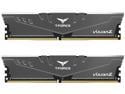
Pros: Good price Team Group is an awesome product
Cons: None
Overall Review: The XMP Profile activated on my ASRock X470 Taichi with no issues. It is a darker gray so it fits my build very nicely.
Bought the 250 and 1TB - both great!
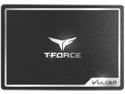
Pros: Great pricing Just as fast as Samsung's Evo series Clean look (you won't be ashamed to show these off)
Cons: none
Overall Review: The matte black with chrome trim makes these very nice looking. Unfortunately, my MC500P was not very cooperative with showing them off, so I hid them behind the MB Tray. They run great, full Win10Pro 1903 install took less than 10 minutes (beginning to end, including user setup). I am running the 250GB for my OS, the 1TB for my games.
X370 / 1600x Bundle
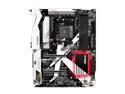
Pros: Okay, so I got the board, ram, and cpu installed - instant post no issues at all! Not sure why people are complaining about the wifi connectors being loose, mine aren't. Saved some money getting them together!
Cons: UPDATE 13 June 17 -- NONE
Overall Review: UPDATE 13 June 17: BIOS 2.5 brings AGESA 1.0.0.6 which allows most Hynix RAM chips to reach 2933(3000) and higher. My previous build was an ASRock Fatal1ty 990FX Killer, FX 6300, and 16GB DDR3 1600. The first boot attempt was a little rough, older AMD drivers do not play nice with AM4. After a Safe-Mode boot and old driver removal everything is working. My only issue is one I've had for a while...getting AMD drivers to run stable on my RX 470. Thermaltake Overseer case, ASRock x370 Killer, Ryzen 1600X, Team Vulcan 3000, 2x Samsung EVO 840 250G, 1x Samsung EVO 850 500G, XFX RX 470 RS Black, XFX XTR 750W PSU, Antec H20 Khuler 620 *AM4 bracket courtesy of Corsair*.