
Your Browsing History


Jeramey R.
Joined on 11/01/08
0
0
product reviews
- 3
This modem will save you money and get you the speed you pay for
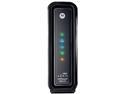
ARRIS SurfBoard SB6121 DOCSIS 3.0 Cable Modem
Pros: Speed Extremely Simple to set up AC adapter takes up space for only 1 outlet on power strip Stylish design
Cons: The lights indicators: They are a cool design and look nice, but they are big and bright. It doesn't bother me at all, but I can see how some might not like it, especially if they sleep in the same room their modem is in.
Overall Review: I called comcast a month ago with a problem with my cable T.V. service. While talking to them I find out that I'm running a DOCSIS 2 modem and should be running a DOCSIS 3. So, they sent a tech out the next day and shipped me a new modem. The tech fixed my cable issue. 2 weeks later still no modem. I called and they assured me it was on the way. Another 2 weeks later. I called and they said it failed to ship because they didn't do a 3rd party verification. They had already charged me for the Modem though. $10 for shipping and $10 for self installation. While on the phone I find out that I've been paying for 50Mbit internet and my Modem was only capable of 30Mbit. This has been going on since 2009!! I had no idea. On top of that I have been paying $7 a month to lease the thing. I told them to cancel Shipping me the Modem and I'd buy my own. I demanded compensation for paying for a service they weren't providing me, but they are only allowed to refund back as far as 6 months. The Rep was able to figure out a way to refund me $90 including the modem I never got. After I got off the phone with him I immediately got on NewEgg and ordered this modem. I ordered it Tuesday and Got it yesterday (Thursday). Installation was a breeze: Plug everything in and it works(after your ISP activates it of course) Before I set it up I ran a speed test. I got 29Mbit down and 9Mbit up. After Installing it and having comcast activate it I ran another speed test. I got 61Mbit down and 10Mbit up. I more than doubled my download speed by installing this modem. Mind you, I have the 50Mbit plan from Comcast. I haven't even had it for one day, but I'm extremely pleased so far. If I have any challenges I'll update. I highly recommend this modem to anyone with cable internet. it will pay for itself within a year and then start saving you money. Some word of advice; if you've been with Comcast for a while now check to see if you're getting what you're paying for. I have been with them for 5 years and have had the same modem since I signed up. I wish I figured this out earlier it would have saved me a lot of money and I would have had much faster download speeds. Good Luck!
10/12/2012See more detail
It's a beast!
Intel Core i7-920 - Core i7 Bloomfield Quad-Core 2.66 GHz LGA 1366 130W Processor - BX80601920
Pros: Fast Stable Great overclocking
Cons: Only supports 800/1066 memmory
Overall Review: To Mr NightHawk tech level 5 - if you read the spec sheet on this processor it reads that the memmory type supported is DDR3 800/1066. I bought this processor in February of 2009. It has been rock solid for me. I purchased it with a EVGA E758 and a 6GB DDR3 1333/1600 Tripple Channel Kit. No matter what changes I make in the Bios, I can not get my memory to clock over 1066. I have set it to run at 1333 and it either won't POST or it reverts back to 1066. It was very frustrating when I first put my computer together and I couldn't get my memory to run at it's stamped speed. I went to every forum I could find and EVERYONE was having the same problem. I'm not sure what Mr NightHawk is doing differently, but maybe he should check to make sure he, in fact, has THIS proccessor (BX80601920) and that he is REALLY running at the freq he thinks he is. a couple weeks ago I purchased another 6GB DDR3 1333/1600 Tripple channel kit since NewEgg still sells the one I originally bought and my system is now running 12GB at 1066. That's my only gripe with this processor. I overclocked it at 3.8 and it ran pretty solid with a few glitches so I clocked it down to 3.4 and have been running it solid at the freq since. I've had this CPU for 4 years now and i'm going to run it into the grave. I have no need for anything else, it still runs everything I throw at it great. To Mr NightHawk... if you could verify that if you, in fact, have this processor (BX80601920) and are running your mem freq above 1066, would you please enlighten the rest of us as to what BIOS changes you made to get that freq? I would love to be able to run my memory at 1600~ thanks!
2/8/2013See more detail
Fan died, but still keeping cool
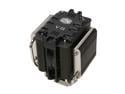
COOLER MASTER V8 RR-UV8-XBU1-GP 120mm Rifle CPU Cooler Compatible with Intel 1366/1155/775 and AMD AM3/AM2+/AM2
Pros: It kept my CPU very cool when over clocked and under an extreme load. Has an external fan speed control knob Looks cool in your case
Cons: Big. Very big. You might not be able to put the side of your case back on after you install this guy. Fan died
Overall Review: I'm not sure how long my fan has been dead for:weeks, months, years, all I know is that it's dead now. I bought this thing 3 years ago when it first came out with my i920 and loved it. It's cool and aggressive looking and I like that, like a car engine in your computer case. I was surprised with how big it was, even after reading reviews of other people saying how big it was. After I installed it and put it through some extreem testing I felt good with my purchase. I never checked on it or adjusted it again after that. a couple weeks ago I decided to play with some over clocking. after it bumped it up to 3.4 I noticed it was running a little hot. about 65c. I also noticed that in my bios it said the fan was not spinning. I checked and it wasn't. With out a fan and over clocked this heatsink is still keeping my cpu safe. that's impressive. I only took an egg because the fan died. Now I have to see how to replace it. anyone else have this problem?
9/5/2012See more detail