

Your Browsing History


N.I. B.
Joined on 05/14/03
0
0
product reviews
- 22
Good Blu-Ray burner.
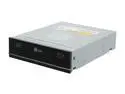
LG Black 8X BD-R 2X BD-RE 16X DVD+R 5X DVD-RAM 6X BD-ROM 2MB Cache SATA Blu-ray Burner BH08LS20
Pros: Reads and burns Blu-Ray disks without problems. With my 940 i7 Vista 32 bit system, it can rip a Blu-Ray main movie title in 40 minutes and write the iso file to a 4X BD-R in 20 minutes (using DVDfab 6) to make backups of your movies. Copy quality is perfect. This is comparable to the time to rip and author DVDs when the DVD drives first came out.
Cons: Media is still expensive, but prices are falling gradually just like they did with DVD optical media. Drive speed will get gradually better, too. So you should have an early adopter mentality. The bundled software includes a Cyberlink suite of DVD and Blu-Ray authoring programs and Power DVD. I couldn't get the Cyberlink Blu-Ray authoring program to work at all; it seems to be somewhat rough and bug infested. Remember, ALL your hardware must be HDCP compliant, else you won't be able to watch commercial movies on your computer without ripping them first. (why do they do this? Grrrr....)
Overall Review: Ready burn and write Blu-Ray? Understand and accept that there is still a dearth of good authoring software out there? Then this drive is a good burner at an excellent price from Newegg.
10/9/2009See more detail
Don't bother with this crummy game.

Mercenaries 2: World in Flames PC Game
Pros: None
Cons: Lousy graphics, storyline and gameplay. Poor weapon targeting simulation. You have to press mouse 1 to bring up the targeting reticle, and it often lets off a shot before you aim. Hard to tell how much ammo you have; the info disappears and reappears mysteriously. Vehicles are twitchy and nearly impossible to drive. The AI is numb, and the NPC adversaries are unable to hit anything except at point blank range. You can stand 50 feet in front of a .50 cal, and it'll miss you with almost all of it's shots. That's probably a good thing, since your automatic weapon shots spray all over the place and don't hit anything much either. "support menu" (which is necessary to blow up gates, steal ammo, money etc). is almost incomprehensible. The PDA is also confusing.
Overall Review: Lots of good games out there; but this is one one of them. Like they say in New York; "fagetaboudit!"
5/4/2010See more detail
Excellent function after firmware update.
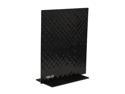
ASUS RT-N53 Dual Band Wireless N600 SOHO Router, DD-WRT Open Source support, Fast Ethernet, 5 Guest SSID, Parental Access Time control to Each User
Pros: 1. Small thin form factor. Attractive. 2. Very easy setup via a wizard. 3. Easy to reconnect if it's settings are changed or it's moved to a different location. 192.168.1.1 and click on the internet status box, which will say disconnected, to reconnect. 4. Reasonable price. 5. Stable and fast after a firmware update. 6. It's blue lights are small and subdued. 7. Allows saving and reloading of all settings.
Cons: 1. Update firmware!, Update firmware! Update firmware! Am I emphatic enough? Goat into rockstar with the update. 2. It's thin, attractive form factor is also a problem. It's light, so the cables which are connected to the right side of the unit (as you face it) pull it down. I finally velcroed the base to my computer table. 3. This is a feature rich unit. There are literally hundreds of settings. Fortunately the wizard will get you easily connected, but for advanced users, don't throw the manual away. Comment
Overall Review: In contrast to other reviewers, I found firmware upgrading to be easy. Just go to the ASUS support site, for the RTN53 device. http://www.asus.com/Networking/RTN53/HelpDesk_Download/ Download and unzip the newest firmware file. Then use your browser to open the router firmware settings 192.168.1.1. The password and user logins are admin.. Go to 'Administration" select the tab firmware update and use the browse function to locate the downloaded and unzipped file. Flashing is then automatic. There is a firmware check function as well, and it's a good idea to use it before flashing. If yo screw up flashing, the included disk has a rescue function.
7/9/2014See more detail
Be sure and update firmware
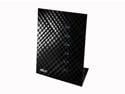
ASUS RT-N56U Wireless Router Dual Band N600 Multimedia Ultra Slim Gigabit 802.11a/b/g/n support USB Storage, Print and Media Server
Pros: Once firmware is updated, fast, keeps connection, easy to set up with enclosed wizard. Rescue reset disk program if you screw up badly in changing settings.
Cons: I will say this again; you are in for a lot of angst if you don't update the firmware. Disconnected sessions, need to reset frequently slow speed.etc. Endless number of cryptic settings in the firmware. ASUS must think most average users are telecommunications engineers.
5/16/2014See more detail
Inexpensive, compact and effective
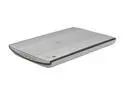
Canon CanoScan LiDE 200 2924B002 4800 x 4800dpi 48bit USB 2.0 Hi-Speed Interface Flatbed Scanner
Pros: Very affordable Excellent scan speed for a compact flatbed scanner Very good scan results Adequate software (it really hasn't changed much from my the software that came with my 5 year old canon N1220u scanner, but is much faster). The scan speed is very good and after an initial calibration can take as little as 5-6 seconds. Power from USB port
Cons: Somewhat poor text scanning. Works better just to leave it on color/auto at 300+DPI.
Overall Review: These inexpensive little Canon flatbeds are much better than the ones in an all-in-one printer (to my eval) and will do thicker media such as books. Compact enough to sit next to your monitor and always ready.
9/29/2010See more detail
No problems after 3 months
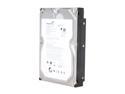
Seagate BarraCuda LP ST32000542AS 2TB 5900 RPM 32MB Cache SATA 3.0Gb/s 3.5" Hard Drive Bare Drive
Pros: Very inexpensive Quiet during running status Fairly good transfer speed from eSATA dock Runs cool
Cons: It goes spins down during periods of inactivity to save energy and takes about 5-10 seconds to spin up when queried. During that time it is somewhat noisy.
Overall Review: So far, so good.
9/29/2010See more detail