




 here!
here!
I’m your shopping assistant for PC builds, upgrades, and everything tech.
Got questions? Ask away!
Start a conversation
here!
I’m your shopping assistant for PC builds, upgrades, and everything tech.
Got questions? Ask away!
Start a conversation

Joined on 08/05/11
I've waited so long for this
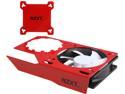
Pros: Well, This let me slap a Kraken X60 on my HD7970, which now idles at 25C, and peaks at 40C under load. VRMs peaked at 70C under load with heat sinks. Compared to the reference cooler, which either shot to 94C, or I turned the fans up so it could drop down to 70C and sound like a vacuum cleaner. Worth every penny.
Cons: The mounting screws are just waaaay to short. I had to use a shim which I'm sure didn't help, but they're just way to short in general. I tightened them down JUST enough to hold it in place, so I don't have any bowing on the pcb. Also, the weight of everything causes quite a bit of droopyness. I don't like it, but I don't think it's that big of a deal.
Overall Review: If you can find one, buy it. Worth it.
Not great, but not bad
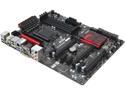
Pros: OC genie is super simple, plenty of PCIe ports, great color schemes
Cons: Major issue with this board: On board Audio is absolutely garbage. After about 2 months of use, the audio started to put out terrible cracks and pops. It would go away with a restart, but eventually came back. Then it was just permanent. It got to the point where it was unbearable to watch any video on my computer. Had to shell out another $50 for a dedicated sound card. Board lacks a USB 3.0 slot for a case front panel, the board has red and black colors, yet has blue LEDs, so buying case lighting to match is annoying.
Overall Review: All in all, It's not that bad of a board for the price. Really wish it had red LEDs so I could have gotten red lights for my case instead of blue. And being able to use the usb 3.0 ports on my case would have been lovely. Still looks great, though.
XMP wont post, insanely slow boot
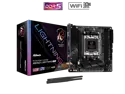
Pros: - Board layout is nice to work with in an ITX form factor
Cons: - System will not POST if XMP is enabled using DDR5 6000 RAM - Boot times are absolutely Horrendous. I'm aware that this is partially to do with AM5 and DDR5, but from some simple research, the boot times are significantly worse than most other AM5 boards - Only way to even enable XMP is via the simple bios screen, as the advance screen breaks down RAM into an advanced overclocking function - Does not utilize AMD's EXPO - No post LEDs make the 120s+ posts even more unbearable. Hard to diagnose an apparent issue with zero communication
Overall Review: - Would not recommend this board
3 Years running strong
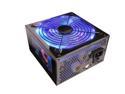
Pros: Works as intended. Been running it for about 3 years now, not a single issue. Lights are a fun touch, especially with other case lights, can make a cool effect.
Cons: As it is a 900W PSU, it has a TON of cables, and they make for one hell of a clutter. I managed to hide most of the excess in the Optical drive area of my case, as I don't have a case with cable management.
Overall Review: Decent PSU for not having any certification.


