

Your Browsing History


adam p.
Joined on 02/07/06
0
0
product reviews
- 3
Works.
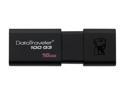
Kingston 16GB DataTraveler 100 G3 USB 3.0 Flash Drive (DT100G3/16GB)
Pros: The enclosure seems to be well-made. Has a hole for a lanyard, which attaches to the drive itself instead of the cover (so even if it does fall apart some day, your data is still there). Fast. I'm using it with USB 2.0, and I get consistent 19MBPS writes for MP3s. Reads seem to be around 30MBPS, which is most likely just a limitation of USB 2.0 rather than of this particular hardware.
Cons: No status LED.
Overall Review: So many people complain about low speeds on this device. Perhaps they are just using very small files, but that's not the device's fault: FAT32 is not very good at handling small files. It never has been, and it never can be. All FAT32-formatted devices slow way down, in terms of megabytes-per-second, when handling small files. Formatting the device as NTFS may improve write speeds when lots of small files are being transferred, but would severely limits compatibility with non-Windows computers.
8/31/2013See more detail
Sometimes works.
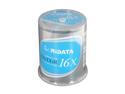
RiDATA 4.7 GB 16X DVD+R 100 Packs Cake Box Model DRD+4716-RDCB1009
Pros: I actually like the blue label. It's easy to see what I've written with a black Sharpie, and it's different than silver or white. (I do not buy media with busy silkscreened labels, preferring to write my own information on the disc in the fashion that I want to write it.)
Cons: About a third of burns fail during the write process, which is not something that I've seen much in about 15 years of burning various media with various devices. Those discs that do successfully complete a burn process always pass verification.
Overall Review: Two out of three ain't good. Time will tell, I guess, as to the longevity of the media that was successfully burned. Normally when I read the reviews of an item, I instantly dismiss claims of "It doesn't work!!!" especially if there are lots of exclamation points. This media seemed to have a somewhat high preponderance of "It doesn't work!!!" going on than some others, but I bought it anyway because the price on Brown Thursday couldn't be beat. I'll never buy this particular media again, though, no matter how cheap. This saddens me a bit because I've had excellent luck with random Ritek / Ridata media for around a decade. I don't know what they've done differently with these blanks than they've done in the past, but it's not good.
2/10/2014See more detail
Nice.
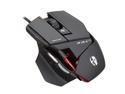
Cyborg CCB437030002/04/1 Black 3 Programmable Buttons and 2 regular left and right mouse buttons Buttons 1 x Wheel USB Wired Laser R.A.T. 3 Gaming Mouse
Pros: Firstly, it's a weird looking creation -- and I like the design. Mouse feels right in my hand. Scroll wheel feels good. Tracking has been extremely precise. Buttons have appropriate resistance to being pressed, and can be pressed quickly with ease if that's a desirable thing. Lots of software configurability available, but also worked fine (including DPI adjustment) without any special software on my Windows 7 box. This would make a good variable-resolution mouse for a Linux user, since the DPI selection seems to be entirely hardware-based.
Cons: Expensive. Most expensive mouse I've used in the past twenty years.
Overall Review: I actually bought this mouse to help my wife, who is much more of a gamer than I, as a test: We wanted to see if the ergonomics of such an extreme design made any sense at all before spending even more money on a new wireless mouse for her. This mouse passes with flying colors. We both find it very comfortable for all manner of things, including the thumb rest and the side buttons. Previous mice that we've used with side buttons have annoyed us due greatly to the ease with which they were accidentally pressed by just gripping the mouse to move it around. This does not have that problem at all. Others have mentioned reliability issues and support problems, but I've not owned it long enough to tell if that will be an issue for me. My previous mouse was a very inexpensive OEM Logitech optical USB model that I've used for about seven years. It was due for retirement, having been taken apart to be cleaned several times and had its feet replaced once. Time will tell.
12/24/2011See more detail