


Your Browsing History


Jordan C.
Joined on 01/09/12
0
0
product reviews
- 22
It's Windows 7...
Microsoft Windows 7 Home Premium SP1 64-bit
Pros: Includes the 64bit version of Win7, which should be installed if your mobo/cpu supports it. Benefit for going with 64bit is that you can use over 4gb of ram, if you are a system builder... 64bit is a must-have. And it is Windows 7, a good OS for a gamer. I personally love installing a OS from a Windows disk because it does not include all the junk programs a Computer manufacturer (HP, Dell, Acer, etc). Installation is pretty straight forward, Back up your previous OS *(if you have documents and programs you would like to save) Insert Windows 7 Disk Turn off computer Boot up computer and boot off of CD-ROM drive Follow on-screen instructions Once finished, restore the backup made earlier. There is even a option that will save all your documents for you from your previous OS... but make a backup, just in case.
Cons: See other thoughts.
Overall Review: Windows 7 tends to be a little slow, could used a trimmed down version.
2/7/2012See more detail
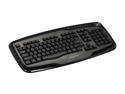
GIGABYTE GK-K6800 Glossy Black 103 Normal Keys 14 Function Keys USB Wired Standard Professional Multimedia Keyboard
Pros: Nice volume wheel
Cons: Oh where do I start.... See other thoughts.
Overall Review: First couple of months, it was fine. After that... it went all downhill. It is possibly the worst keyboard and mouse combo I've ever had, and I've had a few! I hate to bash on you guys, I'm a avid customer of Gigabyte... My current PC has the H77 DS3H motherboard and I also have Gigabyte video cards. I know this was a cheap combo, but really? I can't believe how disappointed I am. I had to bare 6 months with this combo. Hope you don't mind but I'm going to rant a bit here, The mouse glitches for no reason. If i'm using it, it usually works OK but sometimes it will just drop to the bottom of my screen for no reason while I'm using it. If I'm not using it, it will glitch around a bit and move around. To the point that I'm like scared that I have a R.A.T or someone is controlling my computer but inputting random mouse movements. The keyboard, I counted a 1 second delay sometimes with brand new batteries and the receiver is 50 cm away from the receiver (no walls or anything to interfere). The worst part, I can't even tell if I have caps lock on!! There is no indicator, as far as I can see, that caps lock is on... who makes these keyboards without a caps lock light?? Same with numlock and scroll lock. (Insert facepalm emote) I may be overreacting here, but Gigabyte... seriously. It's a nice looking keyboard, but a waste of $40.
1/30/2014See more detail
Beginner's board
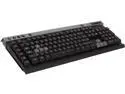
Corsair CH-9000043-NA Raptor K30 Red LED Backlit Keyboard
Pros: Keys feel good Somewhat quiet Illuminates red Look good
Cons: The illumination seems to not cover all the characters... what I mean is that for example the "insert" button basically is only illuminated as INSER with the T faded. It's noticeable with the keys that have long words (delete, scroll, shift, etc). The plastic feels... cheap. I really like the top part as well as volume control. A wrist rest would be nice.
Overall Review: Would of probably ponied up to spend the extra $10 to get
1/5/2014See more detail
Decent case, cheaply made though
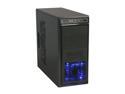
Rosewill ATX Mid Tower Computer Case, Blue LED Fan, Black Steel & Plastic - BLACKBONE
Pros: Quiet blue led fan Lotta' USBs Looks somewhat professional. Price if on sale.
Cons: Paint chips easily, particularly around screws. Thin steel, real flimsy. Cable management isn't the greatest. It isn't worth it if it isn't on sale. Power LED is too bright (I'm picky).
Overall Review: Used this case for a friend's build who required generous amounts of USB. This had the most for the money and looked decent by the pictures. The fans aren't great, especially the rear one, doesn't move a lot of air. Some brand named "Maxcube" makes the fans. If you are on a budget, this is on sale and you need a a few USBs without getting a external hub... consider it.
12/6/2013See more detail
Love g.skill

G.SKILL Ripjaws X Series 8GB (2 x 4GB) DDR3 2133 (PC3 17000) Desktop Memory Model F3-2133C9D-8GXL
Pros: Looks great Lifetime warranty DDR3 2133
Cons: Little pricey
Overall Review: G.Skill, one of my favorite brands for ram. No issues.
12/5/2013See more detail
Good PSU
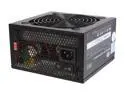
Cooler Master Extreme Power Plus - 600W Power Supply
Pros: Works well . Black.
Cons: Little on the pricey side if you don't get it on sale. Not modular.
12/5/2013See more detail