

Your Browsing History


David L.
Joined on 12/13/07
0
0
product reviews
- 2
Laptop for techies
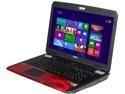
MSI GT Series - 17.3" FHD - Intel Core i7-4700MQ - NVIDIA GeForce GTX 780M - 32GB Memory DDR3 1600 - 384GB SSD - Win 8 Multi-language (9S7-176315-039 )
Pros: The laptop is very rugged and seems to have all of the bells and whistles that is expected of a high end laptop. The CPU is more than adequate for gamers and offers plenty for power users that also will use it for 3D rendering or multiple virtual machines. The dedicated graphics card runs extremely stable even at high temperatures while bench testing (90 deg. c.) The onboard RAID performance rivals even a Samsung 840 Pro.
Cons: I would NEVER recommend this laptop to a non-tech user. A user that intends to purchase this laptop should know how to troubleshoot driver problems and possibly know how to walk BSOD memory dump (or have someone willing to help them do it). This laptop runs stable with the original software that was installed on it. However, once you upgrade several core Windows updates or upgrade to Windows 8.1, several of the drivers that were poorly coded continue to make assumptions that no longer hold true. The result, is drivers that cause an invalid interrupt or action - causing the laptop to BSOD. Upgrading to the latest drivers will not fix the problem alone. To fix the issues after upgrading to Windows 8.1 (and possibly some core updates in Windows 8), you will need to: (NOTE: Before updating to Windows 8.1, uninstall your touchpad driver and your nVidia driver. Otherwise, you will crash with a BSOD on your first shutdown after upgrading - not critical, just more of a nuisance) 1) Update both the BIOS and EC firmware of the laptop with the downloads available at MSI. 2) Update all other drivers found on MSI website EXCEPT nVidia, Intel integrated video, KillerNIC and Realtek Audio. 3) Update the Intel integrated graphics chipset from Intel's website (not the outdated drivers found on MSI) - otherwise, you will get the occasional BSOD that occurs within direct draw functions of Aero (the fancy Windows desktop) 4) Download the Killer NIC drivers and cleaner from Killer Gaming's website. Uninstall the existing drivers. Run the driver cleaner. Restart. Run the new driver installer. Restart. Go into your Services panel. Shutdown and disable "Qualcomm Atheros Killer Service V2". Using regedit, or startup in your task manager, find any reference to "Network Manager" (which will point to the Qualcomm Atheros folder) and either remove it or disable it. This should solve pretty much any of the Killer NIC issues that will constantly plague you randomly. Most of these BSODs will involve TCPIP.sys or stack traces that don't specify anything in particular but identify a fault in a driver. 5) Uninstall the Realtek audio drivers (you can leave the Sound Blaster cinema driver install). Restart and let Windows install the Microsoft WHQL certified drivers. The Realtek drivers are what was causing a lot of BSODs while gaming for myself. I used WinDbg to walk to the stack trace of my memory dumps and then ran the lmv command which lists all of the loaded drivers during the time of the BSOD. The Realtek driver that is included with the laptop is dated as 2006. I went to RealTek's website and downloaded the latest drivers and extracted the setup files. Low and behold, RealTek's audio drivers are for Vista and using an INF trick, they have gotten the audio driver to install in Windows 8 and 8.1. However, it will throw exceptions under heavy gaming. After all of the above - the laptop has been rock solid stable. I use it for both gaming, pro
Overall Review: I know it seems that I listed a lot of Cons. However, these are all software related and are the fault of poorly programmed or executed decision making of the teams responsible for creating the drivers. This is not an issue of Windows 8 being a poor OS. Windows 8 is more of a personal preference on whether or not you like it. Microsoft is not responsible for the quality of the drivers when downloaded from the manufacturer's website. The only real con of the laptop that I have is that the hard drives are not replaceable without breaking the warranty seal. However, given my explanation above on how to resolve several BSOD issues - you can probably tell that I would never need MSI's warranty anyway. :-) That being said - I would also like to point out that the second hard drive that is included is only a 5400RPM drive and is only suitable for documents, music and game installation folders. If you plan to have any work data for VMware virtual guest environments, object or scene data for 3D software, or scratch disks for high end photography work or non-linear video editing - use the onboard RAID - or upgrade the secondary drive with a Samsung 840 EVO 1GB SSD.
12/22/2013See more detail
Great game

The Elder Scrolls Anthology PC Game
Pros: Great way to go back and catch up on the parts of the series you may have missed out on.
Cons: There are a couple extra disks that were included that you never have to install. Even the FAQ in the help/support section of Bethesda it informs you to skip 2 of the disks included.
12/22/2013See more detail