
Your Browsing History


Jason Z.
Joined on 01/07/05
0
0
product reviews
- 7
Works Great in early 2011 15" MacBook Pro
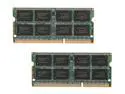
Mushkin Enhanced 16GB (2 x 8GB) DDR3 1333 (PC3 10600) Memory for Apple Model 977020A
Pros: works
Cons: none
Overall Review: I wasn't sure if this memory would work in a early 2011 MacBook Pro. The computer is originally rated for a maximum of 8GB of memory. All my Internet research indicated that 16GB would work, and it does. With my usage patterns the system is faster due to more memory being used for the unified buffer. Before I had 8GB and memory wasn't being swapped out, but the unified buffer was small. Therefore, the system wasn't as fast. I was surprised at how much faster the computer is with the extra memory given that virtual memory wasn't being used (plenty of memory was available).
11/26/2013See more detail
Ordered two and one is bad
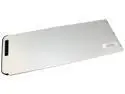
Arclyte - N00466 - Notebook Battery - 13 MacBook Unibody Aluminum
Pros: The one that works is really good. It has 5100mAh, charges well, computer operates normally.
Cons: I ordered two of these for two different MacBooks of the same model. One works, one doesn't. The defective one fails in both computers and the good one works in both computers. That's not great quality control. Though I only have a sample of 2... so other reviewers will have to chime in to see if the defective rate is better than 50%... it must be better than 50%, but I am disappointed that I got a defective one.
5/19/2016See more detail
Excellent for MacBook Pro
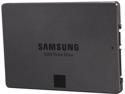
SAMSUNG 840 EVO 2.5" 750GB SATA III TLC Internal Solid State Drive (SSD) MZ-7TE750BW
Pros: Fast. Light. Energy efficient. And... FAST!! This drive is so incredibly fast. Since there is no seek time like disk drives, random access of lots of small files is just crazy fast. My computer boots faster, NetBeans, Microsoft Office, Apple Numbers, VMware, and even Chrome load faster. Orders of magnitude faster.
Cons: Requires additional hardware to perform the upgrade as well as moderate tech knowledge (unlike, say, memory, but not unlike other SSDs).
Overall Review: To upgrade my MacBook, I used the following to perform the upgrade: APRICORN ASW-USB-25 USB 2.0 to SATA Adapter, the command line tool "dd", the toolkit "Syba SY-ACC65062" (for screw drivers, etc.), and the software utility Trim Enabler. It took 20 hrs to transfer 500 GB of data from my old drive to the new drive via the Apricorn adapter. If you are not an expert, then I recommend getting a hard drive cloning software utility such as SuperDuper instead of using the command line "dd" (which comes with OS/X).
2/13/2014See more detail
Worked great to upgrade my MacBook Pro to an SSD
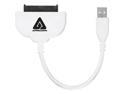
APRICORN ASW-USB-25 USB 2.0 to SATA Adapter
Pros: Worked without a flaw. Inexpensive. No drivers and no power supply make it simple and easy to use.
Cons: Slow. I attached an SSD to it and cloned my internal hard drive to the SSD over USB 2 and I got 6 MB/s. That's pretty slow, I'm not sure if it had to do with the adapter or something else. It took 24 hrs to clone 500GB.
Overall Review: I used this to upgrade my MacBook Pro to an SSD. This device allowed me to clone the old drive to the new one. Everything worked without a hitch.
12/12/2013See more detail
Reliable Memory
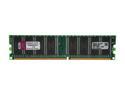
Kingston ValueRAM 512MB DDR 400 (PC 3200) Desktop Memory Model KVR400X64C3A/512
Pros: I've _never_ had a Kingston memory chip that was DOA or failed for any reason. I have had many other chips fail. So now I only buy Kingston memory (for the past 10 years).
Cons: This particular memory chip used to be double sided. Now it is single sided. But Kingston did not change the model number! This is the reason I gave them a 4 egg rating. I cannot use this chip with my old one (even though the have the same model number) in dual channel mode. The old chip I have is maybe 3-4 years old, so I cannot complain much... but I specifically tried to match the new one with what I had.
4/9/2009See more detail
Beeps annoyingly, but it's fixable.
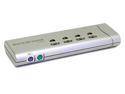
LINKSKEY LKV-S04SK 4-Port Slim Desktop KVM Switch w/3-in-1 Combo Cables
Pros: Allows the video card to output high resolutions to the monitor (I'm running at 1280x1024). It supports 4 computers. It's slim elegant compact design. It has both hotkeys and buttons (on the device) to switch computers.
Cons: BEEPS ANNOYINGLY!!! This is a major concern for me as my coworkers do not want to hear a loud beep all day long everytime I switch computers. This beep cannot be turned off!
Overall Review: The annoying beep is fixable if you are willing to take apart the device and stuff tissue paper in the speaker.
6/5/2006See more detail