


Your Browsing History


Daniel B.
Joined on 01/03/03
0
0
product reviews
- 25
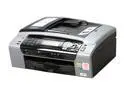
Brother MFC series MFC-495CW Up to 35 ppm Black Print Speed 6000 x 1200 dpi Color Print Quality Ethernet (RJ-45) / USB / Wi-Fi InkJet MFC / All-In-One Color Printer
Pros: Drivers and software for Windows 7 included in box. Works great both on my Windows 7 Home Premium x64 desktop and Windows 7 Starter on a netbook. Small footprint and pretty quiet operation. Wireless performance has been good, though sometimes there is a noticeable delay when scanning complex pages. Decent B&W printing speed. We don't do a lot of photo printing but I did print some 4x6 on the included photo paper, and the quality was excellent (but see cons below). Takes 1-2 minutes to print a borderless 4x6. Scanning quality is also excellent. The document feeder works pretty well for a consumer model and will be very handy for scanning some old paperwork. Can scan to many file formats including PDF.
Cons: Printed a picture on a piece of Kodak high gloss 4x6, and the quality was terrible, as the black ink apparently didn't adhere in many places and bubbled up. Tried again using a piece of HP semi-gloss - same deal. We don't do a lot of photo printing, but if we did I would consider this a serious drawback. If you plan to print photos with this, I guess you have to use Brother photo paper. Document feeder can bind up when ejecting pages if they were folded (the pages catch each other's creases). Also the 15-page limit on the feeder is a bit small, and the base scanning software provides no method to stitch together multiple scans from a larger document. By default, the print driver was set to print multiple-page documents with the last page coming out on top so you have to re-order printouts. Fixed it by enabling the setting to print pages in reverse order, but it's the first printer I've ever had where that wasn't the default.
Overall Review: I don't really do any photo printing, but it is frustrating not to be able to use this Kodak or HP 4x6 paper I have laying around. If you do photo printing, I'd look for something else. Otherwise I've been very happy with this as a general purpose multifunction printer.
4/18/2010See more detail
Need more cable room
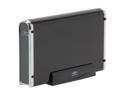
Vantec NexStar 3 3.5" SATA to USB 2.0 & eSATA External Hard Drive Enclosure (Onyx Black) - Model NST-360SU-BK
Pros: Sleek enclosure, seems to do a good job of keeping in the drive noise. ESATA is blazing fast, it's just like having the drive inside the PC.
Cons: You have to *really* cram in the power & SATA cables inside the enclosure. They are positioned in the center of the mounting board, but the drive's connectors are on the side, so the cables have to basically go diagonally which they are not designed to do. I really felt like I was going to break the cables or connectors when trying to get the drive mounted.
Overall Review: Someone in an earlier review mentioned that theirs came with a wall-wart type power supply. However mine did not, it is a standard laptop-style with a two-prong plug for the power strip, and an AC adapter in the middle.
8/2/2007See more detail
Perfect for Netbook
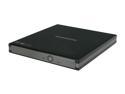
SAMSUNG USB 2.0 Slim External DVD Writer Model SE-S084C
Pros: Bought this for use with my wife's HP netbook. She's used it mostly to rip and burn music CDs. No complaints - it's fast, quiet, and reliable. Nice compact size, just barely bigger than a CD. Very light too, but it doesn't feel cheap.
Cons: None.
Overall Review: Make sure you have two USB ports that are pretty close to each other so you can plug in both the main connector and the auxiliary power connector. Ripping music CD's isn't too bad on battery life, but you'll definitely want to be plugged in if burning more than a disc or two.
9/10/2010See more detail
Perfect for Netbook
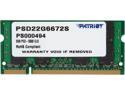
Patriot 2GB 200-Pin DDR2 SO-DIMM DDR2 667 (PC2 5300) Laptop Memory Model PSD22G6672S
Pros: Worked like a charm in my wife's HP netbook. Replaced the default 1GB module with this to improve multitasking performance.
Cons: None.
9/10/2010See more detail
Good quality at a great price
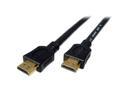
Cables Unlimited - High Speed HDMI Cable - 6 FEET
Pros: Good quality cable at a fantastic price!
Cons: None.
Overall Review: Don't get hoodwinked into spending $30-$100 on "super-duper high quality gold platinum excelsior" HDMI cables at the brick & mortar stores. This cable is all you need!
2/22/2010See more detail
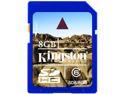
Kingston 8GB Secure Digital High-Capacity (SDHC) Flash Card Model SD6/8GB
Pros: Used it in my Wii for extra storage. Pretty quick read/write and works as advertised.
Cons: None
9/19/2009See more detail