

Your Browsing History


Miguel T.
Joined on 10/23/10
0
0

product reviews
- 6
Great value multimedia laptop!
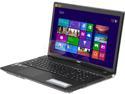
Acer Aspire - 17.3" - Intel Core i7-4702MQ - NVIDIA GeForce GTX 760M - 12GB Memory - - Windows 8 (NX.M8SAA.005 )
Pros: - 2GB GTX 760M (Equivalent to a desktop GTX 650 according to GPU score on PassMark) - 12GB DDR3 RAM - Intel Haswell 4th gen quad core - Nice display - GORGEOUS design - Plays Blu-ray discs
Cons: - This one is a preference: Chicklet keys. They're fine for typing, and just okay for gaming when your desktop has mechanical. - (For some) Windows 8 - Can get a little hot, but if you're a righty, the vent is on the left side
Overall Review: This is a great valued gaming laptop. I did some recordings of some gameplay on Far Cry 3, Battlefield 4 (BETA) and Tera Rising on YouTube (erzascralet48; not a plug for views, just going to talk numbers, but see for yourself if you'd like) and it played all games at 1080p with Medium to High settings very well with most filters lower or off. Battlefield 4 BETA with the newest BETA drivers form Nvidia were able to get about 38-42 FPS on HIGH preset 1080p-- Any frame drops were server issues or drivers that WILL mature on and after launch. Be aware when you receive it, though! On the box, it will have a specifications sticker, and on the display, if it says "ComfyView" (like my purchase from AMZ did), it WILL be a matte, Anti-glare screen! Both AMZ and Newegg detail it as "CineCrystal" (Glossy), and that's what I expected from it, but I didn't receive that. My mistake for going AMZ over Newegg that time. It isn't that much of a pain, though, so I may deal with it. Looking for a great laptop for watching physical discs (Blu-ray and DVD) or some portable gaming at 1080p on Medium to High settings? This is THE best priced one, and HANDS DOWN, the sleekest looking laptop you will find out there! If you're more serious on gaming, there is a Toshiba that has a GTX 770M, or an MSI one, too, but I wanted something nice looking, and this looks beautiful!
10/9/2013See more detail
Now THIS is TRUE BLACK
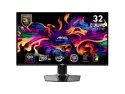
MSI 32" (31.5" Viewable) 165 Hz QD-OLED UHD Gaming Computer Monitor FreeSync Premium Pro (AMD Adaptive Sync) 3840 x 2160 (4K)
Pros: - Glossy screen - Perfect blacks - Works with HDR10 content - No text clarity issues at all, and I'm coming from a Gigabyte M32U (IPS, RGB, 140ppi) - Easy to update firmware and YES this supports it! - Price for refurbished was incredible value, and ZERO cons in unboxing. Save your money, go refurb!
Cons: All of these are not at all deal breakers, more nit picking. - No Dolby Vision support. I use HDMI 2 to playback an NVIDIA Shield Pro. I use NOVA Media Player, and whenever a file being played from USB has a Dolby Vision profile, it displays it all out of wack. Only an issue with that app, though, as VLC doesn't even support Dolby Vision, so that same file plays back fine and has an "HDR" badge and displays content proper. - No USB ports to connect a webcam, as I did on my older Gigabyte M32U. Legit didn't even look at this omission, and was a bit disappointed, but worked around it. - No SPDIF audio out, USB-C only does around 18W of power or so, which is not enough for any laptop, maybe even most modern phones. - No DP 2.1a support, but that's something only 2025 models using the same panel are releasing, and it's being gouged, and even the RTX 5000 series are only cards on the market taking full advantage with the UHBR20 (80Gbps), and those are a mess of a launch in price to performance, quality control with missing ROPs and a paper launch with "mythical" stock.
Overall Review: I kept a close eye on this 2024 3rd Gen QD-OLED panel, and as much as I knew I wanted this as endgame, I wasn't prepared NOW to shell out $1,200 at launch, or even $999 after sales for the Asus PG32UCDM I wanted. I eyed that one because Asus has a history of using a heatsink to push brightness a little bit more, but more importantly for multipurpose use, has an SPDIF port and Dolby Vision support, too. I'm comparing an open box one of those to this refurbished MSI MAG 321UP... and right now I can't justify paying another $300+ just for those two features, and the extra push of 240Hz vs 165Hz. I'm gaming on a 3080Ti at 4K, so I just have DLSS 4 force enabled, but no frame gen or MFG support, so I won't touch 240Hz on my hardware. Look at the picture. One monitor is a 4K IPS and the other a QD-OLED, BOTH from MSI mind you. That speaks alone for the sheer WOW factor you get every..single...time you look at black on this display. MSI does great with joystick and UI navigation, easy updates and yes, this supports firmware updates. If you're on an RTX 3000 series or older, get this monitor specifically. If you're on a frame-gen supporting RTX 4000 or 5000 series, and don't want to spend $999 or more, get this monitor new or refurbished and know you're getting THE best tech at an incredible value.
3/2/2025See more detail
Great monitor with some minor flaws
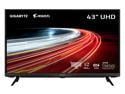
GIGABYTE - AORUS FV43U - 43" VA Gaming Monitor - UHD 3840x2160 - 144Hz - 1ms MPRT - AMD FreeSync Premium Pro - Type C KVM - HDMI, DP, Type C - Black
Pros: Looks great, feels sturdy and a lot of picture adjustments to color temperature, Gamma, sRGB, AdobeRGB or DCIp3 color space. Remote makes changing everything a breeze. Connect an NVIDIA SHield to this and I have a great media watching experience too, watching Black Widow in 4K HDR great, and Netflix shows that on my previous monitor (MSI PS321URV, 32" 4K IPS HDR600 with edge backlight) looked blown out details or bad dimming, this thing is miles better and better black uniformity.
Cons: Only complaints are one I almost anticipated but over time noticed. VA panel at this size, even sitting dead center, the left AND right side show uniformity issues. Small, but for me, multiple times a day example is using a streaming device to watch anime on Funimation. The logo loads up a solid purple background and the left and right, about 10-15% each side has noticeable banding or just different shades. If I lean into it, it becomes clear. Again, sitting dead center, maybe 3-3.5 feet away or so. Black smudging is also an issue. Playing Dead by Daylight as killer, if I climb out of basement and move mouse quick looking at the stairs, I can notice a trail behind the lines of them. Also for black smudging is how this monitor LACKS ANY 24p support for connected devices, so when I was watching Netflix and there are dark scenes, you see blacks look like green/grey when they're moving as well. I mention these as flaws, but each one is for 1-2 seconds at a time. For the price should it happen? No. FOr the price considering the market, will I excuse it? Yes. I wanted a 32" 4K HDR600 4K120Hz HDMI 2.1 panel, and to this day, the only one is that miniLED Asus one with HDR1400 for... THREE THOUSAND DOLLARS. FOH! And even that one is still susceptible to blooming of which this has none. And Acer just announced a Predator model, but it's coming in November 2021, barring any delays, no price announced (I fully expect $1,499+) and it's HDR600 with EDGE LIT ZONES-- I had that with the MSI, and it is NOT a good movie watching experience at all. The black bars have VERY noticeable haloing in pillars of sorts, so no thanks. The only other option then is the TV from Sony the X85J. At that 43" size though it is IPS (worse contrast, IPS glow can be issue), and the VRR,ALLM and ALL gaming features are "promised by Sony at a later date", where they said the SAME thing about 2020's X900H which to this day STILL has no features. No trust, and "dont buy tech today based on promises tomorrow". SO yes, because the market is beyond messed up, until LG makes a 43" OLED monitor, these minor cons will be overlooked and at the sale/promo code price of $999, so long as you get a uniform/good panel (no dead pixels on mine, no issues outside the common VA thing), there is nothing else like it. Oh, and speakers are loud as hell. Like, volume 1, it's the most I could recommend. But also it's weird like in YOuTUbe in browser I use 10-15, and in apps from Shield I use 5-10. Weird, but worth mentioning they're loud and scale very odd across different sources.
Overall Review: Big screen lovers for monitors are getting abused by everyone where you have to pay a massive premium for 32" gaming monitor that is worth it (HDMI2.1, 4K120Hz+, HDR600 minimum with non edge lit zones), or go for a bigger size and get the BEST monitor for it's price considering it's value which is for sure this Gigabyte FV43U. Cons are small, and as long as you get a quality panel, nothing else on the market like it.
7/25/2021See more detail
Update 2018: Issues randomly resolved themselves
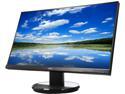
Acer K2 Series K272HUL 27" WQHD 2560 x 1440 (2K) IPS 4ms (GTG) Black LED Backlight LCD Monitor, at 60 Hz Refresh Rate, Eco Friendly Design, Visual Comfortable and Build in Speakers
Pros: - 1440p, IPS, 4ms, ultra slim bezel, 350 nits brightness, VESA compatible, headphone port for external speakers.
Cons: - Limited tilt if you use stand, but no eggs off because it has 100 x 100 VESA. - Speakers aren't too loud on it, but it does have a headphone port for speakers of your own or headphones. - No USB ports, but again, non issue for price. Update 6/20/2018: Originally this review was a novel of what I could only describe as defective units. I remember calling Acer support and they told me the reason I couldn't get the DisplayPort to work with my PC was it was using 1.1, not 1.2 or higher. Regardless, I messed around and months later used a new DisplayPort cable, and it worked. Even for kicks, used the old one I had issues with, and I have No CLUE why... it worked too. Ugh, random headaches made me give this now perfect monitor for most uses a 4 star review (I could still use HDMI with FireTV stick and used DVI-D for full 1440p 60Hz originally, so was more of a convenience issue).
6/20/2018See more detail
Great "budget" gaming laptop
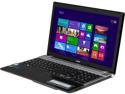
Acer Aspire 15.6" Intel Core i5-3230M 4GB Memory Windows 8 64-Bit V3-571G-6622
Pros: - 2 GB Nvidia GT 730M Dedicated GPU - Price - Look of laptop - Keyboard has each key spaced out a bit
Cons: - (Subjective) Windows 8 - The back of the screen is a fingerprint magnet - 5400 RPM HDD-- It shows. See for a 7200 RPM drive, and if you play a few games, spend a few more $$ for the $699.99 version here that has 750 GB HDD and 6GB RAM. Worth it.
Overall Review: This is a really well priced gaming laptop for those who do lighter gaming. Here are some games I tried with settings: Tera: Rising - 1366 x 768: Graphics Preset quality of 5 (out of 6), I get about 40 FPS in the opening Island of Dawn area (USE NVIDIA INSPECTOR TO FORCE ENABLE THE 730!! When I first played, it booted with onboard video!) League of Legends: 1366 x 768: MAXED out, mostly 60 FPS Left 4 Dead 2: I believe 720p (1366 x 768 wasn't available): MAXED OUT (All at highest, 8x MSAA, 16x AF), I was getting 70+ FPS in a test single player game. I'm installing Far Cry 3 and Call of Duty Black Ops II now, but have no doubt I can play at this low resolution of 1366 x 768 with mid to high settings at playable frames with most titles. DirectX9 games should be NO SWEAT, but DirectX11 might be mid settings.
6/14/2013See more detail
Steam compatible!

NVIDIA Coupon Metro: Last Light
Pros: - Compatible with Steam
Cons: - None!
Overall Review: The code asks you to go to the GeForce site to give e-mail, and enter the code from the voucher Newegg packaged with your item. After you do that, the actual Steam code is e-mailed to you, and shown to you after successful redemption. Very simple, and much better than when the Borderlands 2 and ACIII codes, which were DRM free.
4/29/2013See more detail