
Your Browsing History


Raphael Z.
Joined on 06/12/09
0
0
product reviews
- 4
Secret OC Beast
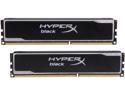
HyperX Black 16GB (2 x 8GB) DDR3 1600 (PC3 12800) Desktop Memory Model KHX16C10B1BK2/16X
Pros: Bought this about a year ago. The stuff cost me about $70 at the time on sale. Now I see its priced at $140!+ Anyway, I have it clocked to 2133 Mhz 11-11-11-33 1.58v. The stuff performs amazing. Reliable as hell. I am still lowering the DRAM voltage in my testing, so it may do it at stock, who knows. I am using a 3770K so top notch IMC. It seems to be Hyper X Beast with different heat spreaders?
Cons: Current pricing is very high.
Overall Review: Runs great on my GAZ77XUD3H + i7 3770k. Tried Samsung 30nm Green, 4x4 unstable as hell even at stock speeds, couldn't get it stable even stock. Kept getting a BSOD 116. Passed Memtest in this rig individual slots tested. I own 7 sticks of the Samsung stuff, its good ram. Same modules in separate machines passing memtest, full load prime 95, etc at super high speeds. Anyway, switched back to my HyperX Black and it outperforms it. Go figure. Don't run 4x4 on Ivy/Sandy its not worth the burden to your IMC (VTT/VCCSA/VCCIO), go with a set like this ram 2x8GB. Is this stuff HyperX Beast with different XMP profile and heat spreaders?
11/26/2013See more detail
Great Card for the Money
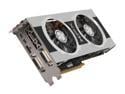
XFX Double D Radeon HD 7850 2GB GDDR5 PCI Express 3.0 x16 CrossFireX Support Graphics Card FX-785A-CDFC
Pros: Probably best gfx card for the money (~$170 with rebate when I purchased). 660 should be slightly faster but typically costs $40-50 more. Runs very cool: idle 38*C load: 60*C. Lots of overclocking headroom, however I haven't really found the need to run it overclocked except to see how high my 3dmark11 score could go. I run it stock for games, it still runs ultra with a playable framerate with most games on stock settings, 23.6" 1080p single monitor. Beautiful, elegant looking heat sink fan design.
Cons: Considering the price, none. It does require two pci-e power connectors.
Overall Review: If you are looking to run multiple monitors for gaming, you will want something more powerful or run crossfire, but for a single monitor it is fine. I run a second monitor, however I do not use it for games, just my chat programs and firefox while I am in a full screen game. This card allows you to connect up to 5 monitors (I think) but you would realistically expect to have gaming on high settings only on one unless you bought another card. Catalyst Control Center is much better than it used to be. Very easy to use. Build: I5-3570k Gigabyte Z77X-UD3H XFX 7850 DD
2/8/2013See more detail
CM V8
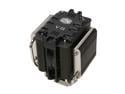
COOLER MASTER V8 RR-UV8-XBU1-GP 120mm Rifle CPU Cooler Compatible with Intel 1366/1155/775 and AMD AM3/AM2+/AM2
Pros: Adequate cooling: Phenom II 965BE is running at 4.0ghz, 32 idle, 51 load for almost a month now, prime 95 stable. Looks amazing. You can replace the inner fan with a higher CFM unit and this will probably get this cooler to the same level as the best air coolers. You can install 3 fans on it if you want, just google it, but this will require modification.
Cons: Very large. Install is more difficult than other air coolers. Hard to remove and reinstall when motherboard is in the case, however I am sure it could be done. Its pricey. The CM212 (when a second fan is added) performs about the same at 1/2 the price, however the 212 does not have nearly the same build quality and the clamping system is not as good either. This will be apparent to you if you look at both of them. If you are on a budget, I would recommend the 212.
Overall Review: To the guy with the CPU fan error, this typically occurs when your CPU fan is running at a speed that is below the bios's threshold number. Example: Bios says error when fan is below 600 rpm. Fan is at 550 rpm. Therefore, error. There is a field in the bios which should allow you to change this threshold. I hope this fixes your problem.
1/15/2013See more detail
Asus widescreen 23.6
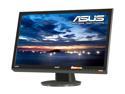
ASUS VH242H Black 23.6" 5ms HDMI Full 1080P Widescreen LCD Monitor 300 cd/m2 ASCR 20000:1 (1000:1) W/Speakers
Pros: No dead pixels. 1080p (1900x1080) resolution. HDMI Port. Speakers are okay (quieter than my laptop, but not too bad). Takes VGA as well as DVI which is great for my Dell laptop. Looks at least as good as any other monitor/small TV I've ever seen.
Cons: No built in tuner, unlike Samsung and other manufacturers. However, monitor was purchased at $180 shipped which is a better deal than anything else right now!
Overall Review: Considering buying a Kworld tuner or something to use this as a TV as well.
7/6/2009See more detail