




 here!
here!
I’m your shopping assistant for PC builds, upgrades, and everything tech.
Got questions? Ask away!
Start a conversation
here!
I’m your shopping assistant for PC builds, upgrades, and everything tech.
Got questions? Ask away!
Start a conversation

Joined on 01/24/02
Works perfectly, but good to know what you're doing
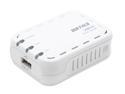
Pros: Works perfectly. I had been trying to share a Canon S750 connected to an XP Home SP3 (32-bit) machine with a Windows 7 Home Premium 64-bit machine...no dice. Once I plugged this little gadget in and got it setup (see "Other thoughts") it worked flawlessly on both machines.
Cons: In SOME cases it can be a wee bit tricky to setup IF you don't know your way around a network.
Overall Review: When I first plugged everything in per the instructions, the CD failed to find the print server (no shock...I never trust those CDs). The default IP address is indeed 192.168.11.222 with username "root" and no password, however in my case, with a DHCP server handing out IP addresses, it was different. Simply check your router's config page to see which address was handed out, and direct your browser to that address. Log in and navigate the three menu items :-P to set the IP address to something you like. Once it's setup, simply "Add New Printer", "Local Printer", create a new "Standard TCP/IP Port" and select your driver. Piece of cake!
You get what you pay for
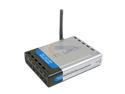
Comments: This is a textbook case of "you get what you pay for." I'll start with the pro's, because yes, there are some. This unit was extremely easy to setup. The reception is reasonable (sometimes it's a "poor" signal, but that's supposed to be plenty of bandwidth for a high-speed cable connection) and the filtering works perfectly (be certain to get the latest firmware updates). Unforunately that's about where things end. The wired connections quit working, conveniently just after the warranty ran out. I understand this to be a trend with D-Link products. No amount of "unplug it and wait until the heat-death of the universe then plug it back in" has helped. Upgrading to the latest firmware has not helped either. Perhaps the thing that upset me the most, though, was the fact that it's limiting my bandwidth to a lousy 1.5Mb/s. I have a cable internet connection that is rated at 6Mb/s (verified by substituting another router and speed testing at "speakeasy dot net slash speedtest") and this bloomin' thing caps me at 1.5Mb/s. There's no excuse for this in my mind. The product clearly advertises "Up to 54Mbps" and clearly fails to deliver. If you are a humble home-user with no need for the *really* fast data connections or you have dial-up/dsl and don't mind trying your luck with "expire-when-the-warranty-does" technology, then this is a reasonably priced router. But if you have any need for real speed or would actually like to *keep* your investment for a while, get something else. I do, however, have to sing newegg's praises. Their service and speed have been unparalleled, as I've come to expect. And they've worked very graciously with me to get me settled with something that works right for me. They just rock and will forever have my business (just not with this unit).
Works fanstic, even with Windows Phone!
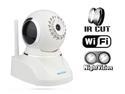
Pros: Very easy to setup and use. Picture quality is plenty sufficient and automatic night-vision works very very well (I would personally prefer the light threshold to be a little higher, but no biggie). Wireless mode functions without a hitch. Works fantastically with our Windows Phones (HTC 8X and Lumia 928) using the "IP Cam Controller" app, other apps work as well, I just wanted to give an option to anyone looking to get started. Browser front-end is a little dated, but still perfectly operational in IE 10/11 (use Mobile mode), Firefox and Chrome. This thing is also perfectly quiet. We use two of these as baby monitors for our kids and they perform flawlessly. Both rooms are very "busy", which is to say there is a good many details and contrasts in the picture at any one time and there is no problems whatsoever with locking up or lag or any cmos issues as reported in some of the Foscam models.
Cons: The software, both PC-side and web front-end are dated in their appearance. This is superfluous, however, as they still function as expected. The manual is quite obviously poorly translated into English, but there are loads of illustrations and the point is always well communicated.
Overall Review: All in all, this is a fantastic performing camera. We were pleased enough with this model that we bought a second one for our newest baby. The Windows Phone compatibility was a huge plus for us.
Strong but kind of cheesy
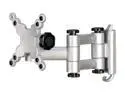
Pros: Very strong materials and joints. Comes with all the screws needed for various situations. Feels as though it will easily handle the rated weight. Also includes the hex wrenches you may need.
Cons: While this mount does perform as advertised (i.e. it attaches to the wall and keeps your monitor from falling off) it is very lackluster in fine adjustments. The quick-release from the wall results in a good deal of "slop" that makes vertical adjustment extremely difficult. Similarly, the combined slop in all of the joints causes the monitor to naturally hang like an off-level picture frame...the kind that drives you nuts. Once I propped a second monitor up next to it I was able to keep it level, but this should not be necessary.
Overall Review: If ALL you're looking for is something to hang your monitor on the wall and you don't mind fussing with adjusting it and accounting for all the looseness, it's not a bad price ($29.99 when I bought it). Considering that it ONLY handles two monitor mount sizes (which, to be fair, was clearly advertised) if I had it to do over again I would have purchased a slightly more expensive model, say, around $60-ish so I could have had the quality. This thing is just cheap through and through. Newegg, however, did their part splendidly, as always :-)
Outstanding investment!
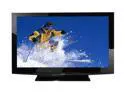
Pros: Very rich picture, simple (but still plenty capable) on-screen interface, THX picture mode is very nicely balanced with even and realistic skin tones and deep blacks. The anti-glare coating is outstanding. This TV also runs very cool and completely silent. No fan noise and no heat waves shimmering out the back :-) We hung it on the wall using the BYTECC BT-4270 with absolutely no trouble whatsoever. The viewing angles are perfect. I walked past it to leave the room and could see the image perfectly right up to the point that I was at the edge of the TV...no dimming whatsoever. (I suppose this is common to plasma TV's...but this is my first one, so I was impressed). We feed strictly HDMI in and use the optical audio out port to connect to our amp, the surround sound and the picture are perfect for all devices. All in all, I could not have possibly asked for a better TV. I know there is a "newer" model out, but I have a hard time imagining it being appreciably better than this.
Cons: None
Overall Review: This TV is heavy. Not an unreasonable weight for it's size...just a huge piece of equipment :-) I've found the remote to be adequate, but certainly nothing I had to "write home" about. It is worth noting that the holes in back for securing a mounting bracket to are the slightly uncommon size of 660mm x 320mm. Certainly nothing any universal bracket can't handle, but something worth mentioning all the same. It is also worth noting that the bottom mounting holes are about two inches above a part of the TV that sticks out about a quarter inch from the back, so any mounting bracket will either need to be mounted high to clear this part (which is what I did) or use spacers that usually come with them. Also, the connections on the back are perpendicular to the TV, so all your cables stick straight back and need a good 3-inches or so of clearance from any wall. You should have this anyway for ventilation and it generally isn't even an issue, but I thought it was worth mentioning.

Comments: This thing works perfectly. It didn't at first, but that was because I had the wires plugged in backwards :-) Oops. No ghosting on the screen at all, instant switching, and you can't beat the price! Newegg also got it here in record time (two days for regular shipping!)...but I've come to expect that of them. They rock!


