

Your Browsing History


Austin H.
Joined on 08/06/11
0
0
product reviews
- 10
Wonderful
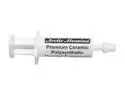
Arctic Silver Arctic Alumina 1.75g Premium Ceramic, Polysynthetic thermal compound AA-1.75G
Pros: Works very well, even before it has set, my CPU is running 2 degrees Celsius cooler under full load. Smaller tube has enough to cover at least 4 or 5 applications. Ceramic means it's non-conductive, which means you don't have to worry about excess shorting out the pins on any IC's you may use it on.
Cons: Thinner out of the tube than other thermal pastes that I have used, more of a cream than a paste in my opinion. Because of this, it can be a bit messy if you aren't careful.
Overall Review: To those who say that one tube is barely enough to cover a single CPU, you are using way too much thermal paste. a layer any thicker than about .005 inches will actually make things run hotter, because the paste then starts to become a significant form of insulation (as compared to the copper heat sink and steel or aluminum heat plate on the CPU). The info says that the smaller tube has enough for 24 square inches at .003 inches thick, this means that with the average CPU being about 4 square inches, you should be using about a sixth of a tube per CPU.
8/23/2013See more detail
Would have been great if it worked
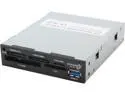
Koutech IO-RCM632 USB 3.0 Support SD/ CF/ xD/ MS/ MMC. Multi-in-1 SuperSpeed USB 3.0 Front Panel Internal Card Reader with USB 3.0 Port (3.5")
Pros: Internal card reader that has an actual USB 3.0 internal connector. Really does work at USB 3.0 speeds. Each slot presents as a separate USB endpoint, so if you can get to work, you can use all the slots at the same time.
Cons: Presents as a USB mass storage device with no media when the slots are empty (this could also be considered a pro, see other thoughts). Causes Xen to hang during boot on a UEFI system. Causes Linux boot time to increase by a couple of seconds (see other thoughts).
Overall Review: I know much more than the average individual about the actual operation of the USB protocol, and I can say categorically that this has to be the most well designed USB card reader that I have ever seen, this is a large part of the reason that I gave it three eggs instead of just one Overall, I would say that this is well worth the price, provided you can get one that works. I appear to just have had bad luck and got a unit with defective interface logic between the USB controller and the actual card readers, as it doesn't recognize any of the (known good) media cards I tried with it. The fact that It presents as a USB mass storage device with no media when empty is standard practice with this type of device, and is also the reason that it causes Linux to boot slower (I consider this to be an issue with Linux, not the devices). As for the boot issues with Xen, I have no idea what causes this (I think it's something with Xen itself, not this specific device, cause i have had simmilar issues with other USB 3.0 devices).
10/23/2013See more detail
At best mediocre headset for the price.
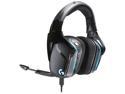
Logitech G635 DTS, X 7.1 Surround Sound LIGHTSYNC RGB PC Gaming Headset
Pros: * Playback quality is great when used via USB, and decent otherwise. * Very comfortable. * Audible microphone mute/unmute indicator handled in hardware (only on USB though). * The microphone boom includes a switch that mutes or unmutes the microphone as you swing it up out of the way or down into place respectively. * Simulated surround functionality works well.
Cons: * Microphone sound quality is mediocre at best, and it picks up a lot of noise from the room. * The mute indicator light on the microphone is rather hard to see. * The microphone boom is poorly designed, focusing more on being as unobtrusive as possible while not in use than on actually being usable. * The buttons are poorly placed and require a lot of force to push. * The default behavior of the buttons other than the mic-mute button are less than useful in many cases (one toggles surround functionality (but only seems to do so if you have the G Hub software running and are connected through USB), one toggles lighting, and the third cycles equalizer presets (and yet again only seems to do so when the G Hub software is running)). * The USB cable's woven outer layer produces a lot of vibration when it brushes up against clothing, and this results in a lot of background noise inside the left ear cup. * The USB sound card has intermittent reliability issues. Sometimes it will work fine for hours, and then suddenly you'll get random sputtering, lost audio, and even disconnects, often resulting in needing to physically disconnect and reconnect the headset.
Overall Review: I originally bought this to replace my now decade old Logitech G35 headset (which still works fine, I just didn't want to have to scramble to get a new headset when the G35 eventually dies). I can honestly say though that I'm just going to stick with the old one, despite it being 10 years old. The G635 is more comfortable than the old G35, and has better audio playback quality, but those are really the only improvements in my opinion. The microphone on the G635 has about the same sound quality as the 10 year old microphone in the G35, and the one in the G35 does a better job of not picking up random noise in the background. The buttons on the G635 are harder to use and don't really provide useful functionality for me by default (the G35 defaulted to media controls, the G635 defaults to toggling all the fancy features that most people will set up once and never touch again). The G635 has reliability issues when connected through USB, while the G35 does not. Were it not for the playback quality and how comfortable it is, I'd probably be giving the G635 a rating of only 1 egg..
4/26/2020See more detail
Decent compact laptop.
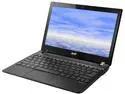
Acer Aspire 11.6" Intel Celeron 847 4GB DDR3 Memory Linux V5-131-2887
Pros: Ethernet is gigabit, not 100 megabit. Ethernet is a good Broadcom NIC. Battery life is amazing (see other thoughts). System is ridiculously light. Suspend to RAM takes approximately 2 seconds.
Cons: DOES NOT HAVE USB3.0. (see other thoughts) Wireless card is not great (Bluetooth and WiFi on same card, but bluetooth can't be independently disabled, and one transciver is dedicated to bluetooth, so wifi speeds are terrible). CPU can't be upgraded without replacing the entire base-board. Comes with DDR3 1600 memory, but won't run it as anything other than DDR3 1333. Backlight dosen't work correctly on Linux. (see other thoughts) Intel processor (this is a personal con, see the end of Other thoughts)
Overall Review: As stated above, this system DOES NOT HAVE USB3.0. There are other newer versions of the system (with Celeron 1007U processors) that do, but this one does not. Had I known this before I bought it, I probably would have gone with an ASUS 1015E instead (less expensive), but at the moment I'm glad I didn't. As stated in other reviews, the pre-installed version of Linux is worthless (even for hardware verification). I ended up putting Gentoo on mine (building packages on my desktop so it dosen't take forever). I immediately replaced the stock hard drive with a SanDisk SSD, which gives me an average battery life of almost eight hours. I have also replaced the WiFi card with an Intel Centrino 802.11n card which greatly improved my wifi speeds (no bluetooth, but I don't really use it anyway), and put 4G more memory in (more memory means more read caching of the disk, which means the disk dosen't need to be on as much). Also, the backlight key's don't work under Linux, and neither do any standard linux programs for changing the backlight. This is a result of the poorly designed (read as 'lazy') ACPI implementation on this system, there is no ACPI device descriptor for the LCD backlight, only for the external video device baclight (there also aren't any ACPI thermal zones defined, which is practically unheard of on mobile systems) While this isn't really an issue with this system in particular, Newegg needs to sell more bare-hardware systems like this, and in particular ones with AMD processors (the AMD E1-2100 in my router runs at only 1Ghz and has more processing power than the CPU in this system, despite using only 9W of power at full power, which is 4W less than a Celeron 847).
1/18/2014See more detail
Superb SSD
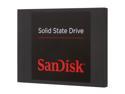
SanDisk 2.5" 64GB SATA III Internal Solid State Drive (SSD) SDSSDP-064G-G25
Pros: Extremely lightweight (even compared to other SSD's) Ridiculously fast Inexpensive, but not poor quality Actually able to make use of the SATA III link speed (most drives use less than half of the bandwidth) Internal temperature sensor works correctly (many other SSD's I have seen report any temperature below 40 degrees celsius as 40, this one actually reports the real temperature)
Cons: Plastic casing seems a little flimsy, but not worth docking an egg.
Overall Review: I am definately sold on the quality and performance of SanDisk brand flash storage devices, this SSD however excedded even my expectations. It makes the ADATA SSD I had been using look pathetic in comparison. I'm actually getting higher random read and random write preformance than the specs say (although the specs were probably based on typical workloads on a Windows system, which differ greatly from my using it as a btrfs root device for a Linux system)
1/10/2014See more detail
Superb processor
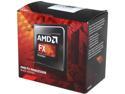
AMD FX-8320 - FX-8000 Series 8-Core 3.5 GHz (4.0 GHz Turbo) Socket AM3+ 125W Desktop Processor - FD8320FRHKBOX
Pros: 4 cores with 2 threads per core (yes I know that this isn't how AMD specifies it, but it is a much more accurate assesment because of the shared resources between cores on each 'module'). Overclocks stably at 4.0 GHz Internal sensor that reports instantaneous power consumption. Provides feedback about how CPU bound a given task is, allowing more well informed decisions about dynamic frequency adjustment.
Cons: Issues with internal thermal sensor. (I don't know if this is specific to the one I got or not, but it consistently reports temperatures BELOW room temperature when idle, which is impossible because I have no Peltier modules or equivalent devices that would be able to cool it to that degree). Needs special tuning options with GCC to provide maximal efficiency (For those who care about this, you need to use -mtune=bdver2 and either -mprefer-avx128 or -mnosse2avx to get the best efficiency). Included thermal grease is not very good, but this is an issue with almost all processors (and graphics cards), not just this one.
Overall Review: My setup: ASRock 970 Extreme4 Motherboard with NB and HT clocked at 2GHz AMD FX-8320 Overclocked at 4GHz 4x 4G Crucial Ballistix Tactial DDR3 1600 model BLT4G3D1608ET3LX0 memory 1x ADATA 64G SATA3 SSD 1x Segate Barracude 7200 rmp 1Tb HDD AMD Radeon HD-5450
10/23/2013See more detail