




 here!
here!
I’m your shopping assistant for PC builds, upgrades, and everything tech.
Got questions? Ask away!
Start a conversation
here!
I’m your shopping assistant for PC builds, upgrades, and everything tech.
Got questions? Ask away!
Start a conversation

Joined on 02/02/07
Worked as expected, no bios update required for Ryzen 3000 CPUs

Pros: Came pre-flashed with ryzen 3000-compatible bios, which was a nice surprise. Has all of the essential features for a micro-ATX build.
Cons: Diagram for power pin layouts was too small to read, forcing you to guess. Included documentation for memory layout was confusing. If only installing one or two DIMMs, read the online documentation carefully to see what configurations are supported.
Overall Review: Still a reliable choice for mid-range AMD gaming builds in 2020. There are bigger / faster variants out there, but as of 2020 they tend to encounter issues with newer Ryzen CPUs or Radeon cards. This has been rock steady so far!
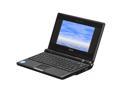
Pros: Light, portable and as shock-proof as you can get for a laptop. Runs stripped-down Linux distros very well (xubuntu, etc).
Cons: There are much better eeePCs out there now; not great for multitasking. An 800x480 screen is NOT optimal for web browsing- the average webpage was made for a 1024x768 or similar width window. I still use my eee 4G and it is functional, but this first model was the guinea pig- you will find it has shortcomings that the newer models have improved upon.
Overall Review: Asus has announced they are releasing a new-and-improved baseline eeePC for $200 in 2009. It will have much better hardware, and a bigger screen. If you don't want to pay for the $300-400 eeePCs, wait another month and you'll get more hardware and performance for your money.
Great laser projector, with Android TV bringing the caveats
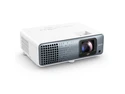
Pros: - Clear, sharp picture - Android TV provides the smarts
Cons: - Limited options for audio out (3.5mm and onboard speaker only) - For parents: Android TV is difficult to lock down
Overall Review: After using a cheap projector as a home TV for a while, we decided to make it official with our first "nice" projector. The picture is extremely sharp, even out to 10-12 feet. It is also bright enough to watch in regular room light, though with the colors a little washed out. It is a SHORT THROW projector, with 6-7 feet being the ideal distance depending on how big your wall is. Running in standard mode, the fan is audible but not overpowering. The auto-keystone feature works pretty well, and will get you 90% of the way there with the rest being up to your mounting solution. Note that the projector-specific options are in their own settings menu outside of Android TV, summoned by a separate button on the remote. Options such as audio output, keystone and color balance can be reached by enabling an "Advanced" menu in the projector settings. The inputs and outputs are pretty basic. It has 2 HDMI ports, a RS-232 port (with some documentation included), and a 3.5mm audio output. Note this projector does NOT have an optical audio out, nor does it offer bluetooth audio. Other BenQ models offer these features, so if you need support for surround sound or wireless audio then look elsewhere. Android TV is the default interface for this projector, and is provided by a streaming stick that plugs into a dedicated housing on the back of the unit. This allows for upgrades in the future, if your projector's hardware outlives the software. I also appreciate the flexibility of being able to physically remove Android TV from the system, if Google decides to overhaul the software in a way that I find is unacceptable. The AndroidTV stick is included with the projector and tucked into the housing unit, but it is NOT connected out of the box- so be sure to open the housing and connect the stick on first startup. Initial setup was fairly smooth, with a few quirks while pairing up the AndroidTV module and included remote. (The Benq setup dialog even warns you to ignore certain AndroidTV prompts, which I found amusing). There is no ethernet connectivity, so you will need a good Wi-fi connection for reliable streaming. Otherwise it acts like standard Android TV, with all the streaming apps supported by Android. If you are into the Google Home ecosystem, you can add the projector's AndroidTV to your Google Home, and issue basic commands while it is on: pause, resume, etc. Google Cast works as expected, though IMO you will get fewer quirks if you install the native apps when they are available. You can power the projector OFF with voice commands, but powering it ON requires the remote. The projector itself supports basic voice input as well, via a button on the remote. Getting the most out of AndroidTV requires a google/gmail account, but setting one up is not difficult. If you have zero interest in AndroidTV, you could remove the module and use a different streaming stick in one of the other two HDMI ports. As a parent, one thing I will call out about Android TV is an almost total lack of parental controls. The default interface also shows a lot of "promotional" content from Google TV that cannot be removed. If you hand the remote to a small child, it's like giving them access to a full-featured Android phone on your wall. The sanest way I found to counter this, is to: 1) dig into the Settings menu and disable or uninstall apps you don't like; 2) Disable all of the "channels" in home screen customization settings, and 3) Install a different AndroidTV launcher from the Play Store. I recommend installing the 'Projectivity' launcher, which replaces the default view with a clean and ad-free experience (see attached picture). It also lets you set a parental code and "lock" any undesirable apps. Read the instructions and ensure to enable Projectivity as the default launcher, for the best experience. If you really want to ditch AndroidTV, you can unplug the module and install a different streaming stick. On startup the projector should detect and switch to it, or else you can force it in Projector Settings. Nitpicks about AndroidTV aside, we are happy with the projector! Now that it is mounted on our ceiling, we finally have a fancy home theater experience.
Great performance for the price!
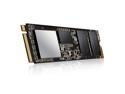
Pros: Performance that is comparable to Samsung, at a much lower cost. Games load quickly, and random write speeds are zippy.
Cons: None so far
Overall Review: Great value for a gaming or multimedia box.
Performs as advertised
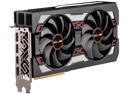
Pros: Pretty quiet Performs to spec Great performance for price
Cons: None
Overall Review: Works great in a mid-range AMD build, with standard ATI drivers. As of 2020, can handle just about any game at 1080p ultra quality, or 1440p medium/high quality.
A smart, well-designed case
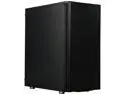
Pros: Dampens sound Smart design for airflow and heat management Cable channels keep things neat
Cons: No slot for BD / DVD drives Case screws are a little finicky
Overall Review: I really like this case. Coming from a slim-but-cramped mATX cube case, this one is nice and roomy. The front of the case is mostly plastic, but it has a brushed metal appearance. The side panels come off easily, revealing a number of compartments with cable channels between them. The panels themselves have a thin layer of fibrous texturing on the inside, to provide some sound dampening. The power supply and hard disk slots are sectioned off from the main board area, which is good for heat separation and air flow. The cable channel running up the middle of the case, keeps most of the cable mess at bay. The bottom of the case is vented, and it has a thin removable screen to catch dust particles. It has two hard disk slots that are easy to access and remove, and they support both 2.5" and 3.5" disks (and they even have dampening rubber mounts for the larger disks, presuming they are the spinny kind). Overall, this is a nice option that gives you many features without breaking the bank. It has a minimalist, understated look on the outside, and oodles of practical design on the inside.


